> ## Documentation Index
> Fetch the complete documentation index at: https://user-docs.seaticket.ai/llms.txt
> Use this file to discover all available pages before exploring further.
# Configuring Chat Sources
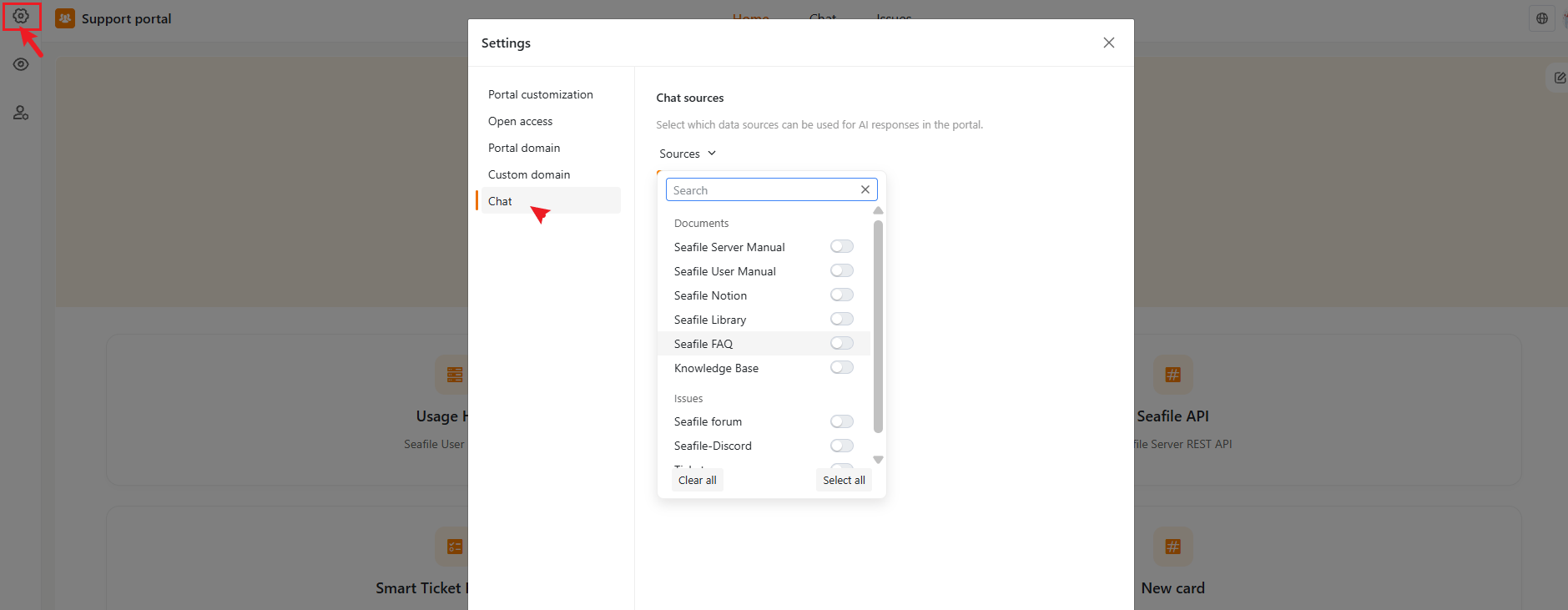
From the portal editor, open **Settings** (gear icon, top-left) and go to the **Chat** tab.
## Chat Sources
Define which data sources the AI Chat uses to generate responses. Selecting appropriate sources lets you control the quality and scope of the AI's answers.
Open the **Sources** dropdown to see a searchable, categorized list — for example:
* **Documents** — manuals, notes, FAQs, and knowledge base articles you've connected
* **Issues** — threads synced from connected sources such as a Github, forum, Discord
* **Tickets** — internal tickets, if applicable
Toggle each source on or off individually. **Select all** and **Clear all** are available as shortcuts.
 **Note:** Available sources depend on your **Connections** configuration.