> ## Documentation Index
> Fetch the complete documentation index at: https://user-docs.seaticket.ai/llms.txt
> Use this file to discover all available pages before exploring further.
# Configuring Issue Types and Substates
Issue types and substates help organize issues submitted through the Support Portal.
**Issue types** describe the category of an issue, such as Bug, Feature, or Question.
**Substates** provide more detailed progress information within an issue state, such as New, Working on, or Waiting on user.
Administrators can create and remove issue types and substates based on their support workflow.
## Manage Issue Types
Issue types are used to classify issues submitted from the Support Portal.
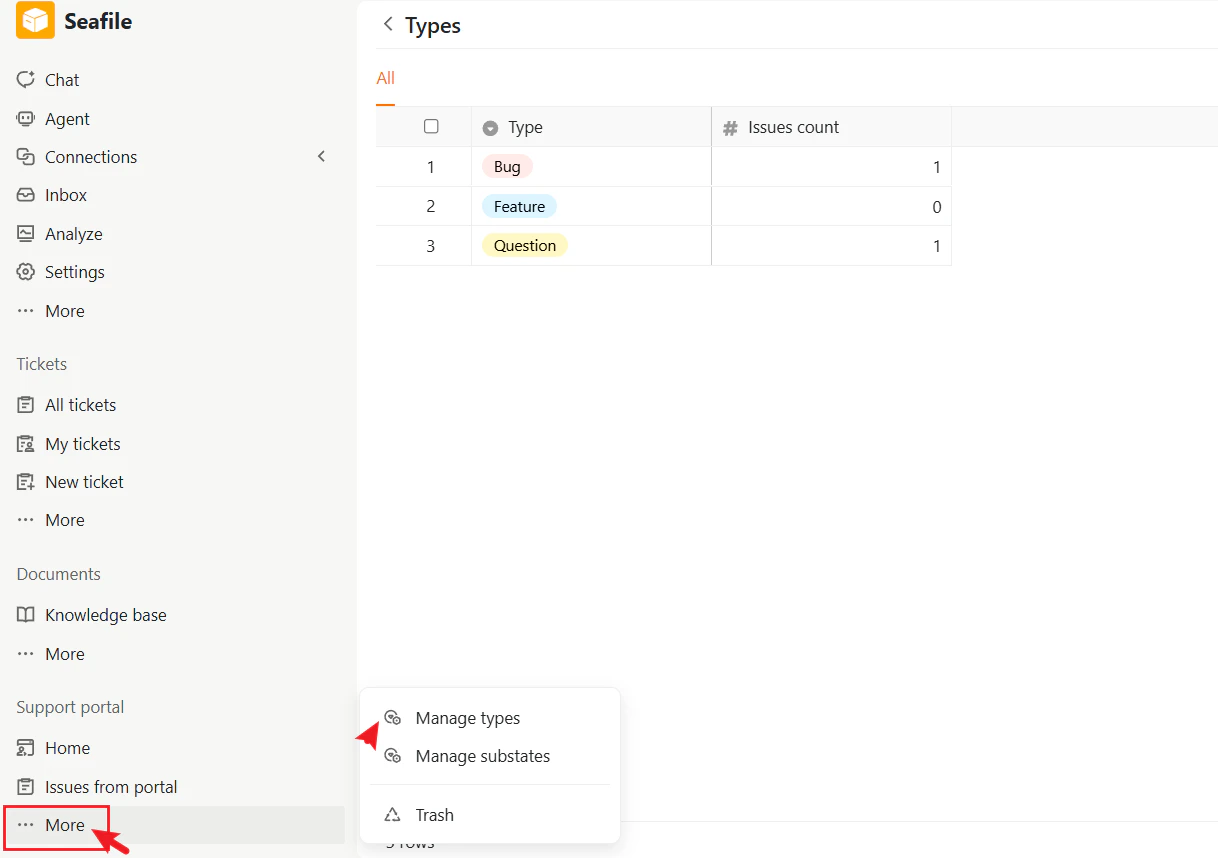
The Types page displays all configured issue types and the number of issues associated with each type.
### Access the Type Management Page
1. In the left sidebar, go to **Support portal**.
2. Click **More**.
3. Select **Manage types**.
The Types page displays all available issue types.
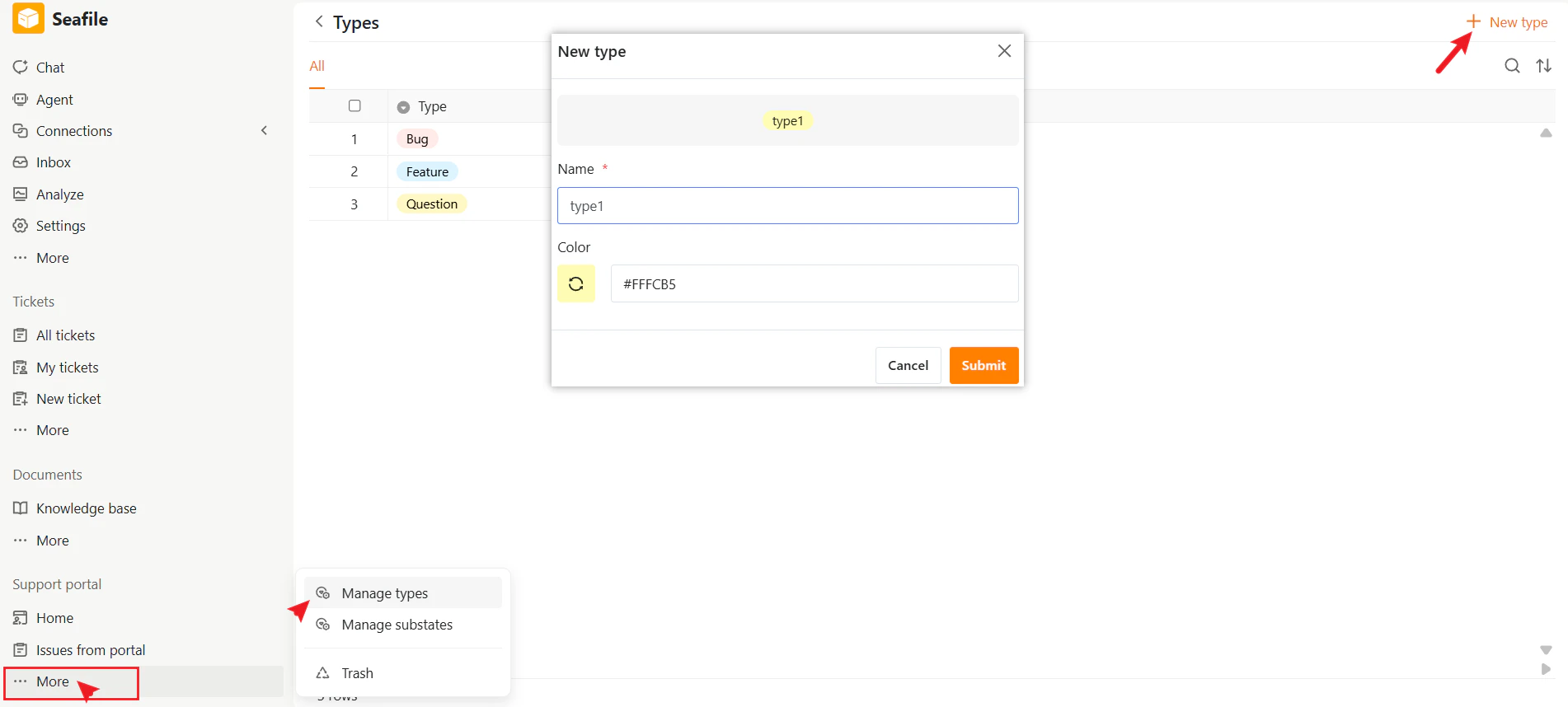
 ### Create a New Issue Type
1. Click **New type** in the upper-right corner.
2. Enter a name for the type.
3. Select a color.
4. Click **Submit**.
The new type will become available in issues within the Support Portal.
### Create a New Issue Type
1. Click **New type** in the upper-right corner.
2. Enter a name for the type.
3. Select a color.
4. Click **Submit**.
The new type will become available in issues within the Support Portal.
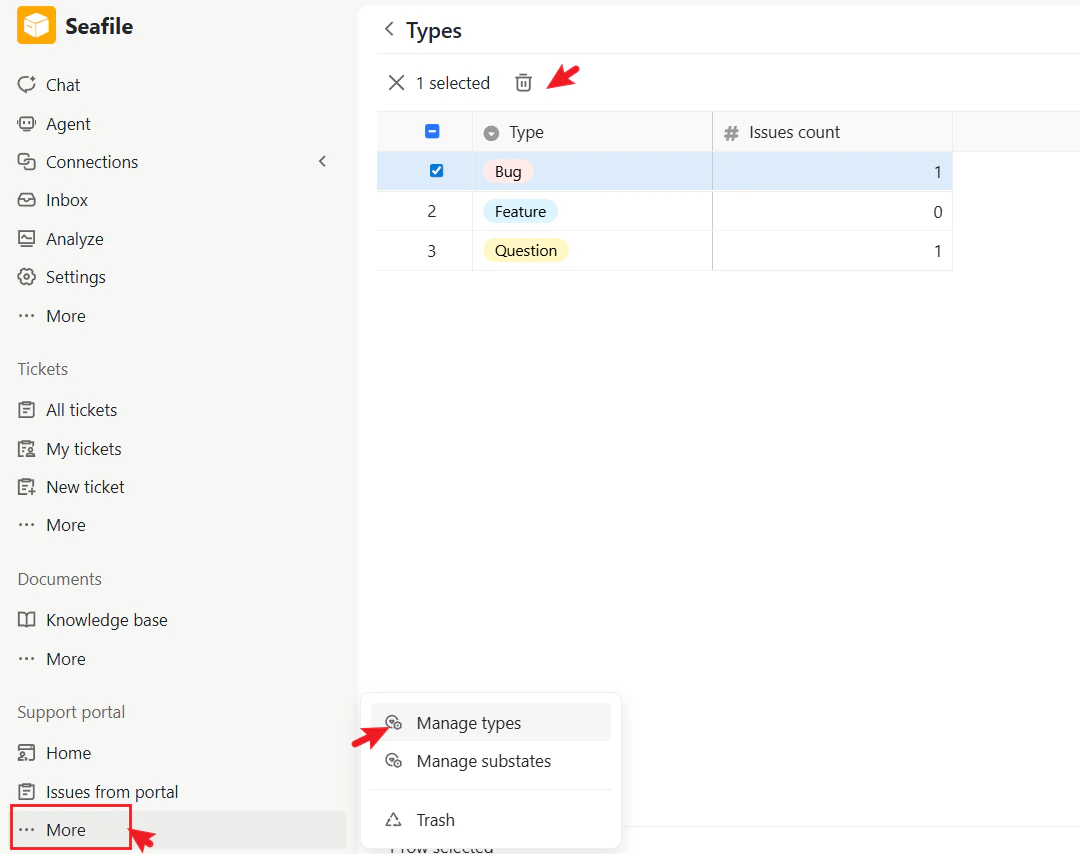
 ### Delete a Type
Administrators can remove existing types from the Types page.
Deleting a type does not delete existing issues, but removed types will no longer be available for selection.
### Delete a Type
Administrators can remove existing types from the Types page.
Deleting a type does not delete existing issues, but removed types will no longer be available for selection.
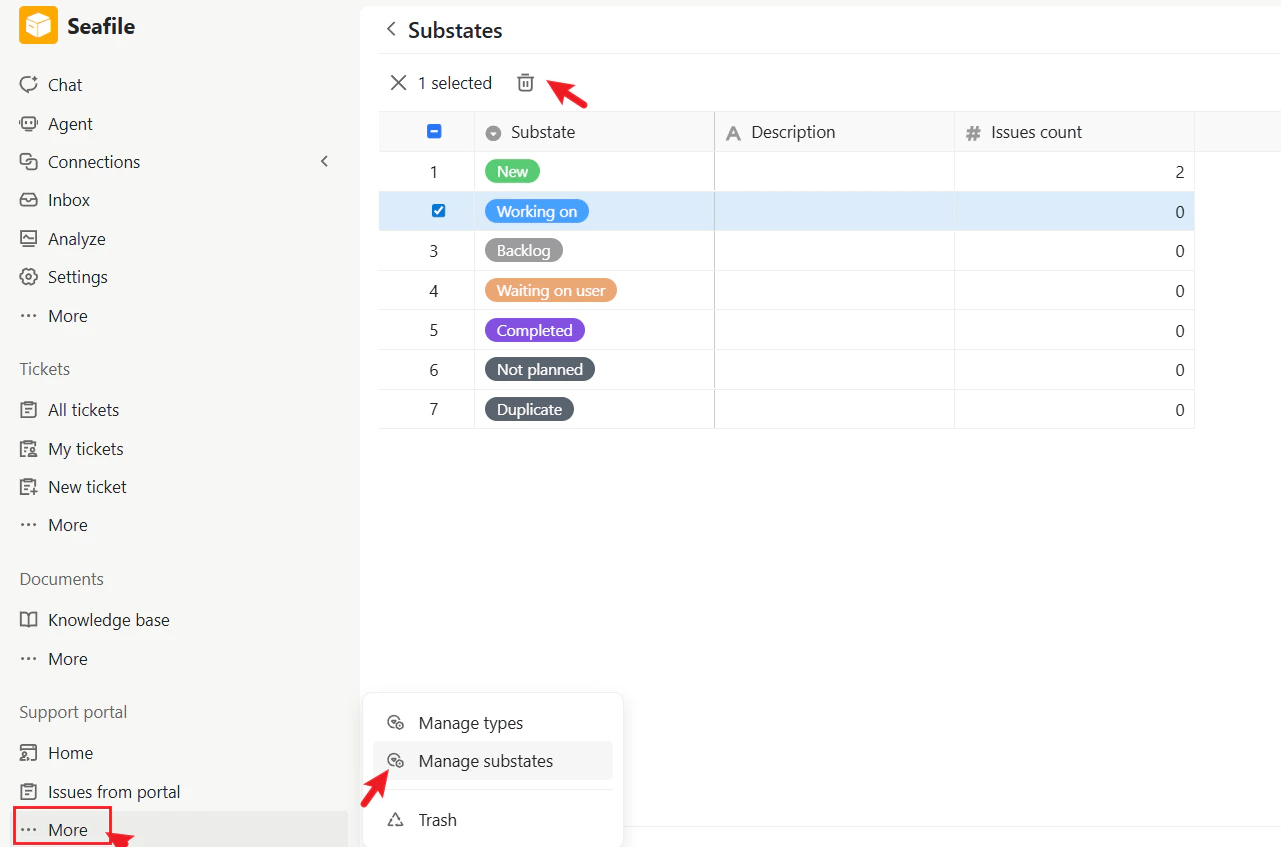
 ## Manage Substates
Substates provide additional detail for issue progress under a main issue state.
For example:
* Open → New
* Open → Working on
* Closed → Completed
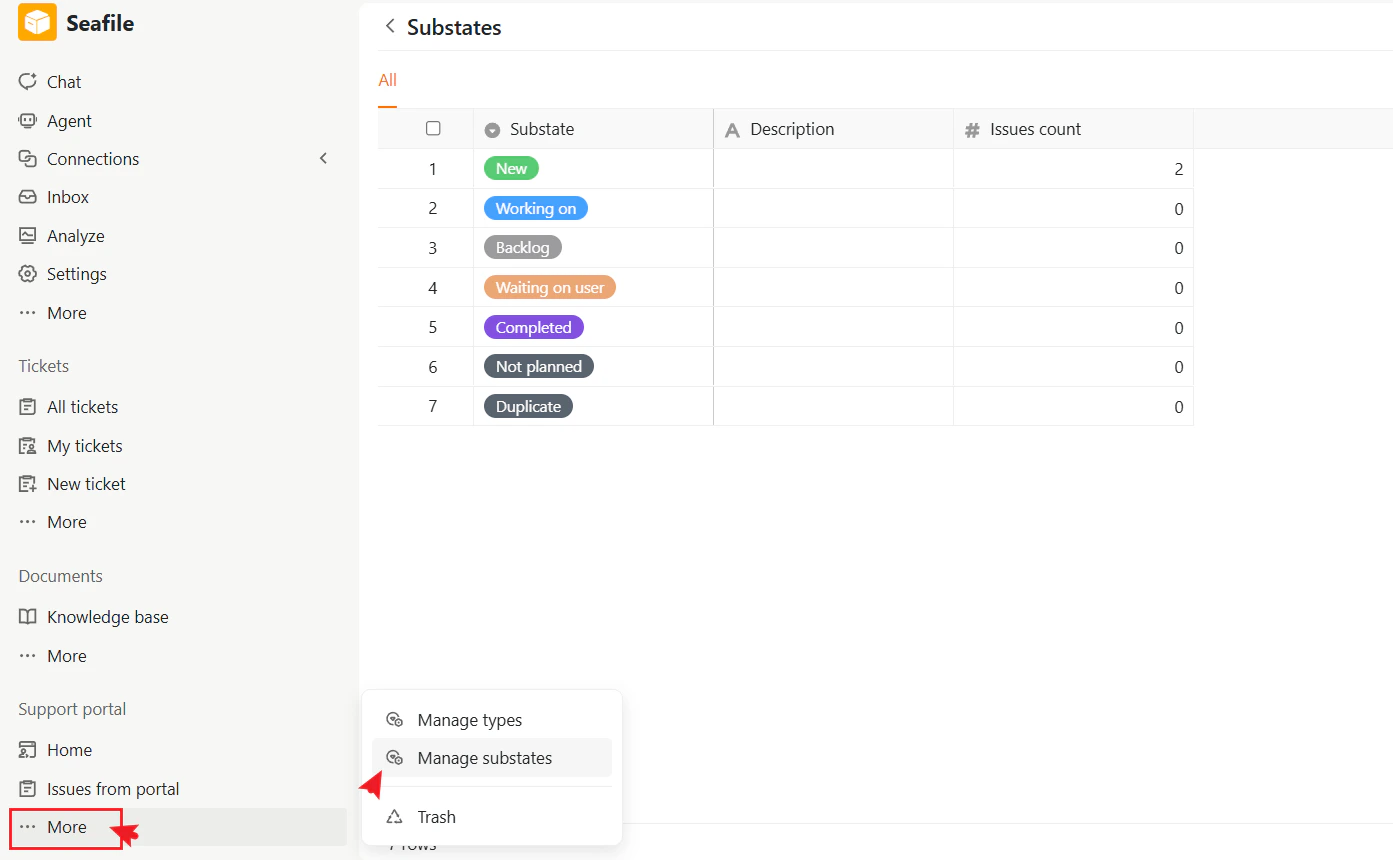
The Substates page displays all configured substates and the number of issues associated with each substate.
### Default Substates
The Support Portal includes several default substates:
* New
* Working on
* Backlog
* Waiting on user
* Completed
* Not planned
* Duplicate
These default substates can be removed if needed.
### Access the Substate Management Page
1. In the left sidebar, go to **Support portal**.
2. Click **More**.
3. Select **Manage substates**.
The Substates page displays all configured substates.
## Manage Substates
Substates provide additional detail for issue progress under a main issue state.
For example:
* Open → New
* Open → Working on
* Closed → Completed
The Substates page displays all configured substates and the number of issues associated with each substate.
### Default Substates
The Support Portal includes several default substates:
* New
* Working on
* Backlog
* Waiting on user
* Completed
* Not planned
* Duplicate
These default substates can be removed if needed.
### Access the Substate Management Page
1. In the left sidebar, go to **Support portal**.
2. Click **More**.
3. Select **Manage substates**.
The Substates page displays all configured substates.
 ### Create a New Substate
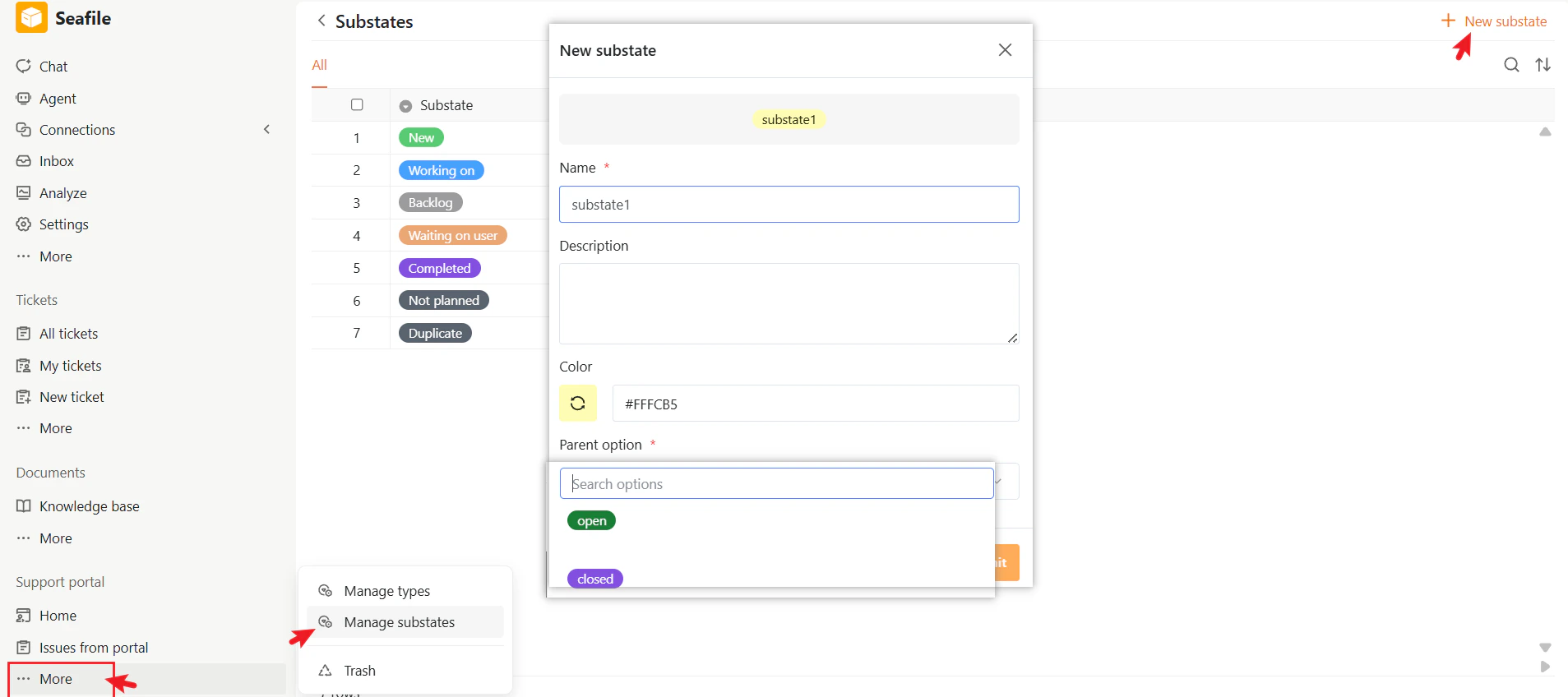
1. Click **New substate** in the upper-right corner.
2. Enter a name.
3. Optionally enter a description.
4. Select a color.
5. Choose a parent state.
6. Click **Submit**.
The substate will then be available when updating issues.
### Create a New Substate
1. Click **New substate** in the upper-right corner.
2. Enter a name.
3. Optionally enter a description.
4. Select a color.
5. Choose a parent state.
6. Click **Submit**.
The substate will then be available when updating issues.
 ### Parent States
Each substate must belong to a parent issue state.
For example:
| Parent State | Available Substates |
| :----------- | :----------------------- |
| Open | New, Working on, Backlog |
| Closed | Completed, Duplicate |
This helps organize issue progress more clearly in the Support Portal.
### Delete a Substate
Administrators can remove existing substates at any time.
Removing a substate does not delete existing issues, but the removed substate will no longer be available for future selection.
### Parent States
Each substate must belong to a parent issue state.
For example:
| Parent State | Available Substates |
| :----------- | :----------------------- |
| Open | New, Working on, Backlog |
| Closed | Completed, Duplicate |
This helps organize issue progress more clearly in the Support Portal.
### Delete a Substate
Administrators can remove existing substates at any time.
Removing a substate does not delete existing issues, but the removed substate will no longer be available for future selection.