> ## Documentation Index
> Fetch the complete documentation index at: https://user-docs.seaticket.ai/llms.txt
> Use this file to discover all available pages before exploring further.
# Connections Overview
**Connections** is a SeaTicket feature that integrates external information sources into your project. It lets you collect issues, discussions, and documents from different systems and manage them all in one place.
## What can you integrate?
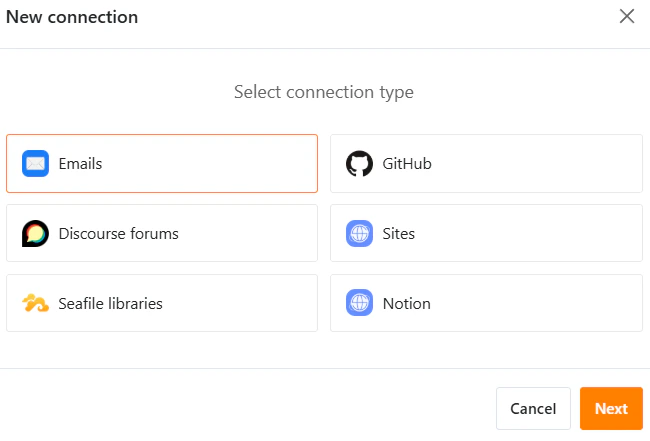
In each SeaTicket project, you can connect to various external sources:
* **Email Support** — Sync emails from support mailboxes
* **GitHub Issues** — Sync issues from GitHub repositories
* **Forum Threads** — Sync discussion threads from community forums
* **Websites** — Crawl and sync web pages
* **Seafile Libraries** — Sync documents and reference materials
* **Notion**— Sync pages and databases from Notion workspaces
 ## What happens after you connect?
Once connections are set up, SeaTicket automatically:
* Collects and syncs issue reports and discussions from connected sources
* Organizes them into manageable tickets and records
* Makes all related information available in one central location
## How Connections help your daily work
Connections help you:
* View all related issues and information in one place
* Respond to tickets with full context
* Reuse existing knowledge instead of searching across tools
* Keep everyone working with the same up-to-date information
## What happens after you connect?
Once connections are set up, SeaTicket automatically:
* Collects and syncs issue reports and discussions from connected sources
* Organizes them into manageable tickets and records
* Makes all related information available in one central location
## How Connections help your daily work
Connections help you:
* View all related issues and information in one place
* Respond to tickets with full context
* Reuse existing knowledge instead of searching across tools
* Keep everyone working with the same up-to-date information