> ## Documentation Index
> Fetch the complete documentation index at: https://user-docs.seaticket.ai/llms.txt
> Use this file to discover all available pages before exploring further.
# Creating and Managing Groups
## Create a Group
To create a new group:
1. Go to the **Workspace** from the main sidebar.
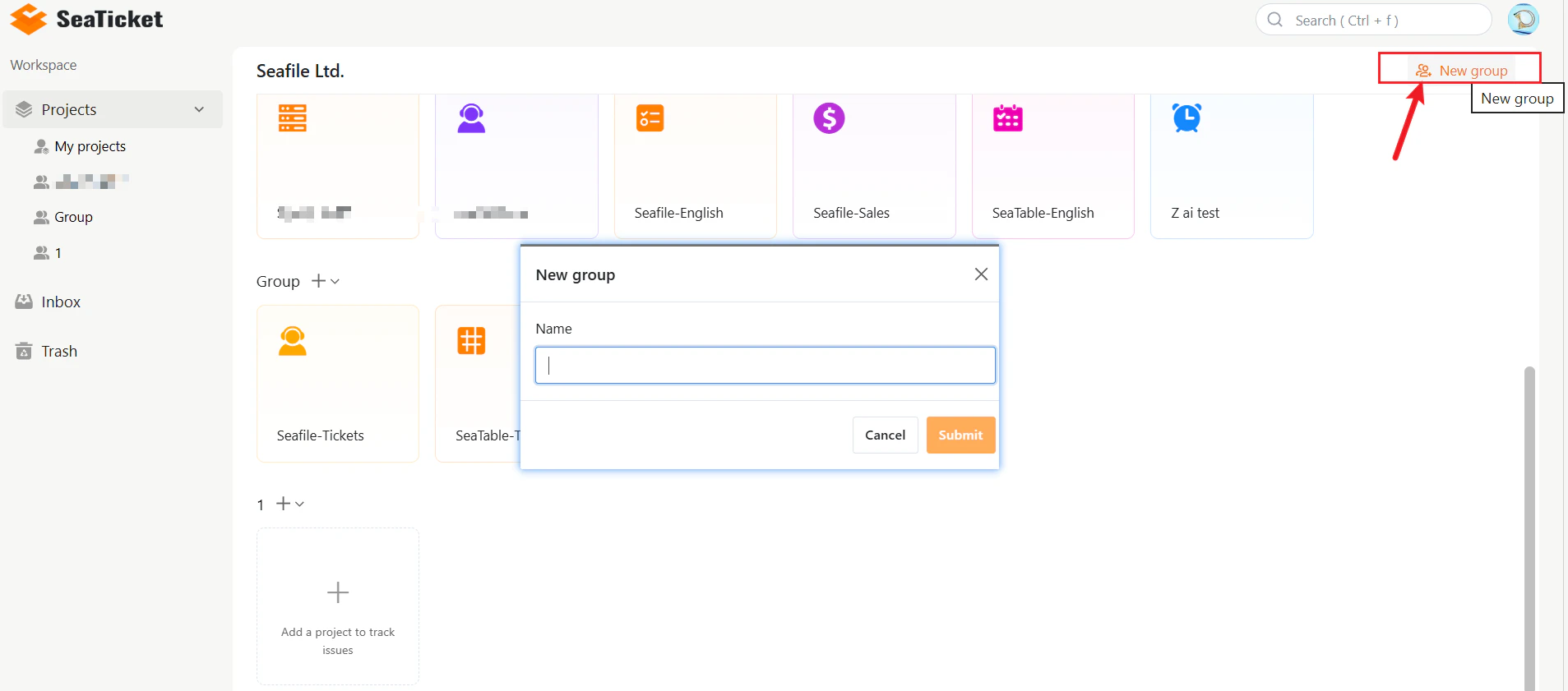
2. Click **New group** in the top-right corner of the workspace.
3. Enter a name for your group.
4. Click **Submit**.
Your new group will appear in the workspace immediately, ready for projects and members to be added.
 ## Group Menu Options
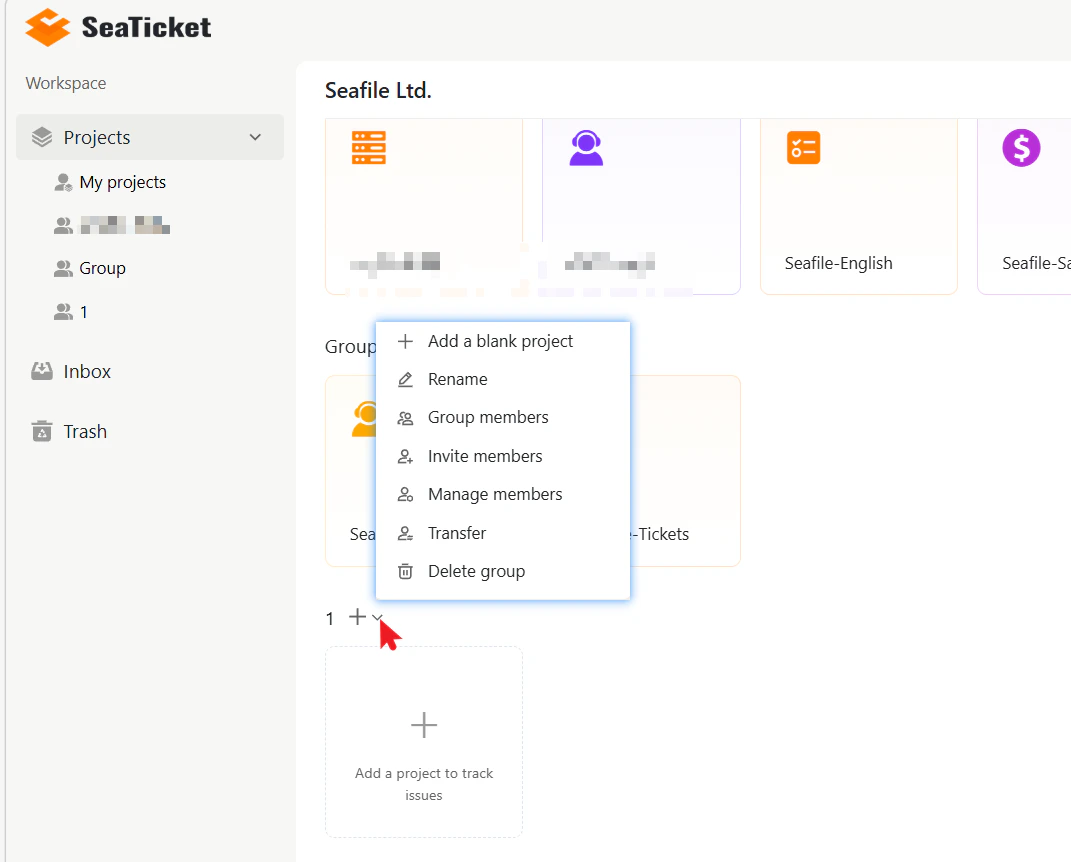
Each group has a menu that provides access to all management actions. \
To open it, click the **+** icon or the dropdown arrow next to the group name.
| Option | Description |
| :------------------ | :-------------------------------------------------- |
| Add a blank project | Create a new project inside the group |
| Rename | Change the group name |
| Group members | View the current list of members in this group |
| Invite members | Generate an invitation link for new members to join |
| Manage members | Add or remove users and change roles |
| Transfer | Transfer group ownership to another member |
| Delete group | Permanently delete the group |
## Group Menu Options
Each group has a menu that provides access to all management actions. \
To open it, click the **+** icon or the dropdown arrow next to the group name.
| Option | Description |
| :------------------ | :-------------------------------------------------- |
| Add a blank project | Create a new project inside the group |
| Rename | Change the group name |
| Group members | View the current list of members in this group |
| Invite members | Generate an invitation link for new members to join |
| Manage members | Add or remove users and change roles |
| Transfer | Transfer group ownership to another member |
| Delete group | Permanently delete the group |
 ## Transfer Group Ownership
You can transfer ownership of a group to any existing member. The new owner will have full control of the group.
To transfer ownership:
1. Open the group menu.
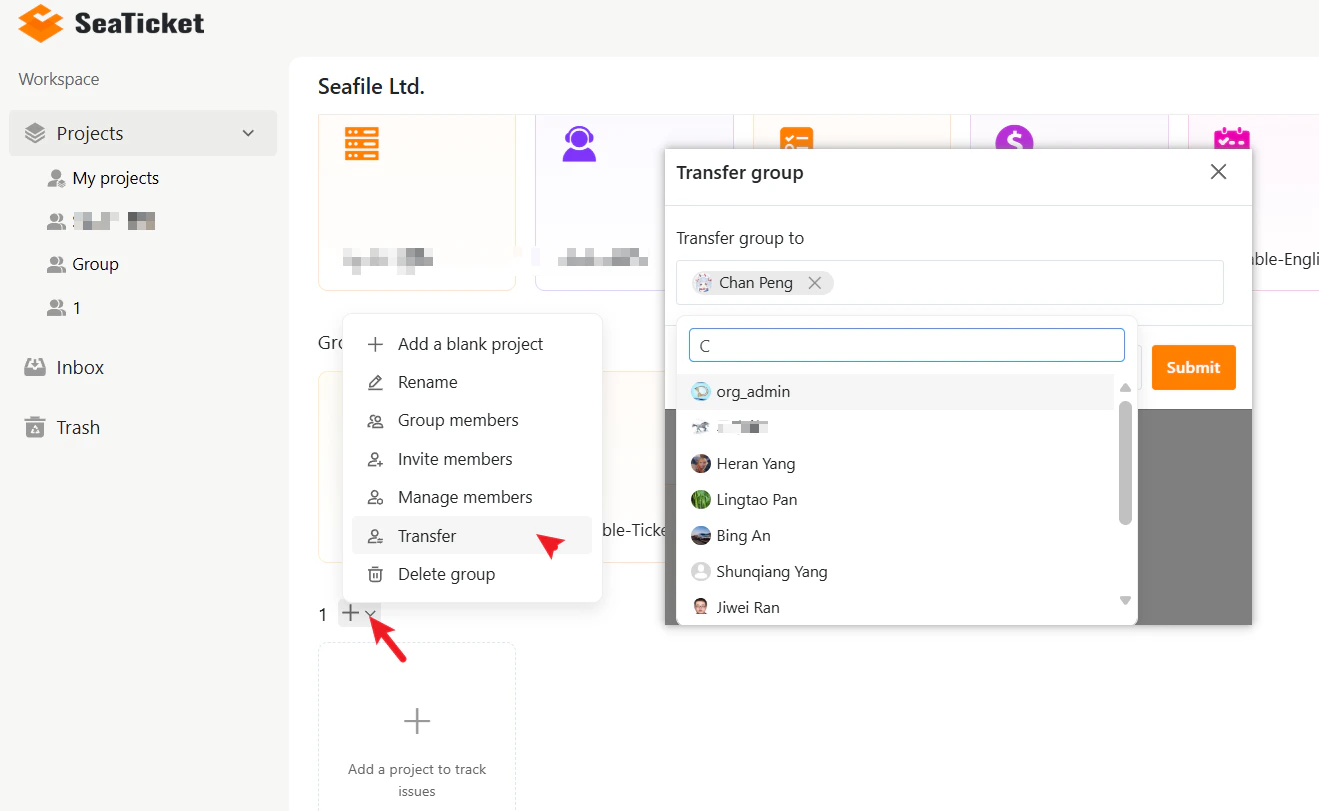
2. Click **Transfer**.
3. Search for and select the user you want to transfer ownership to.
4. Click **Submit**.
## Transfer Group Ownership
You can transfer ownership of a group to any existing member. The new owner will have full control of the group.
To transfer ownership:
1. Open the group menu.
2. Click **Transfer**.
3. Search for and select the user you want to transfer ownership to.
4. Click **Submit**.
 ## Delete a Group
To delete a group:
1. Open the group menu.
2. Click **Delete group**.
3. Confirm the deletion.
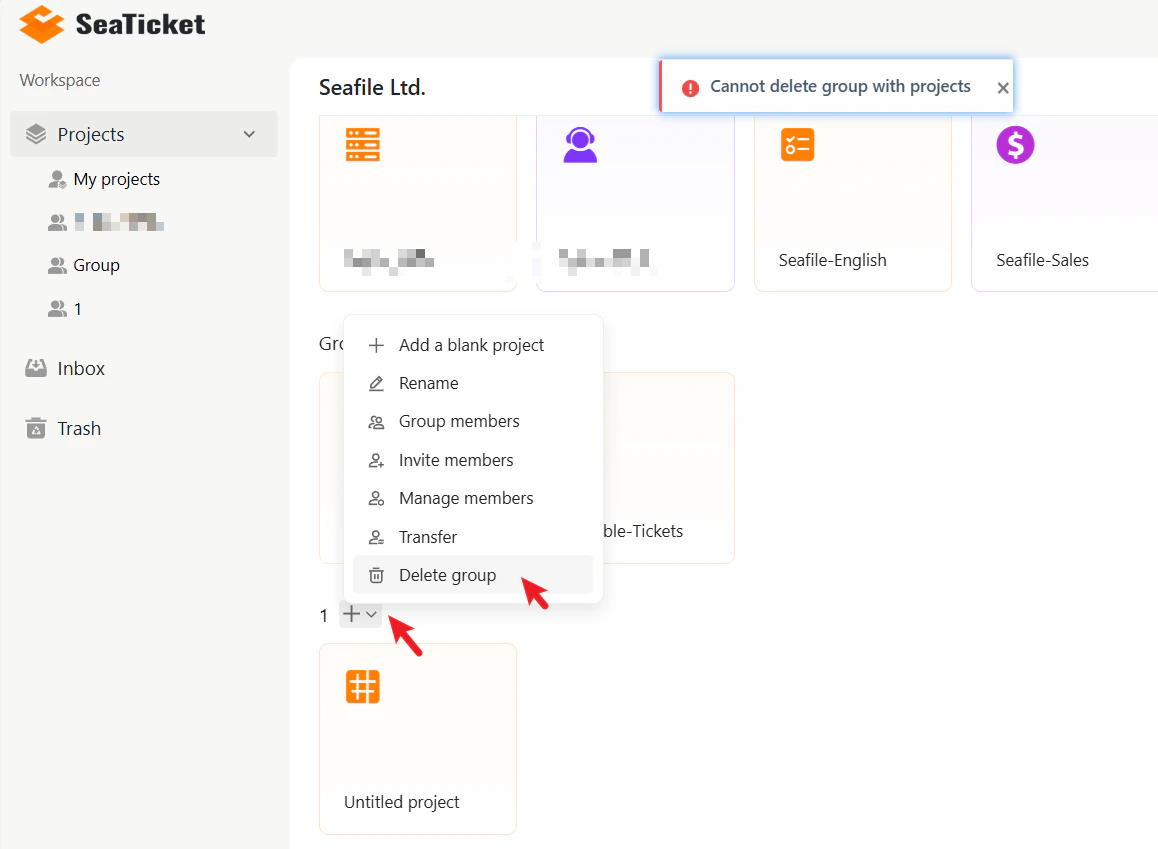
> **Note:** A group cannot be deleted if it still contains projects. Remove all the projects from the group before deleting it.
## Delete a Group
To delete a group:
1. Open the group menu.
2. Click **Delete group**.
3. Confirm the deletion.
> **Note:** A group cannot be deleted if it still contains projects. Remove all the projects from the group before deleting it.