> ## Documentation Index
> Fetch the complete documentation index at: https://user-docs.seaticket.ai/llms.txt
> Use this file to discover all available pages before exploring further.
# Customizing the Portal Home Page
The portal's Home page is fully editable. This is what external users see first, so it's worth setting up before sharing the portal URL.
## Open the Editor
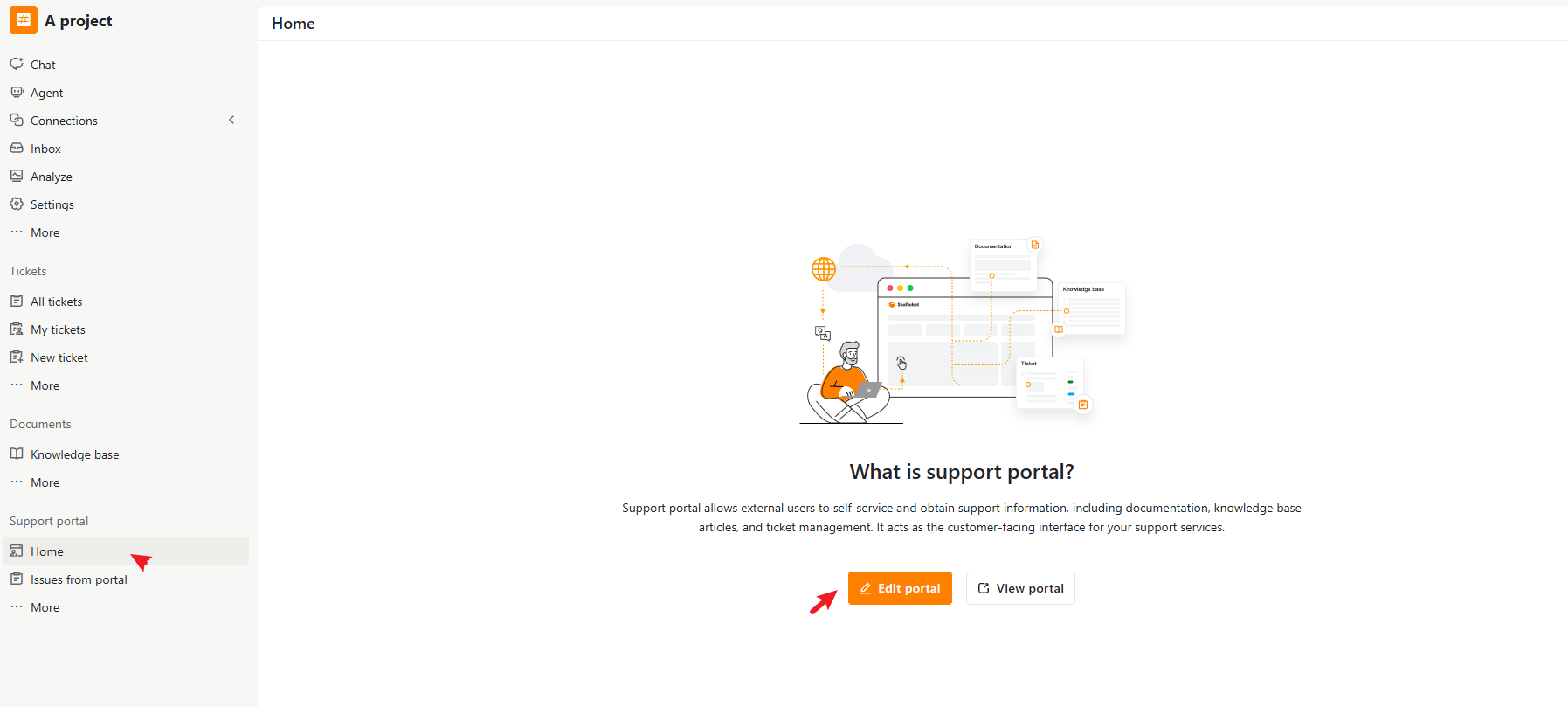
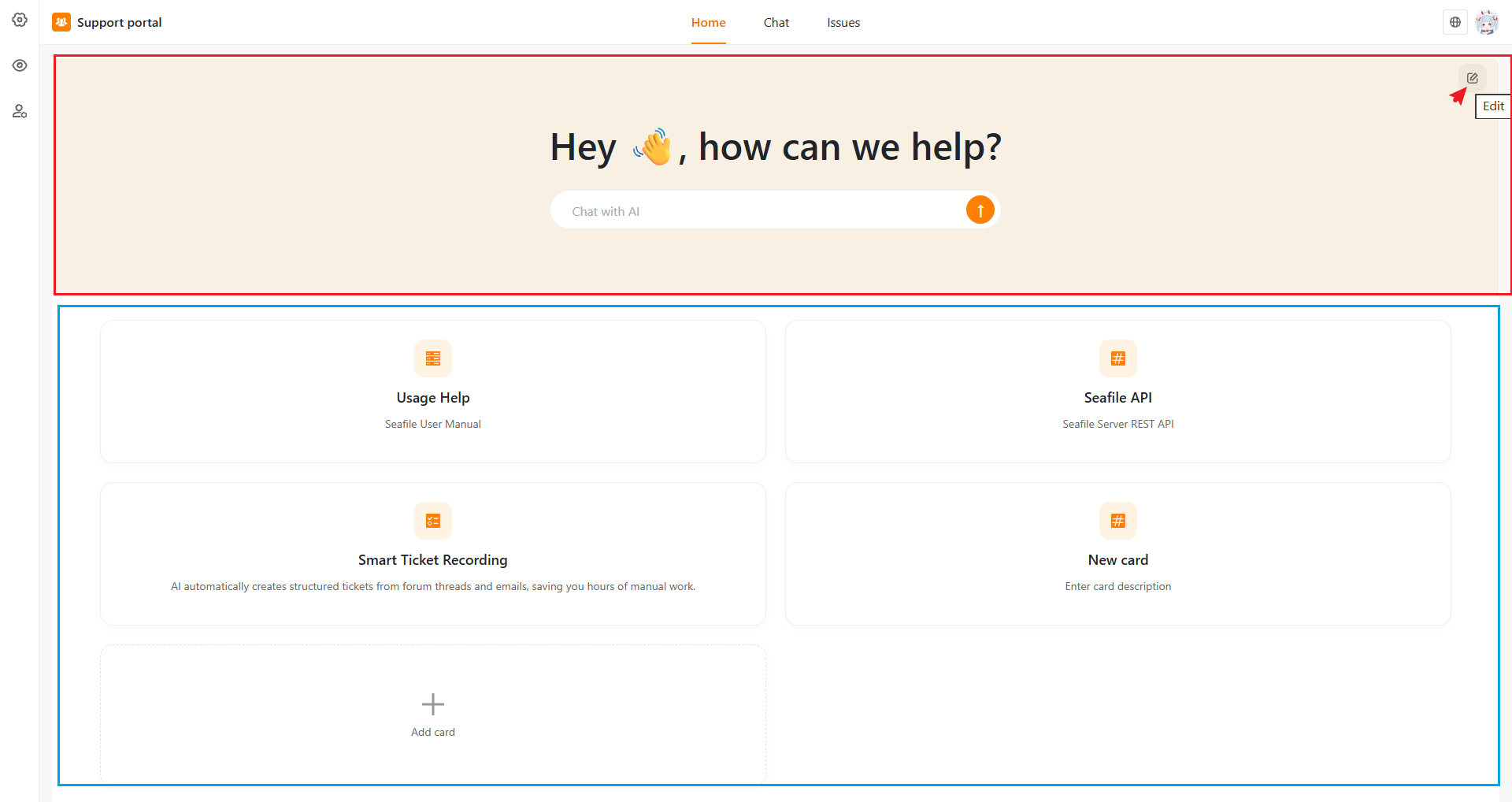
Go to **Support portal > Home > Edit portal**, then click the pencil icon on the page to open the editing panels.
The page is made up of two parts:
* A **hero section** at the top (heading, description, and the AI chat box)
* A **cards section** below it (a grid of shortcut cards you define)
 ## Hero Section
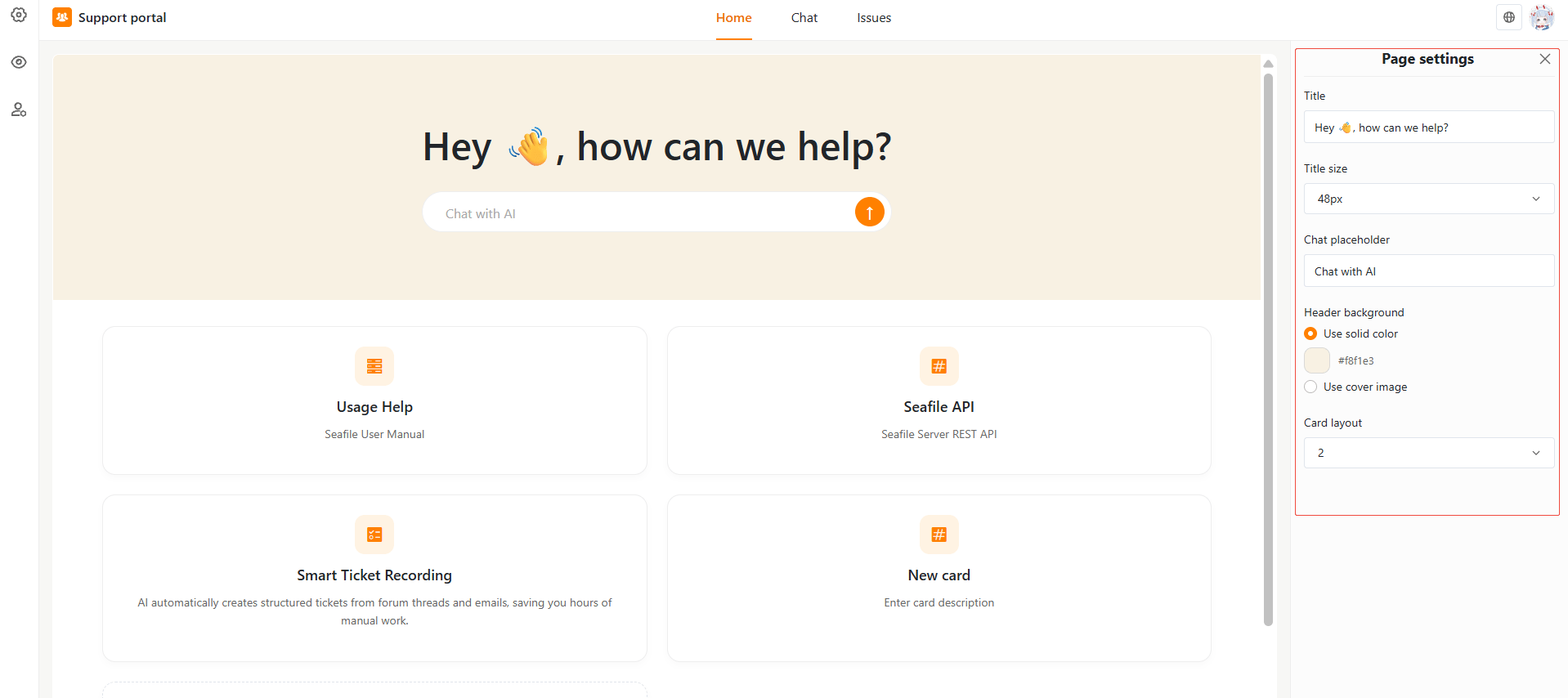
Click **Edit** on the hero banner to open **Page settings**, where you can set:
| Setting | Description |
| :-------------------- | :---------------------------------------------------------------- |
| **Title** | The main heading, e.g. "Hey 👋, how can we help?" |
| **Title size** | Font size of the heading, in pixels |
| **Chat placeholder** | Placeholder text shown inside the chat input, e.g. "Chat with AI" |
| **Header background** | Either a solid color (pick a hex value) or a cover image |
| **Card layout** | Control how many cards appear per row (2 to 6). |
## Hero Section
Click **Edit** on the hero banner to open **Page settings**, where you can set:
| Setting | Description |
| :-------------------- | :---------------------------------------------------------------- |
| **Title** | The main heading, e.g. "Hey 👋, how can we help?" |
| **Title size** | Font size of the heading, in pixels |
| **Chat placeholder** | Placeholder text shown inside the chat input, e.g. "Chat with AI" |
| **Header background** | Either a solid color (pick a hex value) or a cover image |
| **Card layout** | Control how many cards appear per row (2 to 6). |
 ## Cards Section
Cards are the shortcut tiles that appear below the hero banner — typically used to link out to documentation, API references, or other resources.
* **Card layout** controls how many cards appear per row (2 to 6).
* Click **Add card** to create a new card. New cards start with placeholder text so you can edit them in place rather than starting from a blank card.
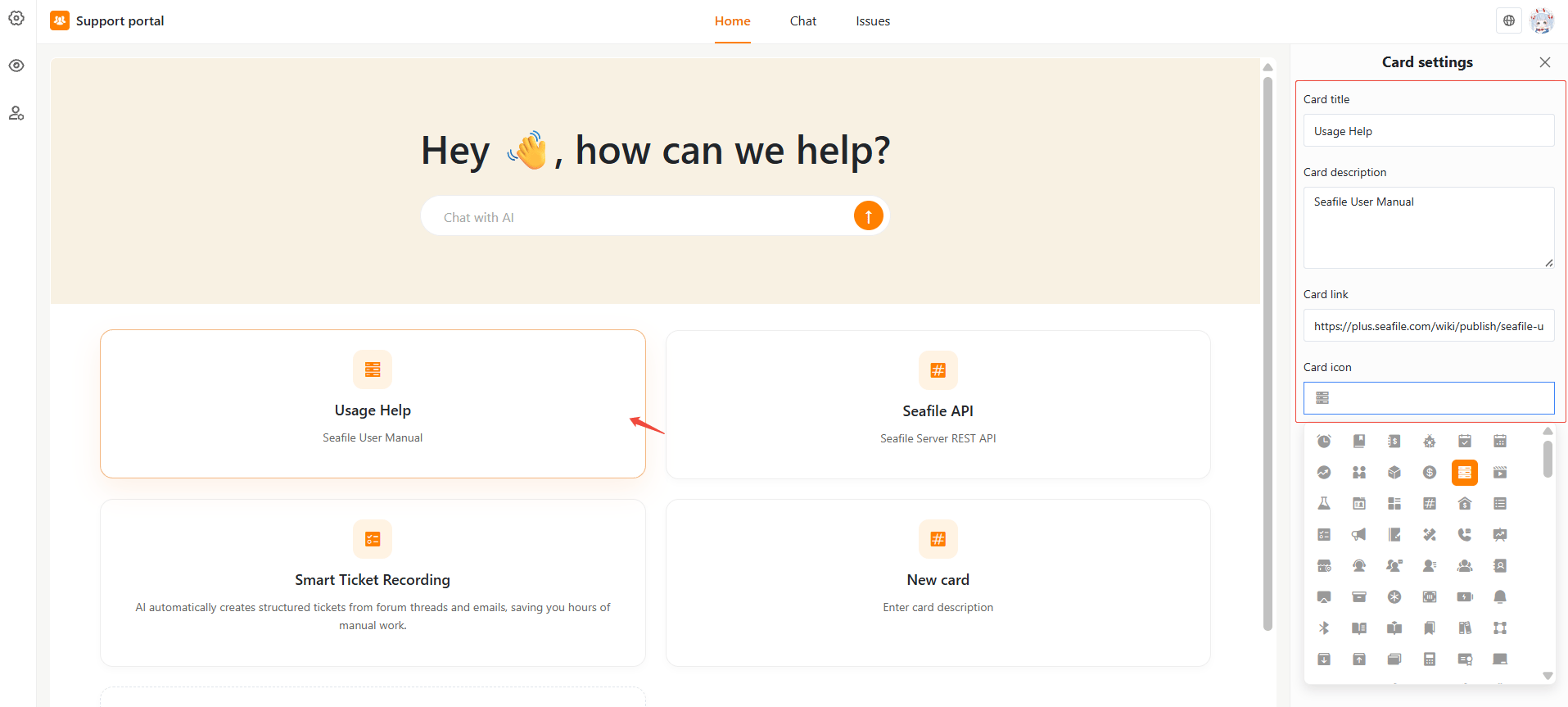
* Click an card to open **Card settings**, where you can set:
* **Card title**
* **Card description**
* **Card link** — the URL the card opens when clicked
* **Card icon** — pick an icon from the built-in icon picker
## Cards Section
Cards are the shortcut tiles that appear below the hero banner — typically used to link out to documentation, API references, or other resources.
* **Card layout** controls how many cards appear per row (2 to 6).
* Click **Add card** to create a new card. New cards start with placeholder text so you can edit them in place rather than starting from a blank card.
* Click an card to open **Card settings**, where you can set:
* **Card title**
* **Card description**
* **Card link** — the URL the card opens when clicked
* **Card icon** — pick an icon from the built-in icon picker
 ## Language Settings
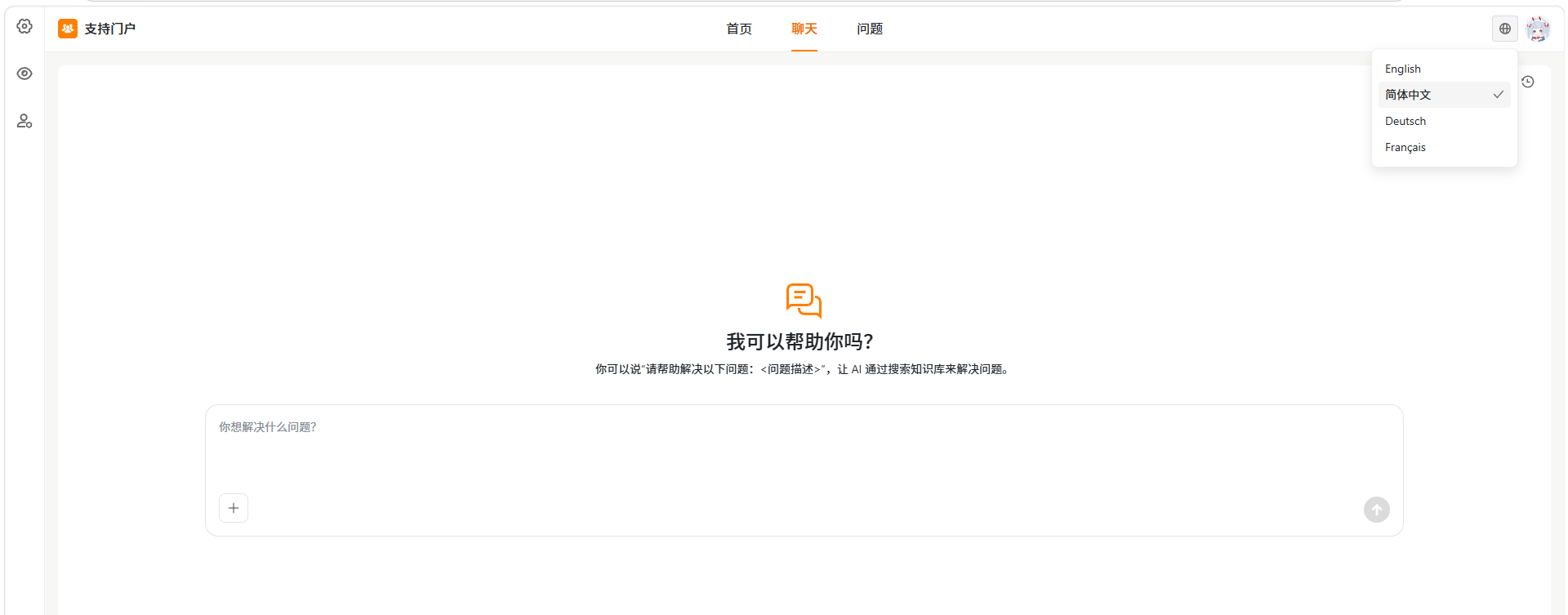
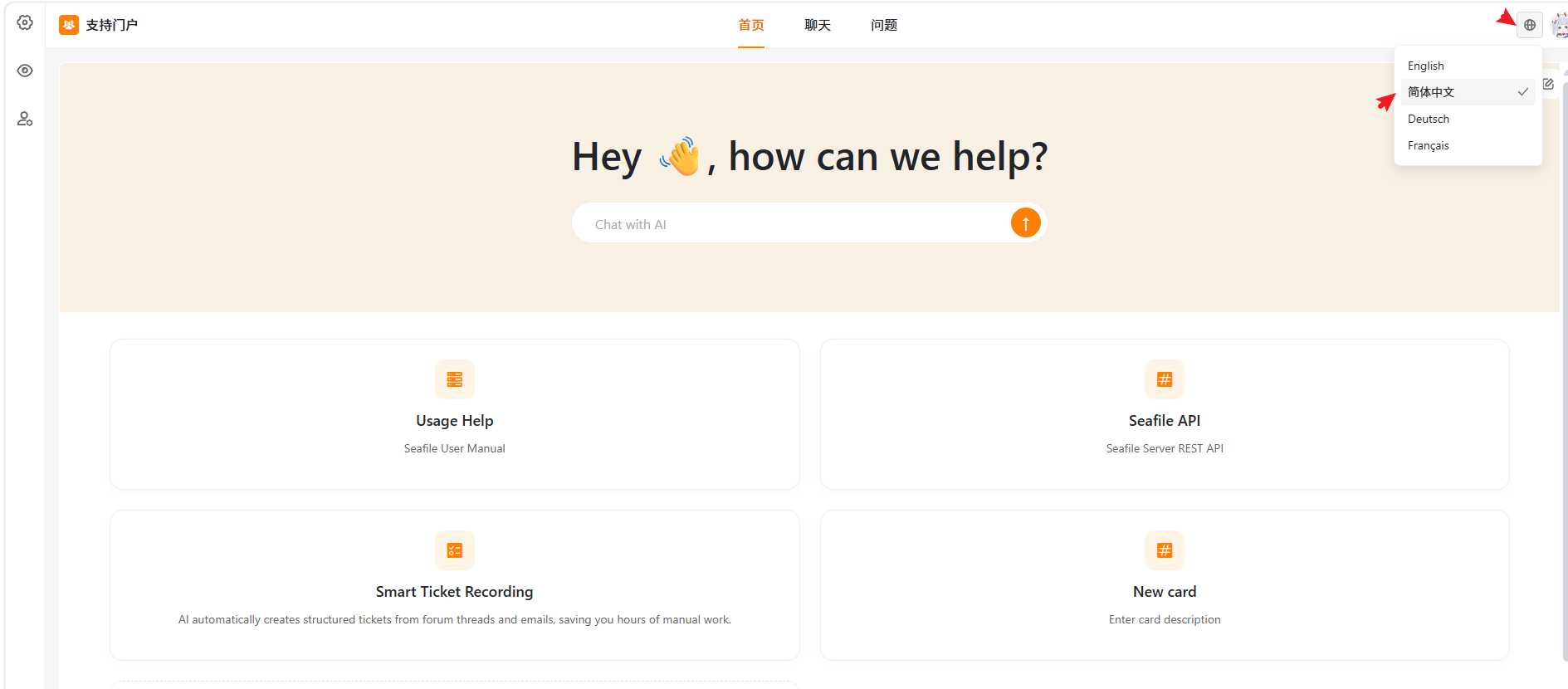
The portal supports multiple interface languages. External users can switch the portal language from the language menu in the top-right corner.
The available languages may include:
* English
* 简体中文
* Deutsch
* Français
Click the **globe icon** in the top-right corner and select a language.
The language setting changes the portal interface, such as navigation labels and built-in UI text. Content configured by the portal administrator, such as the Home page title, description, and card content, is not translated automatically.
## Language Settings
The portal supports multiple interface languages. External users can switch the portal language from the language menu in the top-right corner.
The available languages may include:
* English
* 简体中文
* Deutsch
* Français
Click the **globe icon** in the top-right corner and select a language.
The language setting changes the portal interface, such as navigation labels and built-in UI text. Content configured by the portal administrator, such as the Home page title, description, and card content, is not translated automatically.