> ## Documentation Index
> Fetch the complete documentation index at: https://user-docs.seaticket.ai/llms.txt
> Use this file to discover all available pages before exploring further.
# Organizing and Managing Knowledge Base
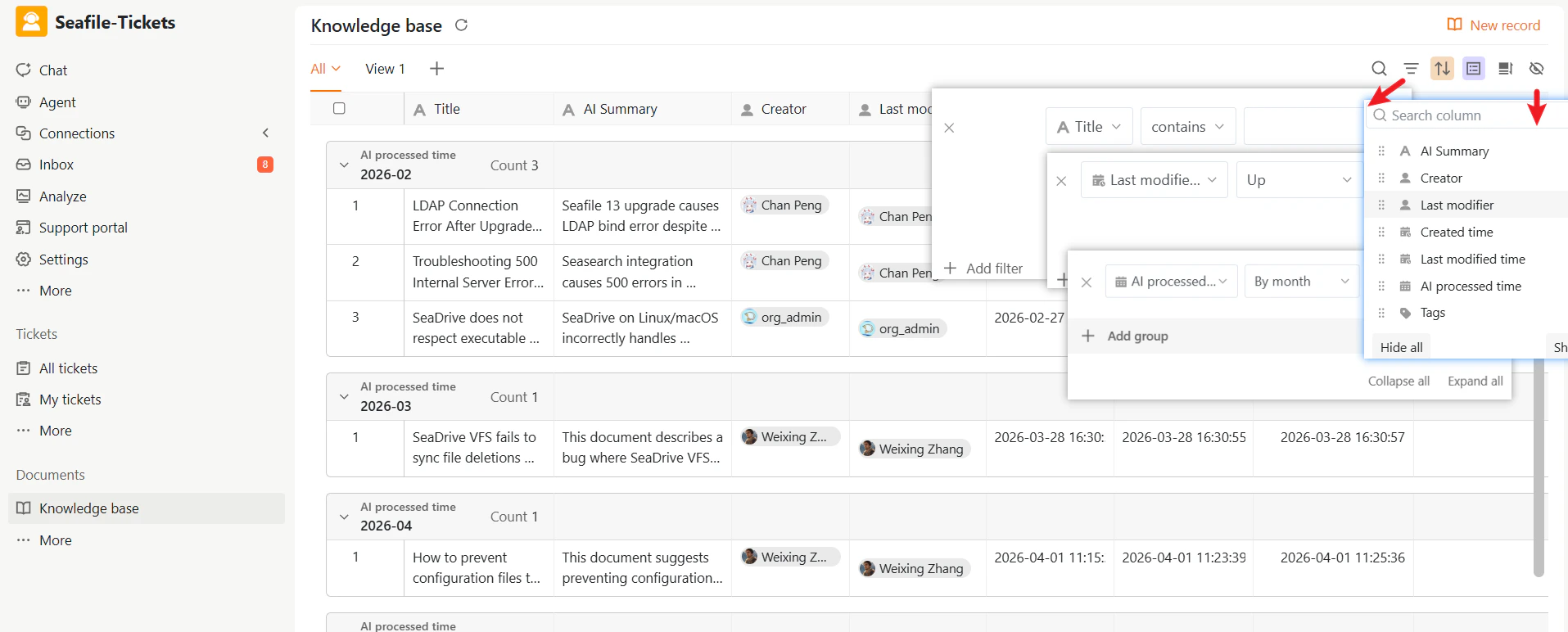
The Knowledge Base supports filtering, sorting, and grouping to help your team navigate records more efficiently.
## Filtering
Narrow down records based on specific criteria such as tags, creators, or time ranges.
**To apply a filter:**
1. Click **Filter** in the toolbar
2. Add one or more conditions
Combine multiple filters to get more precise results.
## Sorting and Grouping
Customize how records are displayed by sorting and grouping them.
### Sorting
To sort records:
1. Click the **Sort** button in the toolbar
2. Choose a field (for example, Created time or Last modified time)
3. Select ascending or descending order
Sorting is useful for:
* Finding recently updated records
* Reviewing newly created records
* Auditing older content
### Grouping
To group records:
1. Click the **Group** button in the toolbar
2. Select a field (for example, Tags or Creator)
Grouping is useful for reviewing records by owner or category.
## Show or Hide Columns
Customize what information is visible in your table.
1. Click the column settings icon in the toolbar
2. Toggle fields on or off
This keeps your workspace clean and focused.
 ## Custom Views
Custom Views let you create different perspectives on the same set of records. A view only changes how records are displayed—it does not modify the underlying data.
### Create a New View
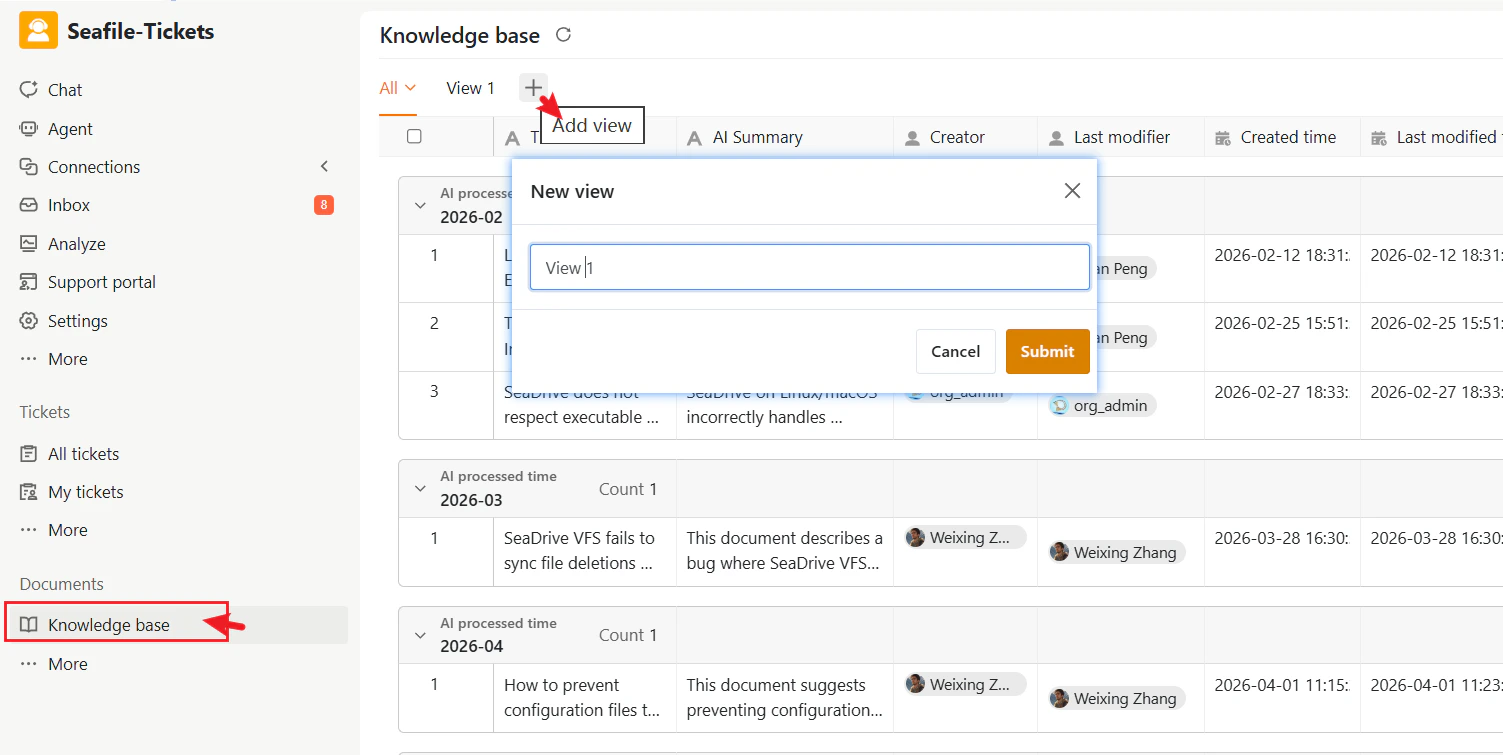
1. Click the **+** next to the current view name
2. Apply filters, sorting, or grouping as needed
3. The view saves automatically. You can rename it by clicking the view name.
## Custom Views
Custom Views let you create different perspectives on the same set of records. A view only changes how records are displayed—it does not modify the underlying data.
### Create a New View
1. Click the **+** next to the current view name
2. Apply filters, sorting, or grouping as needed
3. The view saves automatically. You can rename it by clicking the view name.
 ### Manage a View
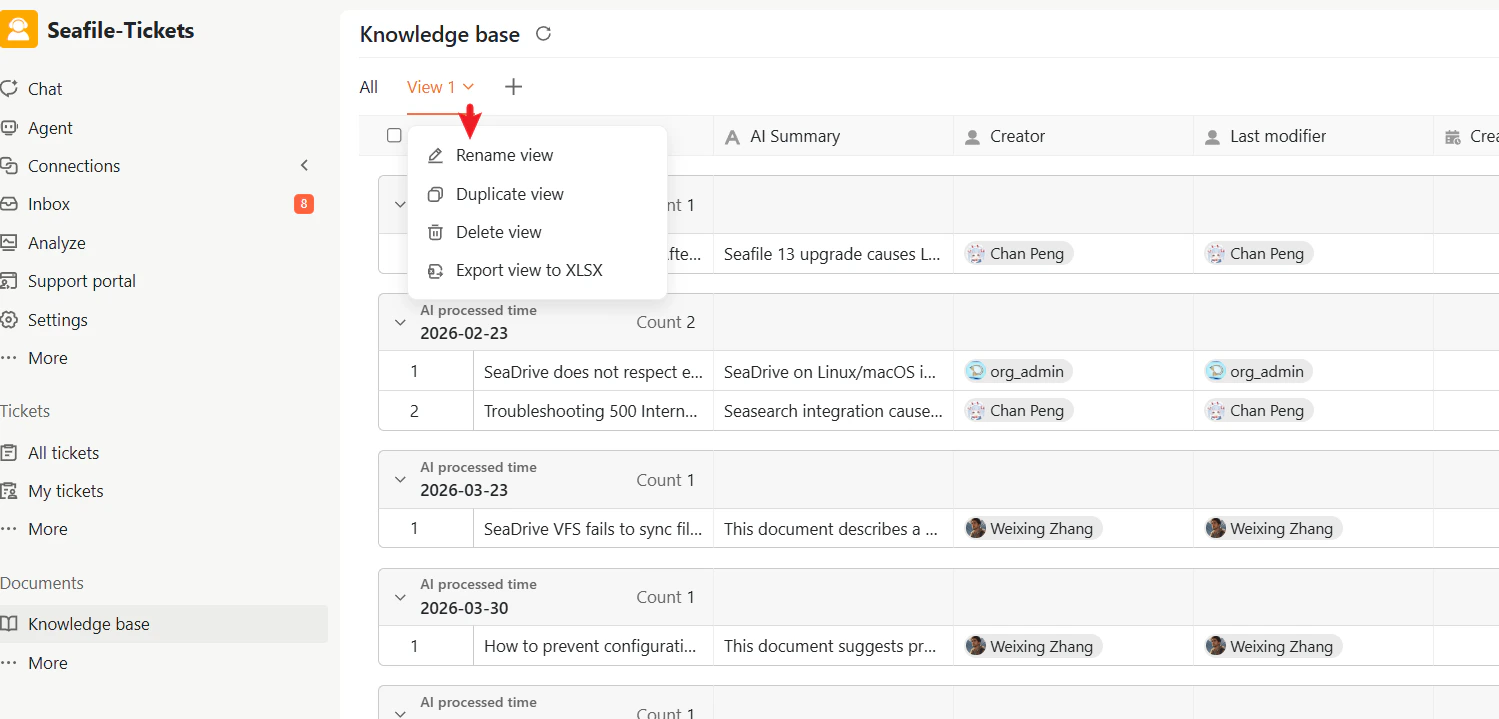
Click the dropdown next to the view name to:
* Rename the view
* Duplicate the view
* Delete the view
* Export as XLSX
Duplicating a view is useful when you want a slightly modified version of an existing filter setup.
### Manage a View
Click the dropdown next to the view name to:
* Rename the view
* Duplicate the view
* Delete the view
* Export as XLSX
Duplicating a view is useful when you want a slightly modified version of an existing filter setup.
 ## Using Knowledge Records Across SeaTicket
Knowledge records are integrated throughout SeaTicket, not isolated as standalone documents.
### AI-Powered Search
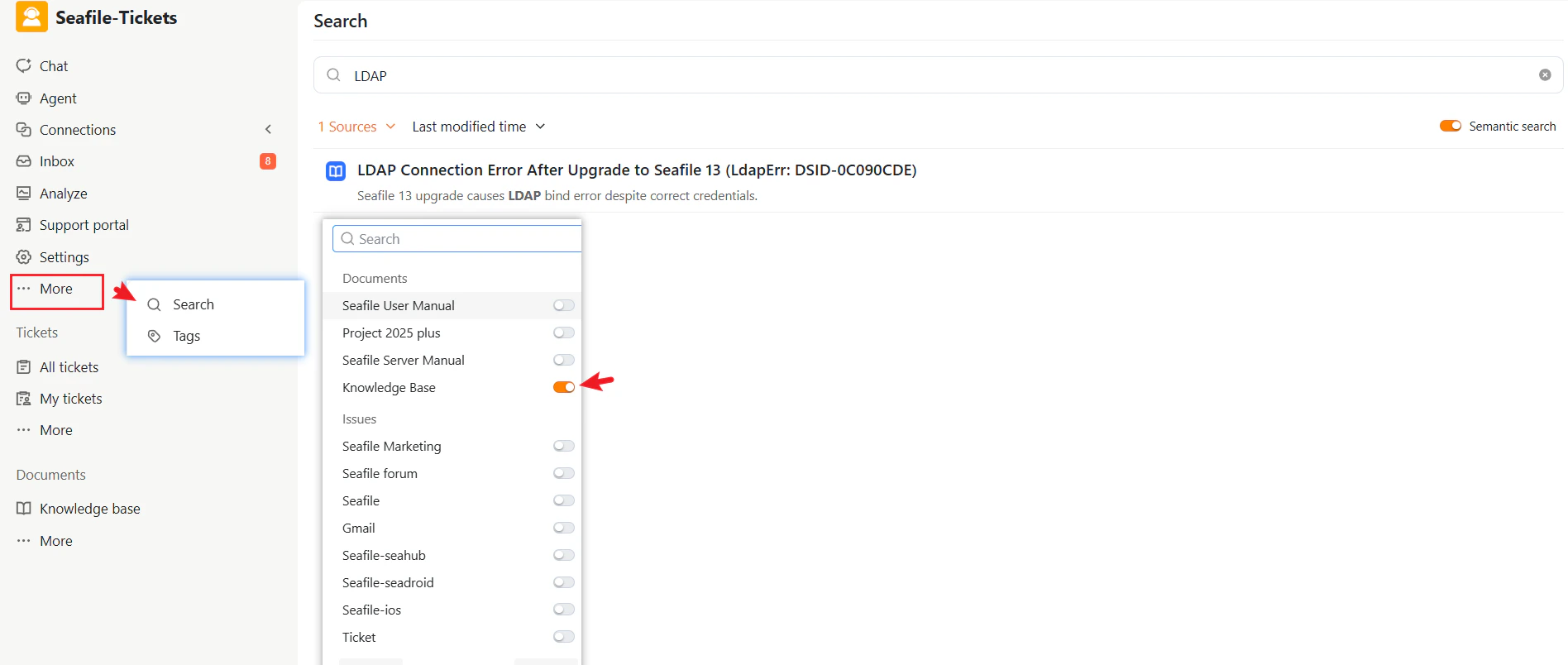
Responders can search the Knowledge Base directly from the search interface using:
* Keywords
* Natural language questions
The system returns relevant knowledge records based on article content, helping responders quickly locate existing solutions.
## Using Knowledge Records Across SeaTicket
Knowledge records are integrated throughout SeaTicket, not isolated as standalone documents.
### AI-Powered Search
Responders can search the Knowledge Base directly from the search interface using:
* Keywords
* Natural language questions
The system returns relevant knowledge records based on article content, helping responders quickly locate existing solutions.
 ### AI Chat Assistance
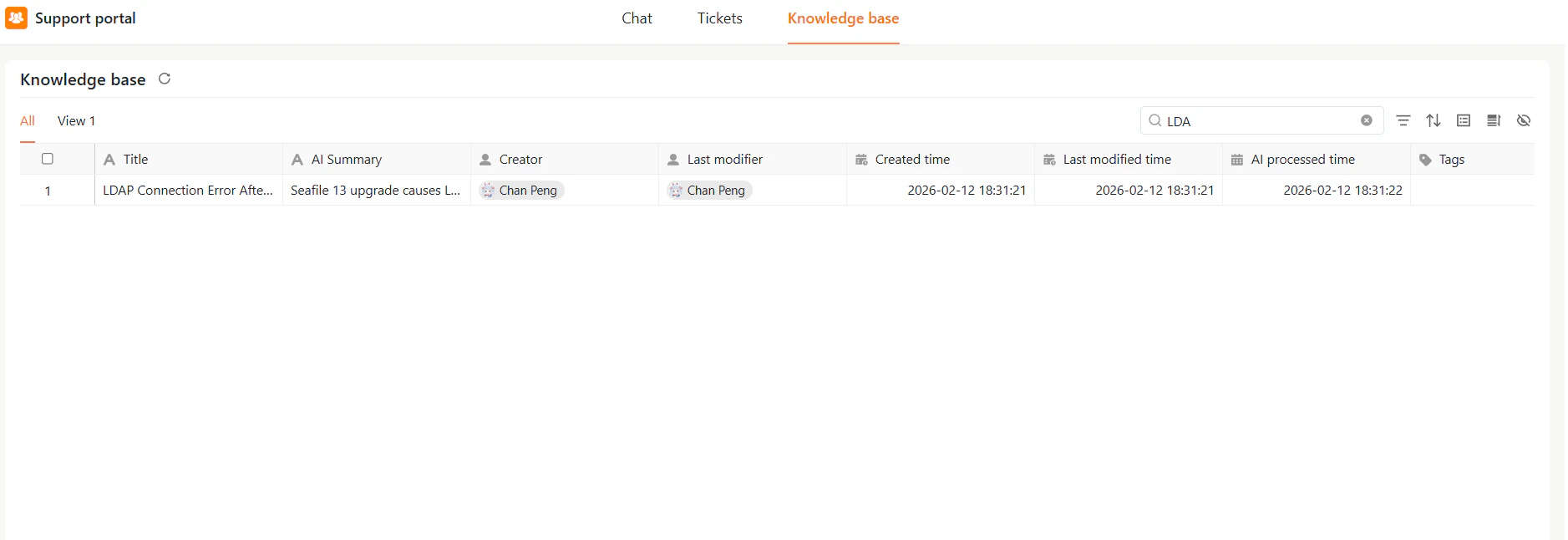
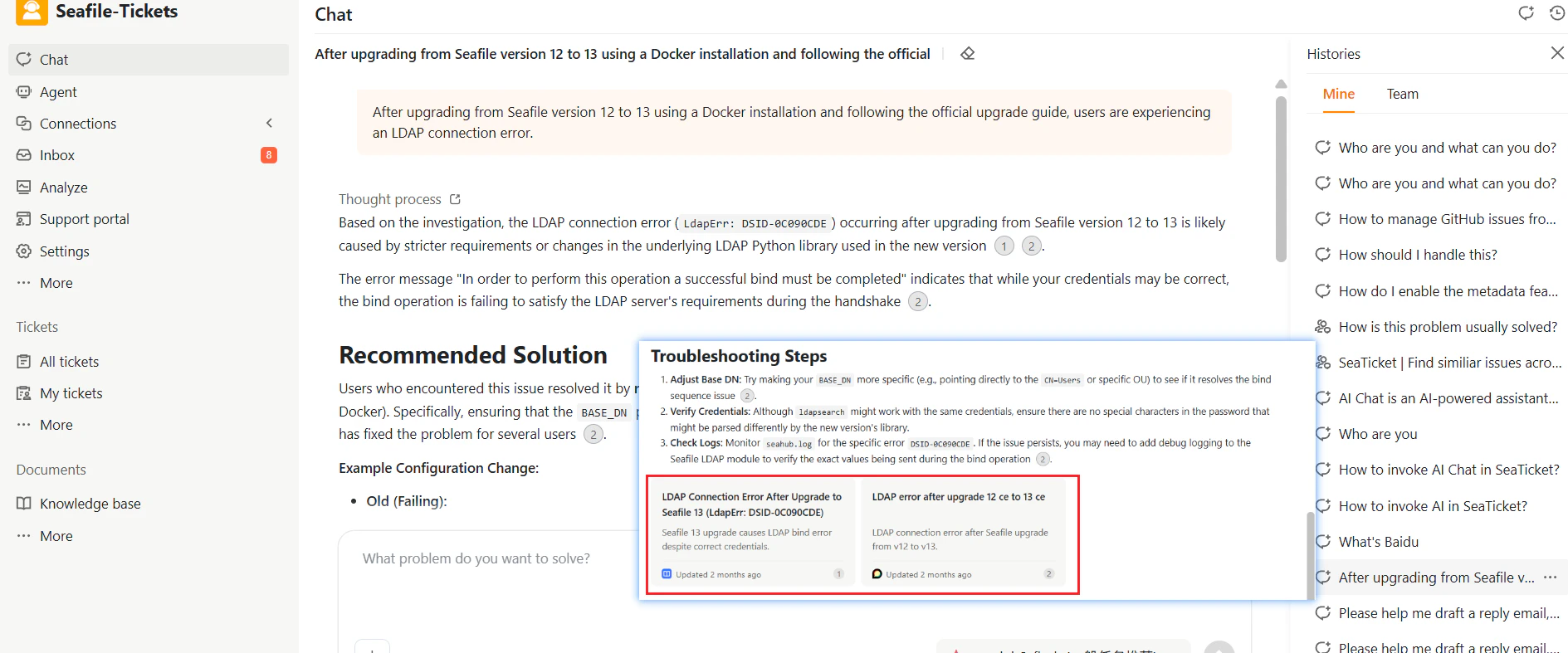
Knowledge records are also available through AI chat assistance. Responders can ask questions in the chat interface and receive answers generated from existing knowledge records, allowing them to retrieve guidance without manually browsing the Knowledge Base. When relevant content exists, the AI references those records to generate responses.
### AI Chat Assistance
Knowledge records are also available through AI chat assistance. Responders can ask questions in the chat interface and receive answers generated from existing knowledge records, allowing them to retrieve guidance without manually browsing the Knowledge Base. When relevant content exists, the AI references those records to generate responses.
 ### External Portal
Knowledge records can be published to the External Portal by enabling the **Show Knowledge Base** option in the portal settings. Once enabled, customers can browse knowledge records by grouping and search for answers directly. For full setup instructions, see [Portal Access & General Settings](https://user-docs.seaticket.ai/portal-access-and-general-settings)
This enables users to find solutions independently and helps reduce repetitive support requests.
### External Portal
Knowledge records can be published to the External Portal by enabling the **Show Knowledge Base** option in the portal settings. Once enabled, customers can browse knowledge records by grouping and search for answers directly. For full setup instructions, see [Portal Access & General Settings](https://user-docs.seaticket.ai/portal-access-and-general-settings)
This enables users to find solutions independently and helps reduce repetitive support requests.