> ## Documentation Index
> Fetch the complete documentation index at: https://user-docs.seaticket.ai/llms.txt
> Use this file to discover all available pages before exploring further.
# Setting Up Portal Domain and Custom Domain
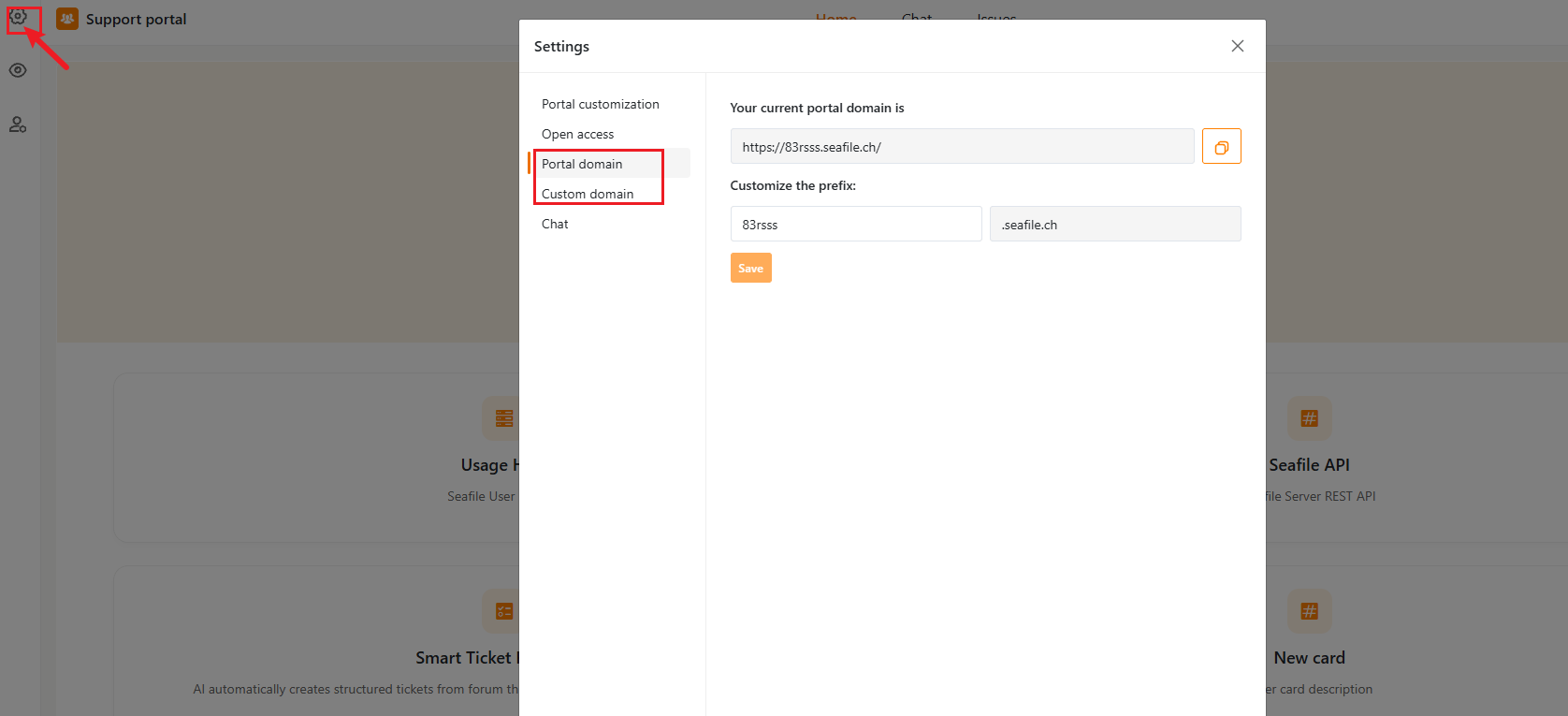
From the portal editor, open **Settings** (gear icon, top-left) to reach the **Portal domain** and **Custom domain** tabs.
 ## Portal Domain
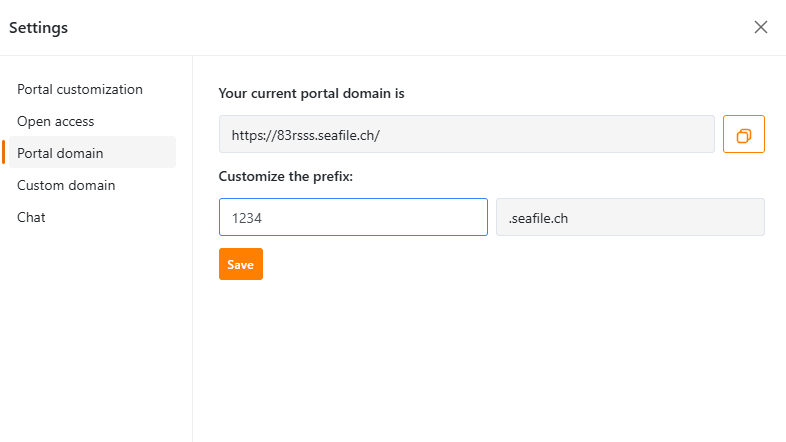
Every portal gets a default subdomain, On the **Portal domain** tab you can customize the prefix:
1. Edit the prefix field.
2. Click **Save**.
Use the copy icon next to the URL field to copy the full address.
## Portal Domain
Every portal gets a default subdomain, On the **Portal domain** tab you can customize the prefix:
1. Edit the prefix field.
2. Click **Save**.
Use the copy icon next to the URL field to copy the full address.
 ## Custom Domain
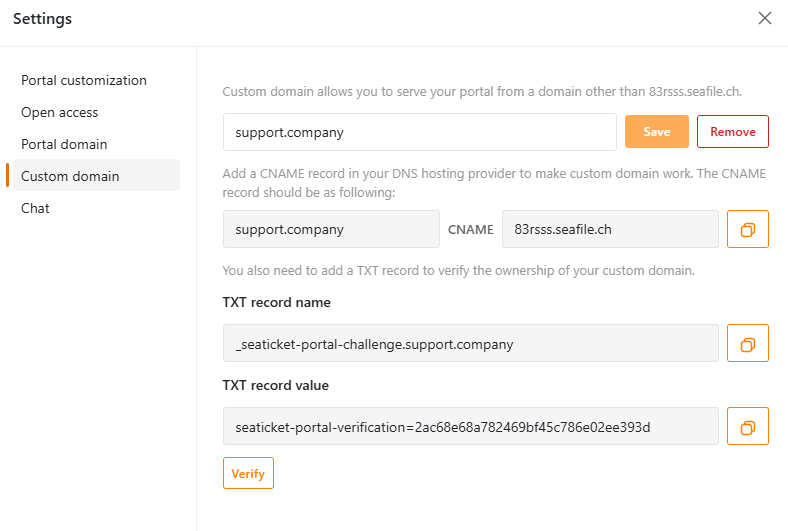
If you'd rather serve the portal from your own domain (for example, `support.yourcompany.com`) instead of the default subdomain, use the **Custom domain** tab:
1. Enter your domain and click **Save**.
2. Add a **CNAME record** at your DNS provider pointing your domain to the default portal domain shown on this tab.
3. Add the **TXT record** (name and value are both provided, with copy buttons) to verify that you own the domain.
4. Once the DNS records have propagated, click **Verify**.
You can remove a custom domain at any time with the **Remove** button, which reverts the portal back to its default subdomain.
## Custom Domain
If you'd rather serve the portal from your own domain (for example, `support.yourcompany.com`) instead of the default subdomain, use the **Custom domain** tab:
1. Enter your domain and click **Save**.
2. Add a **CNAME record** at your DNS provider pointing your domain to the default portal domain shown on this tab.
3. Add the **TXT record** (name and value are both provided, with copy buttons) to verify that you own the domain.
4. Once the DNS records have propagated, click **Verify**.
You can remove a custom domain at any time with the **Remove** button, which reverts the portal back to its default subdomain.
 ## Notes
* DNS changes can take some time to propagate before **Verify** succeeds — this is normal and depends on your DNS provider.
* If you change the portal domain prefix after a custom domain is already set up, update your CNAME record to match the new default domain.
## Notes
* DNS changes can take some time to propagate before **Verify** succeeds — this is normal and depends on your DNS provider.
* If you change the portal domain prefix after a custom domain is already set up, update your CNAME record to match the new default domain.