> ## Documentation Index
> Fetch the complete documentation index at: https://user-docs.seaticket.ai/llms.txt
> Use this file to discover all available pages before exploring further.
# Ticket Operations
This page describes the available operations on the ticket list and ticket detail pages.
## Ticket List Operations
### Basic Operations
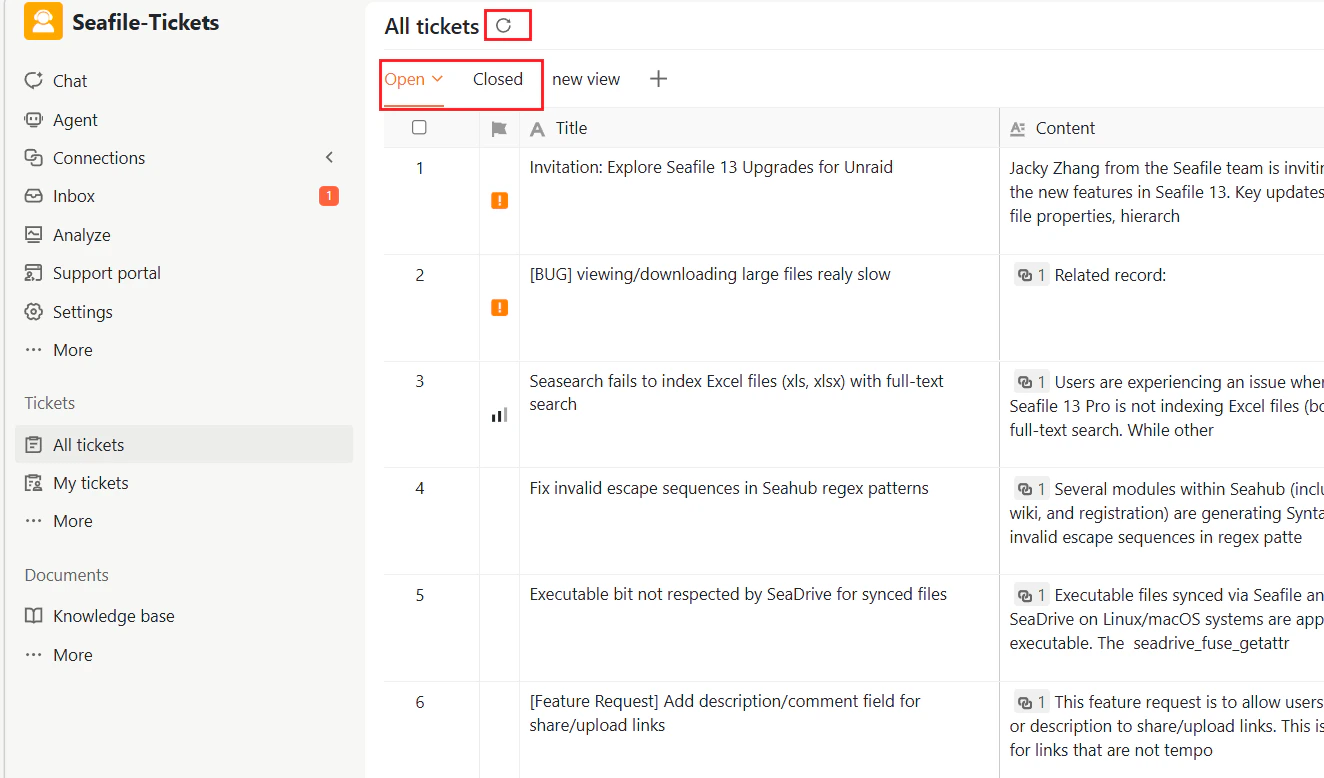
* Click a ticket title to open it.
* Use the checkbox to select one or multiple tickets.
* Switch between the **Open** and **Closed** tabs to filter tickets.
* Click the refresh icon to reload the list.
 ### Right-click Operations
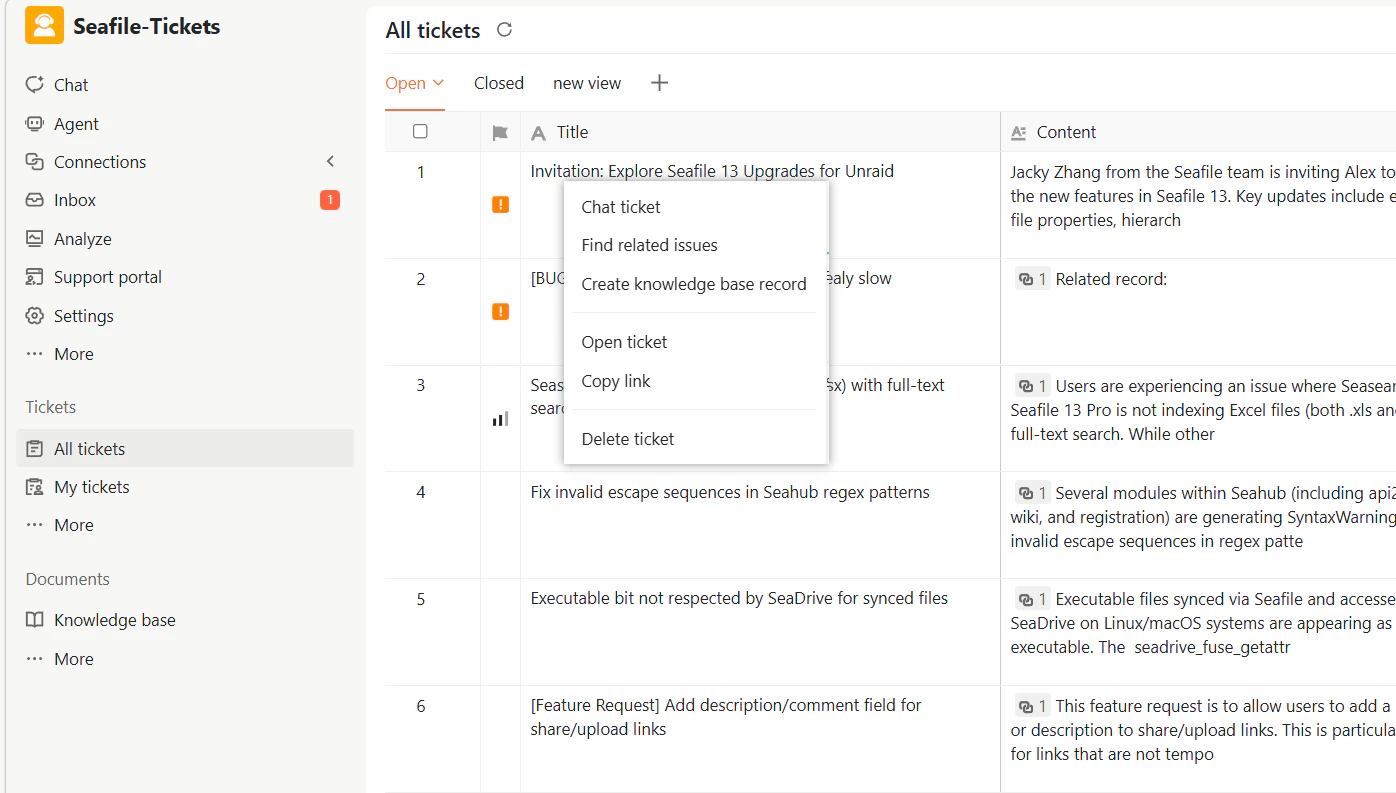
Right-click a ticket in the list to access additional actions:
| Action | Description |
| :------------------------------- | :---------------------------------------------------------------------------------------------------------------------------------------------------------------------- |
| **Chat ticket** | Starts an AI-assisted chat session with the selected ticket as context to help you analyze the issue, summarize key
### Right-click Operations
Right-click a ticket in the list to access additional actions:
| Action | Description |
| :------------------------------- | :---------------------------------------------------------------------------------------------------------------------------------------------------------------------- |
| **Chat ticket** | Starts an AI-assisted chat session with the selected ticket as context to help you analyze the issue, summarize key
points, draft replies, and provide suggestions |
| **Find related issues** | Displays external issues and discussions that may be related to the selected ticket |
| **Create knowledge base record** | Automatically summarizes the ticket and generates a structured knowledge record for review and editing |
| **Open ticket** | Opens the ticket details page |
| **Copy link** | Copies the unique URL of the ticket for sharing with team members |
| **Delete ticket** | Deletes the ticket. Deleted tickets can be restored from Trash |
 ### Bulk Operations
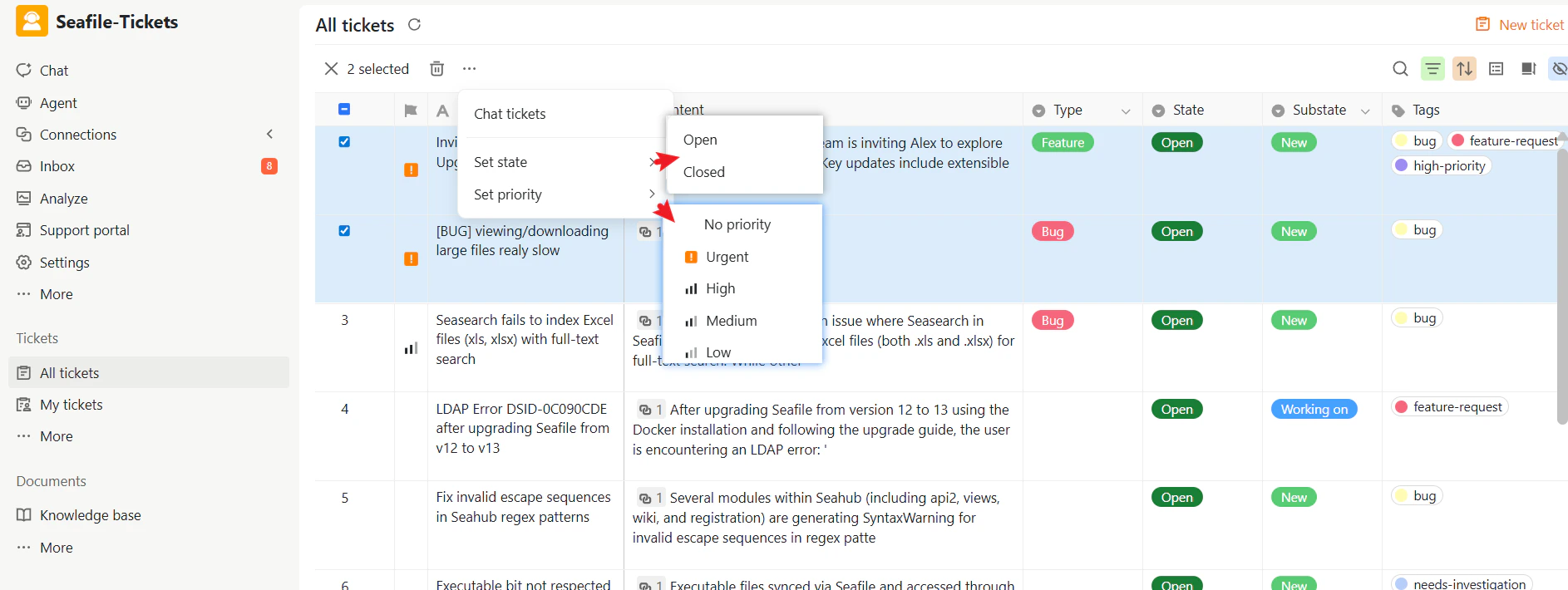
When multiple tickets are selected, you can:
| Action | Description |
| :--------------- | :------------------------------------------------------------------------------------------------------------------------------------------------------------- |
| **Delete** | Deletes all selected tickets at once |
| **Set state** | Updates the state of all selected tickets |
| **Set priority** | Changes the priority of all selected tickets |
| **Chat ticket** | Starts an AI-assisted chat session with all selected tickets as combined context,
### Bulk Operations
When multiple tickets are selected, you can:
| Action | Description |
| :--------------- | :------------------------------------------------------------------------------------------------------------------------------------------------------------- |
| **Delete** | Deletes all selected tickets at once |
| **Set state** | Updates the state of all selected tickets |
| **Set priority** | Changes the priority of all selected tickets |
| **Chat ticket** | Starts an AI-assisted chat session with all selected tickets as combined context,
helping you identify patterns and common themes across multiple issues |
 ### **Restoring Deleted Ticket**
Deleted tickets are moved to the Trash rather than being permanently removed.
To restore deleted tickets:
1. In the Tickets section, click **More → Trash**.
2. Select one or more tickets.
3. Click **Restore** to return them to their original position in the ticket list.
To permanently delete tickets from Trash, select them and click **Clean**.
### **Restoring Deleted Ticket**
Deleted tickets are moved to the Trash rather than being permanently removed.
To restore deleted tickets:
1. In the Tickets section, click **More → Trash**.
2. Select one or more tickets.
3. Click **Restore** to return them to their original position in the ticket list.
To permanently delete tickets from Trash, select them and click **Clean**.
.png?fit=max&auto=format&n=WcHiqSPczPbRTQJs&q=85&s=4d4d2c5967a90ecb1e0c674c43cfd457)