> ## Documentation Index
> Fetch the complete documentation index at: https://user-docs.seaticket.ai/llms.txt
> Use this file to discover all available pages before exploring further.
# Ticket Overview
A ticket in SeaTicket represents a single unit of work. It can come from an external issue—such as a customer request or bug report—or be created manually as an internal task that needs tracking.
Regardless of its source, SeaTicket provides a unified place to view, manage, and collaborate on all tickets throughout their lifecycle.
With SeaTicket, people can:
* Track and manage issues in one place
* Collaborate with teammates on tasks and resolutions
* Assign responsibilities and follow up on progress
## Ticket user roles
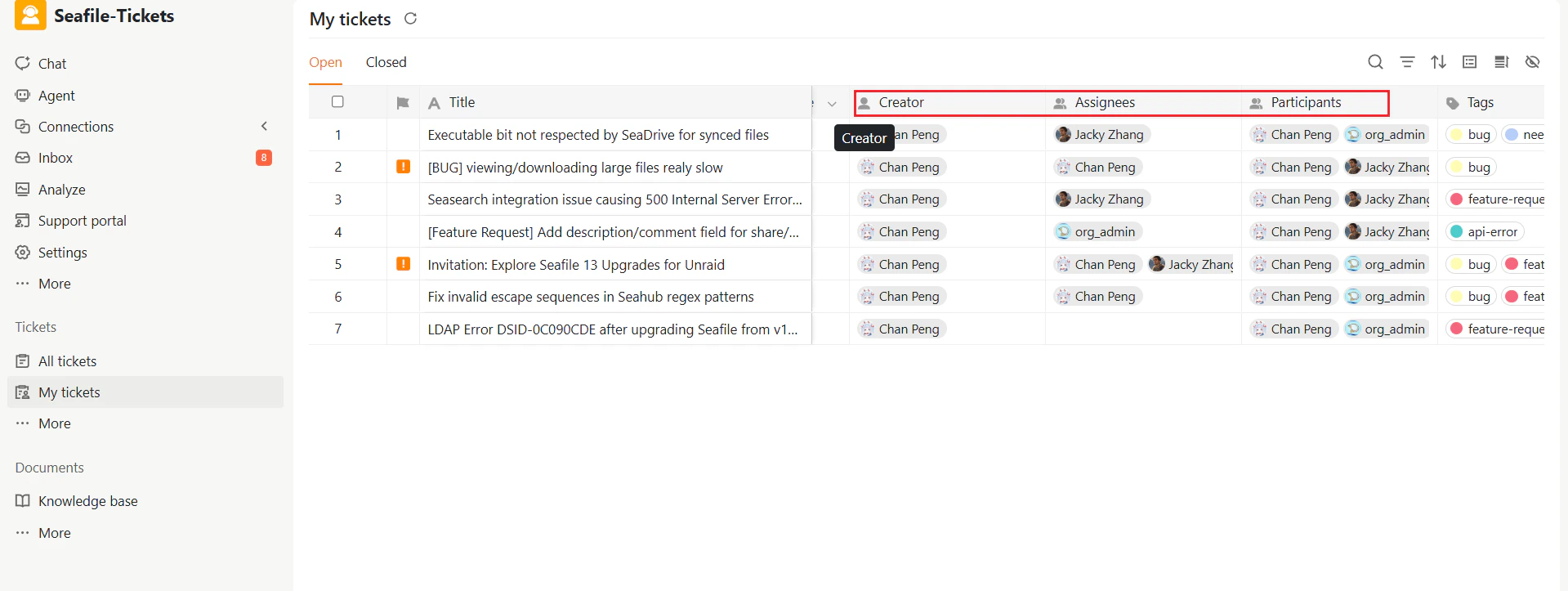
As you work with tickets, you'll encounter several types of users associated with each ticket:
* **Creator**: The person who creates the ticket.
* **Assignees**: The responsible responder once the ticket is assigned.
* **Participants**: Team members involved in handling the ticket or participating in discussions are automatically included.
 ## The ticket lifecycle
Each ticket progresses through several stages from creation to resolution.
1. **Open – New**: When a support request arrives, it's automatically created as a ticket and assigned this status.
2. **Open – Working on**: The responder updates the ticket to this status when actively addressing the issue.
3. **Open – Waiting on user**: If the responder needs additional information or has a follow-up question, the ticket moves to this status while awaiting the requester's response.
4. **Closed – Completed**: The issue has been resolved and the ticket is closed.
### Reopening tickets
If a closed ticket's issue is not fully resolved, a responder can reopen it. SeaTicket supports several reopen options — including reopening as New, working on, or Backlog — depending on the current situation. For full details on reopening, see [Updating and Solving Tickets.](https://user-docs.seaticket.ai/updating-and-solving-tickets)
```mermaid placement="bottom-right" theme={null}
flowchart TD
A[Open – New] -->|Responder starts work| B[Assigned]
B --> C[Open – Working on]
C -->|Needs more info| D[Open – Waiting on user]
C -->|Issue resolved| E[Closed – Completed]
D -->|Customer responds| C
E --> F{Requester Confirmation}
F -- Confirmed --> G[Closed]
F -- Not Resolved --> C
G --> H[Reopen]
H -->|Reopen ticket| C
```
## The ticket lifecycle
Each ticket progresses through several stages from creation to resolution.
1. **Open – New**: When a support request arrives, it's automatically created as a ticket and assigned this status.
2. **Open – Working on**: The responder updates the ticket to this status when actively addressing the issue.
3. **Open – Waiting on user**: If the responder needs additional information or has a follow-up question, the ticket moves to this status while awaiting the requester's response.
4. **Closed – Completed**: The issue has been resolved and the ticket is closed.
### Reopening tickets
If a closed ticket's issue is not fully resolved, a responder can reopen it. SeaTicket supports several reopen options — including reopening as New, working on, or Backlog — depending on the current situation. For full details on reopening, see [Updating and Solving Tickets.](https://user-docs.seaticket.ai/updating-and-solving-tickets)
```mermaid placement="bottom-right" theme={null}
flowchart TD
A[Open – New] -->|Responder starts work| B[Assigned]
B --> C[Open – Working on]
C -->|Needs more info| D[Open – Waiting on user]
C -->|Issue resolved| E[Closed – Completed]
D -->|Customer responds| C
E --> F{Requester Confirmation}
F -- Confirmed --> G[Closed]
F -- Not Resolved --> C
G --> H[Reopen]
H -->|Reopen ticket| C
```