> ## Documentation Index
> Fetch the complete documentation index at: https://user-docs.seaticket.ai/llms.txt
> Use this file to discover all available pages before exploring further.
# Track Issues with AI
The Agent feature in SeaTicket helps teams automatically analyze issues and tickets, identify what needs attention, and suggest next actions.
It operates continuously in the background and supports a human-in-the-loop workflow—all suggested actions can be reviewed, edited, approved, or discarded before execution.
## What the Agent Does
When enabled, the Agent can:
* Analyze incoming issues from connected sources (e.g., GitHub, Discourse)
* Review existing tickets and their activity
* Detect tickets that need attention (e.g., unassigned, stalled, or overdue)
* Generate actionable suggestions, including:
* Adding comments
* Assigning owners
* Creating internal tickets
* Proposing next steps
## Enabling the Agent
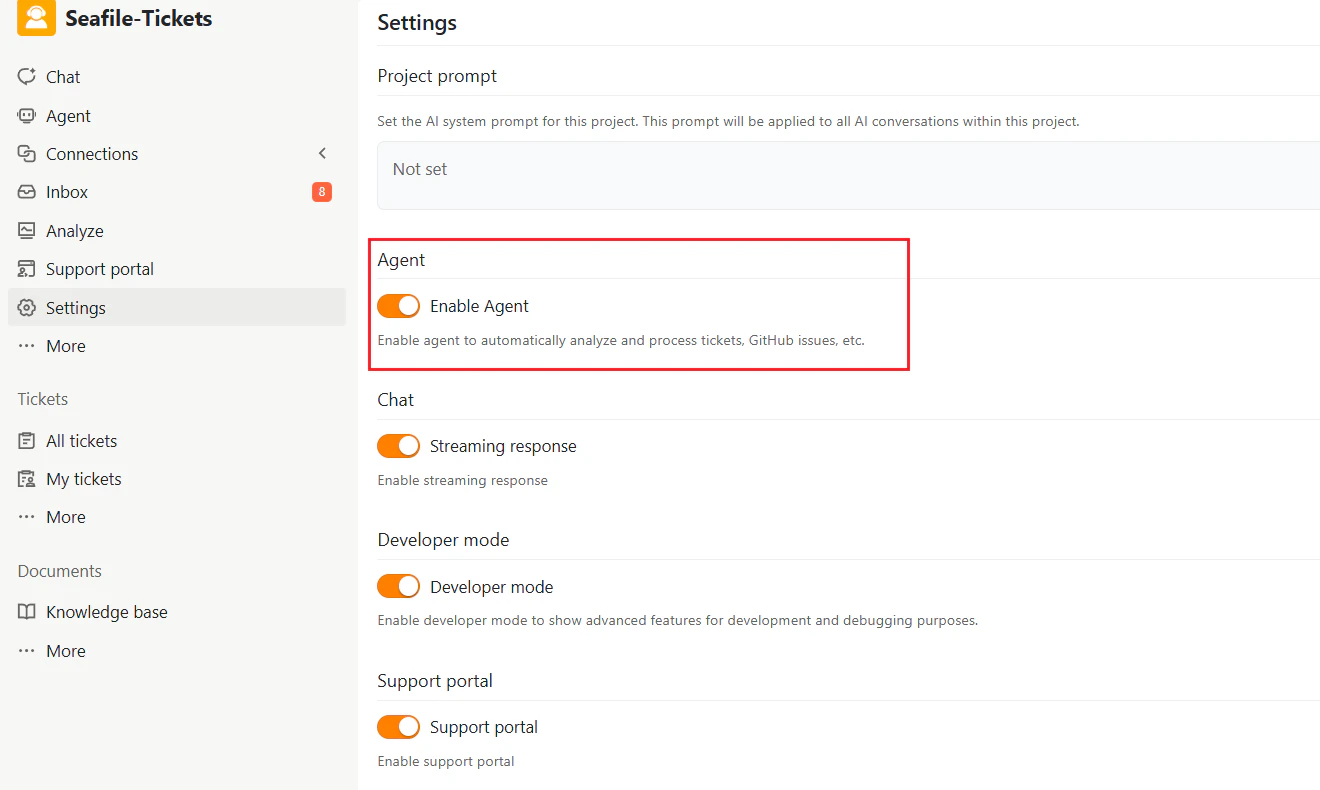
1. Go to **Settings** in your SeaTicket project
2. Locate the **Agent** section
3. Toggle **Enable Agent** to ON
Once enabled, the Agent will begin analyzing issues and tickets automatically.
 ## Using the Agent
After enabling, you can interact with the Agent through the **Agent** tab in the sidebar.
### Issue and Ticket Analysis
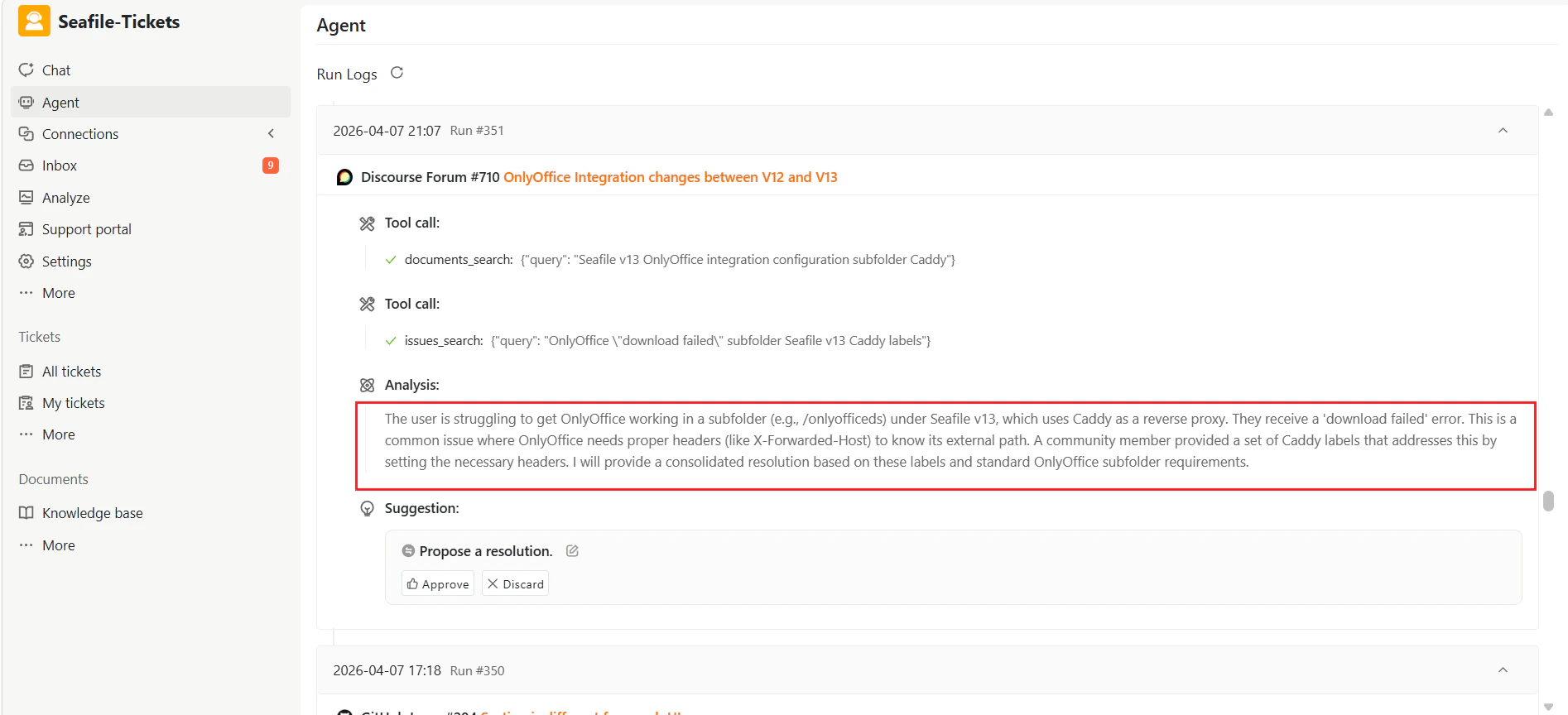
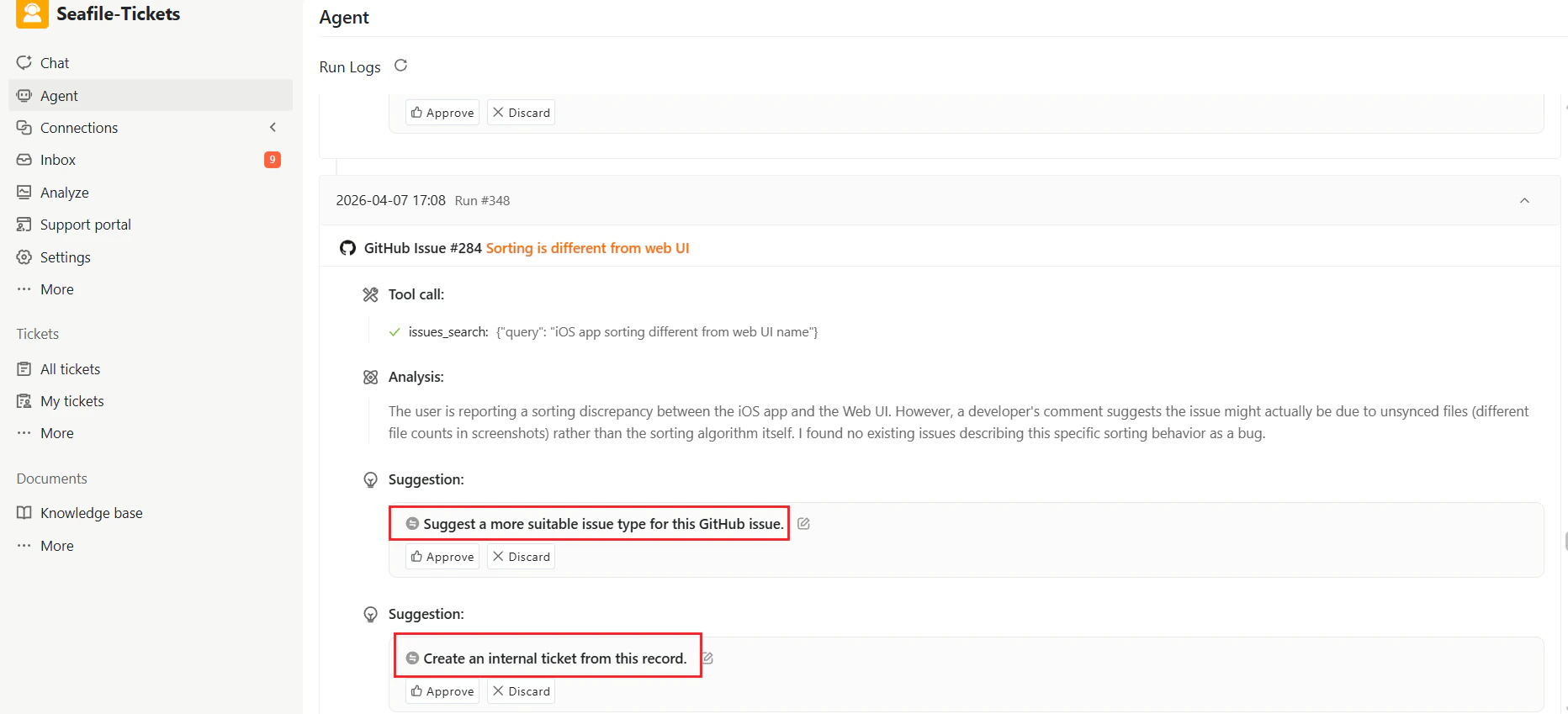
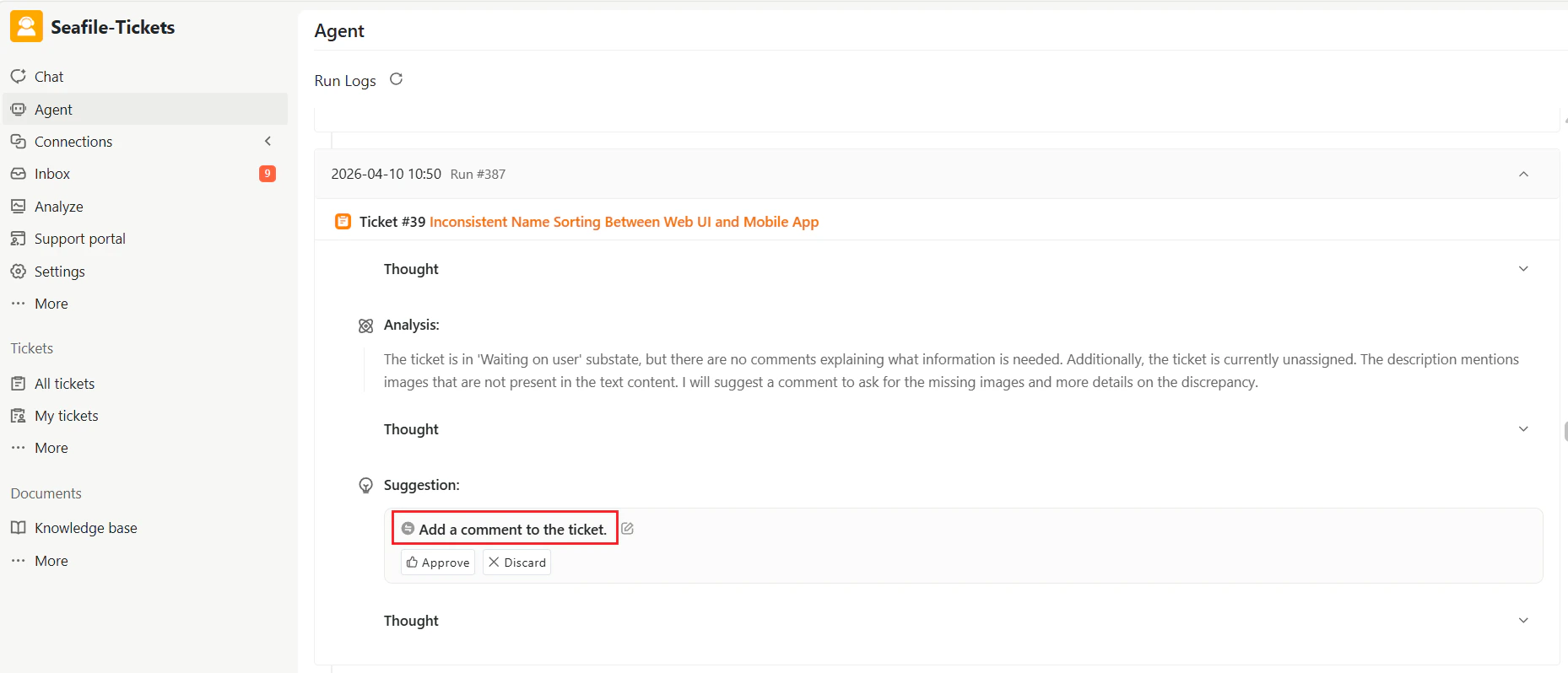
* The Agent reviews each issue or ticket and identifies key points such as errors, missing information, or overdue tasks.
* It generates a concise **Analysis** summarizing the issue.
## Using the Agent
After enabling, you can interact with the Agent through the **Agent** tab in the sidebar.
### Issue and Ticket Analysis
* The Agent reviews each issue or ticket and identifies key points such as errors, missing information, or overdue tasks.
* It generates a concise **Analysis** summarizing the issue.
 ### Actionable Suggestions
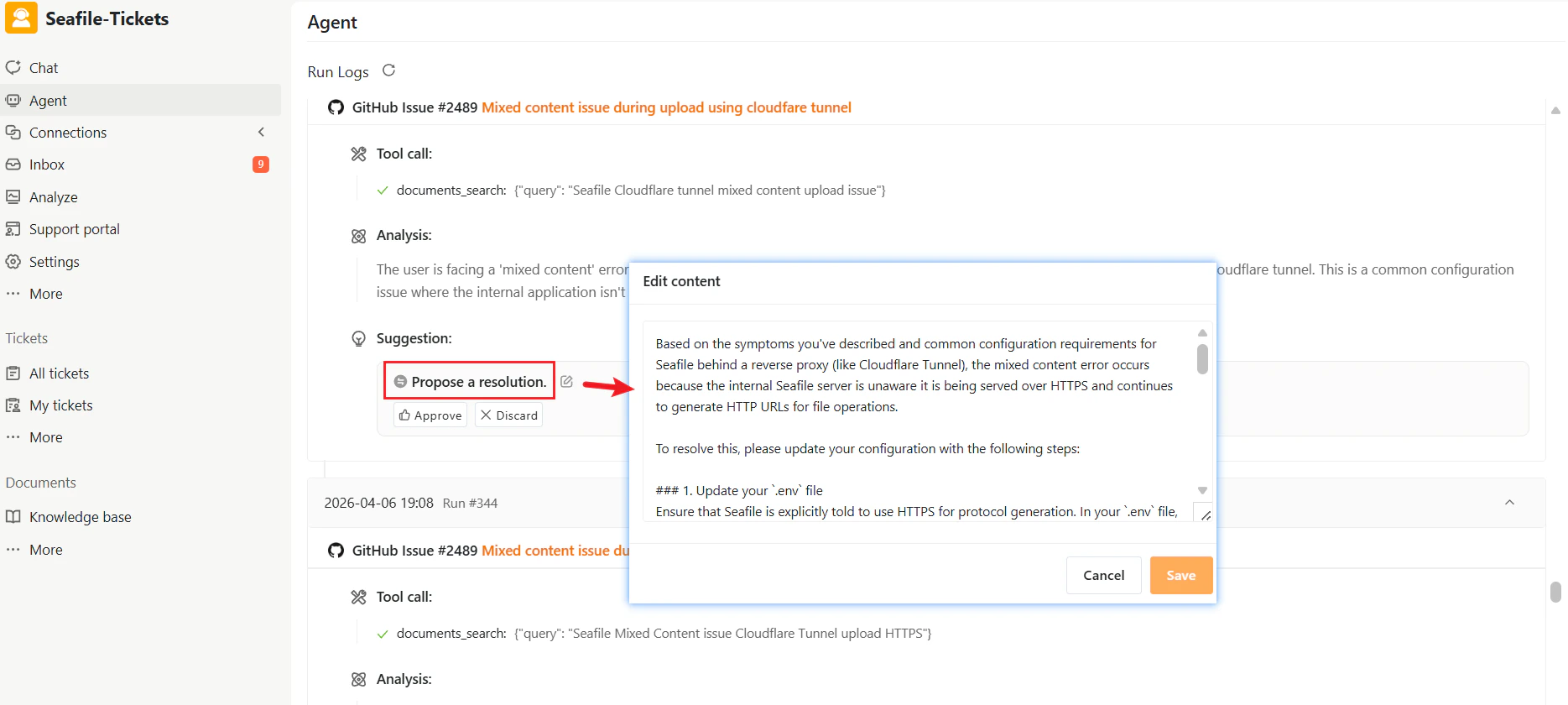
The Agent generates structured suggestions for **next steps** based on the analysis, typically including:
* Propose a resolution for the issue
* Create an internal ticket from this record
* Add a comment to the ticket
* Assign the ticket to a team member
* Notify assignees of the ticket
* Request more information
Suggestions are displayed under the Analysis for each issue or ticket.
### Actionable Suggestions
The Agent generates structured suggestions for **next steps** based on the analysis, typically including:
* Propose a resolution for the issue
* Create an internal ticket from this record
* Add a comment to the ticket
* Assign the ticket to a team member
* Notify assignees of the ticket
* Request more information
Suggestions are displayed under the Analysis for each issue or ticket.
 ### Review and Approval
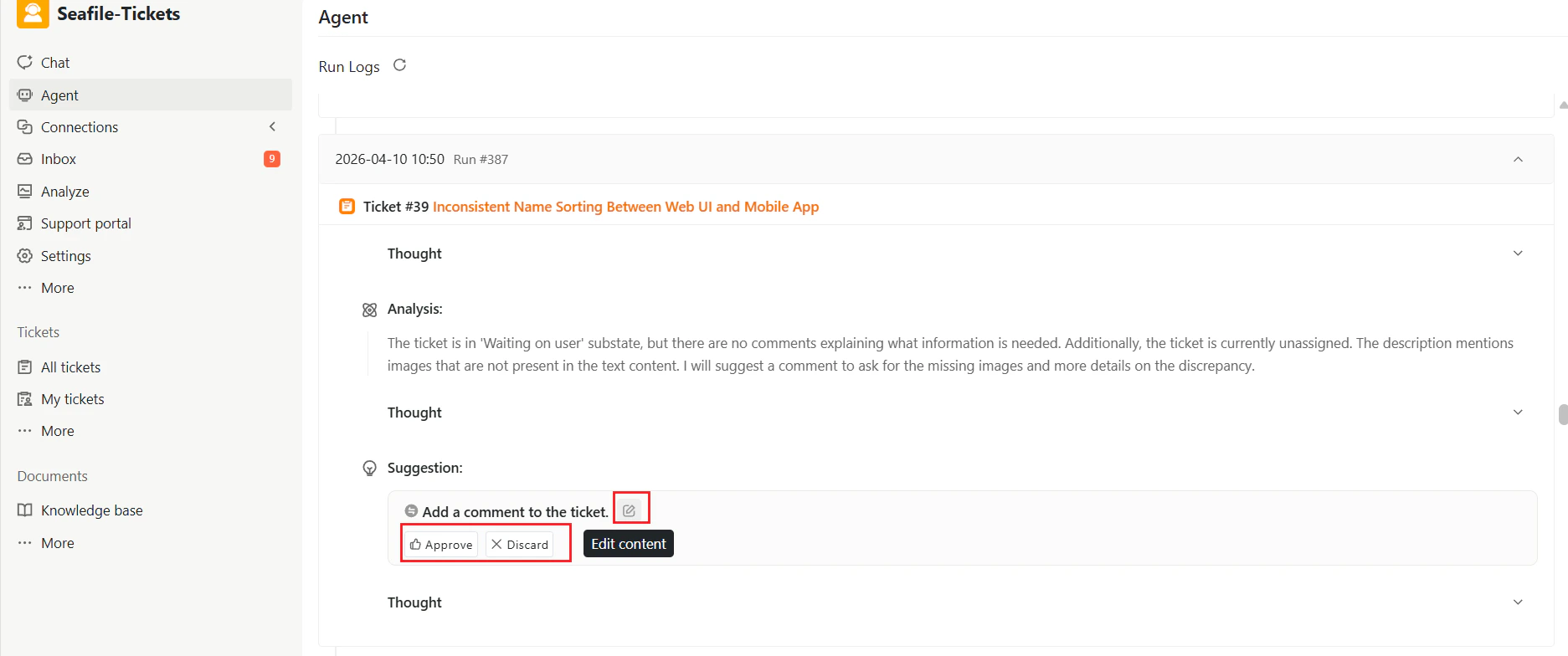
Each suggested action offers three options:
* **Edit content** — Modify the suggestion before approval
* **Approve** — Execute the suggested action
* **Discard** — Reject the suggestion
Human reviewers maintain full control; no action executes automatically without explicit approval.
### Review and Approval
Each suggested action offers three options:
* **Edit content** — Modify the suggestion before approval
* **Approve** — Execute the suggested action
* **Discard** — Reject the suggestion
Human reviewers maintain full control; no action executes automatically without explicit approval.