> ## Documentation Index
> Fetch the complete documentation index at: https://user-docs.seaticket.ai/llms.txt
> Use this file to discover all available pages before exploring further.
# Using Chat for Support
The Chat feature is powered by an AI assistant. Responses are generated based on configured data sources and may vary depending on available information. It allows users to get quick assistance without submitting a issue.
## Getting Started
1. Click **Chat** in the top navigation bar..
2. Enter your question or issue in the message box at the bottom.
3. Press **Enter** or click the send icon to submit your message.
4. The AI assistant generates a response based on available data sources.
## Chat Interface Overview
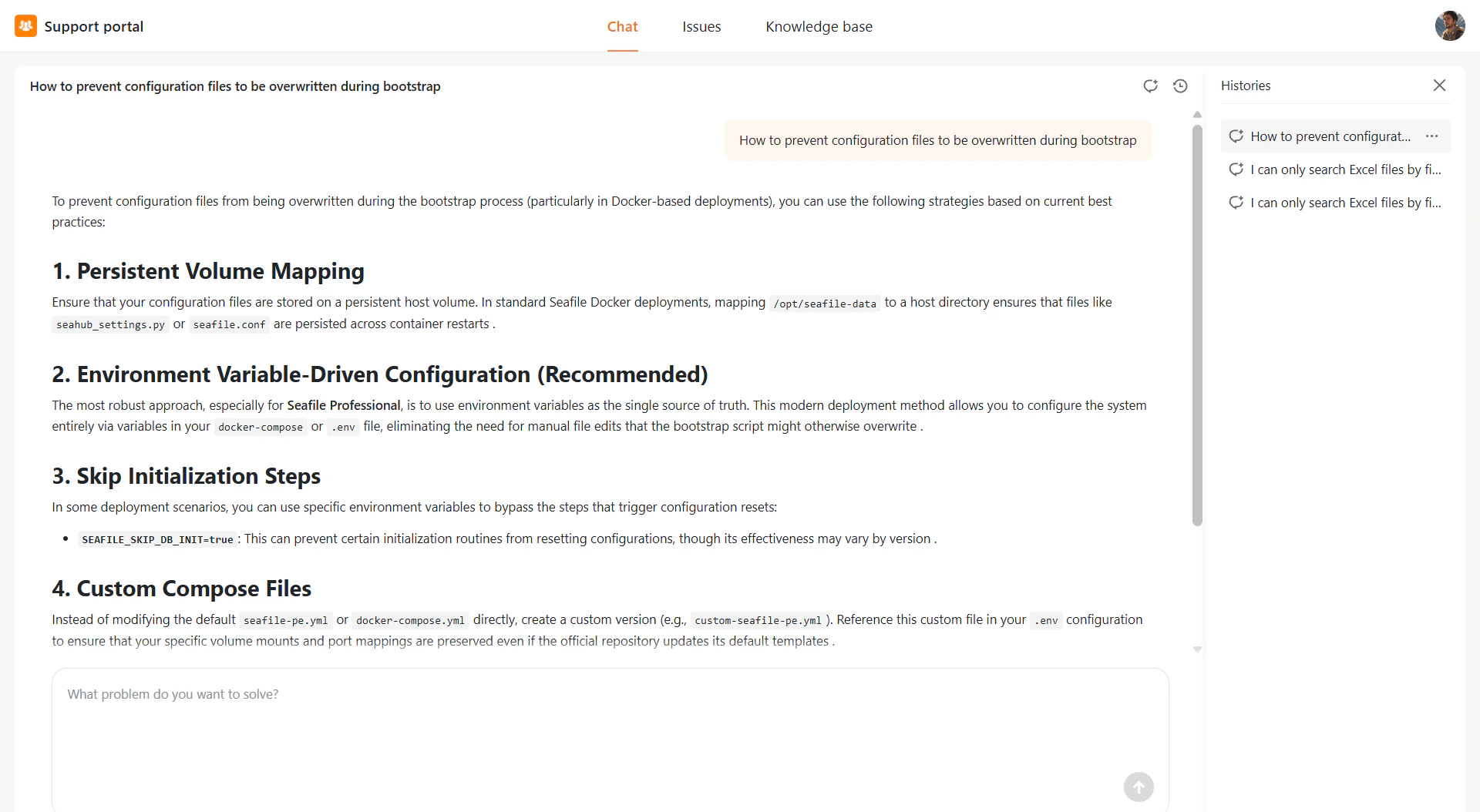
Once you open Chat, you'll see:
* **Message area** – Displays your conversation with the AI assistant
* **Input box** – Where you type your questions
* **Histories panel** (right side) – Shows your previous conversations
Click any record in the history panel to review or continue a conversation.
## Tips for Better Results
* Ask clear, specific questions for more accurate answers
* Include relevant keywords like file names, error messages, or feature names
 ## What AI Chat Can Do
* Generate responses based on configured data sources (knowledge bases, files, or Internal tickets)
* Provide guidance and troubleshooting for both simple and complex issues
* Help you find relevant information quickly
* Suggest submitting a issue if further action is required
## What AI Chat Can Do
* Generate responses based on configured data sources (knowledge bases, files, or Internal tickets)
* Provide guidance and troubleshooting for both simple and complex issues
* Help you find relevant information quickly
* Suggest submitting a issue if further action is required