
Creating a Seafile Libraries Connection
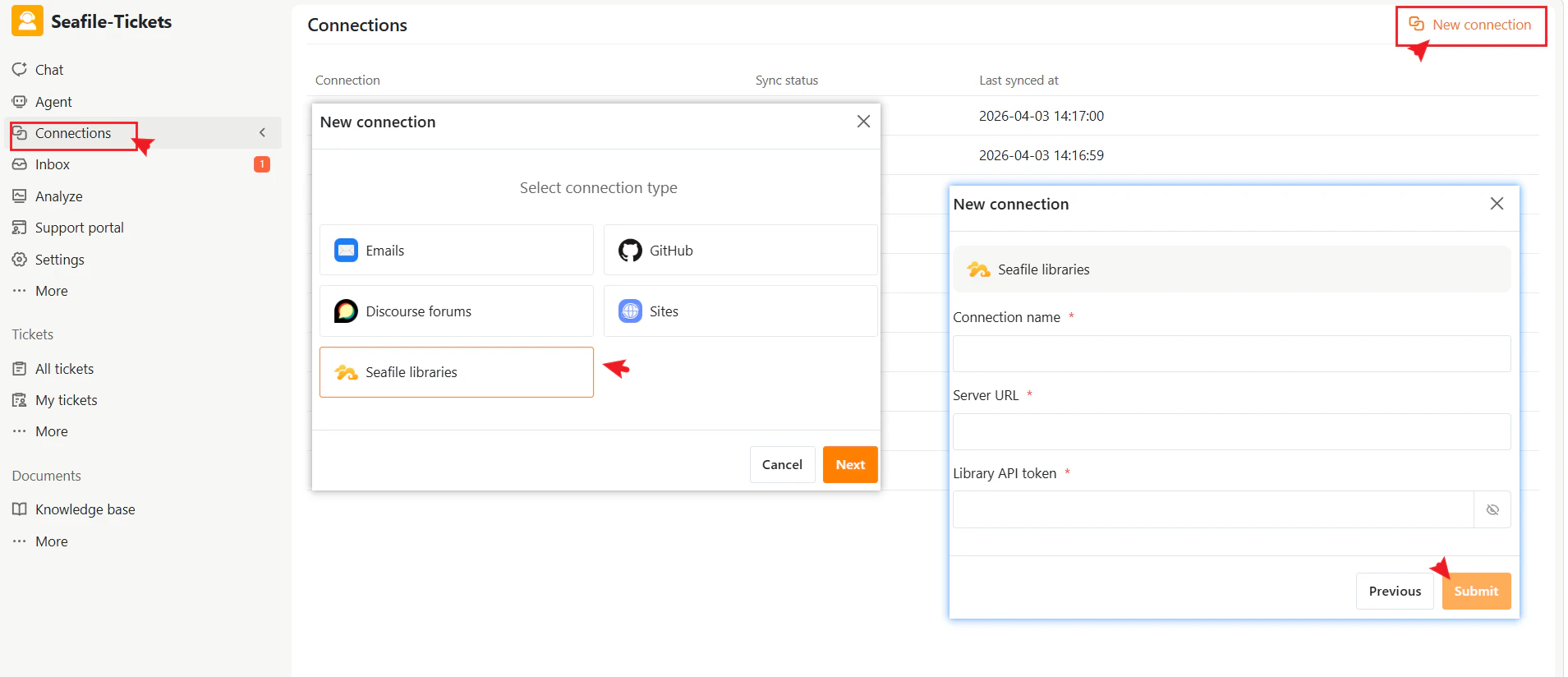
- Go to Connections → + New Connection.
- Select Seafile Libraries as the connection type.
- Click Next
- Enter the required information:
- Connection name — A descriptive name to identify this connection in SeaTicket.
- Server URL—The Seafile server address.
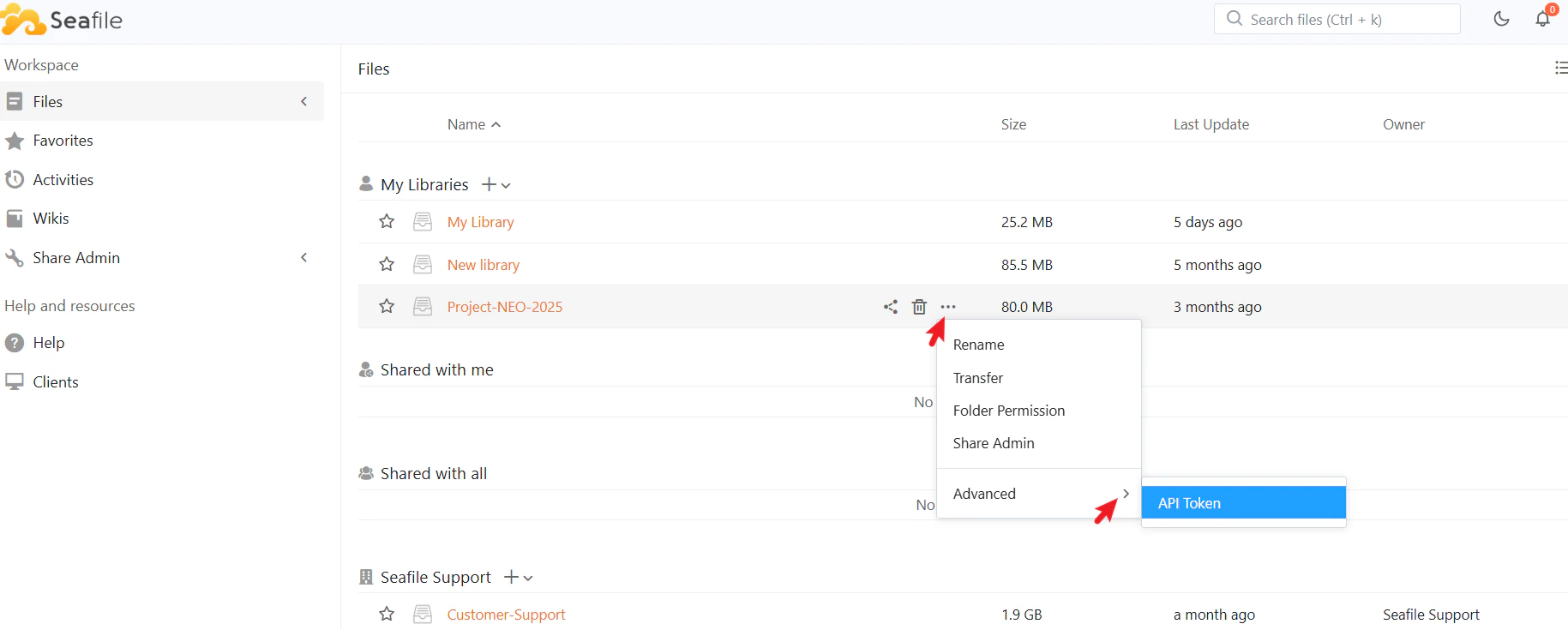
- Library API token—The Seafile API token.
- Click Submit to complete the setup
After Connection
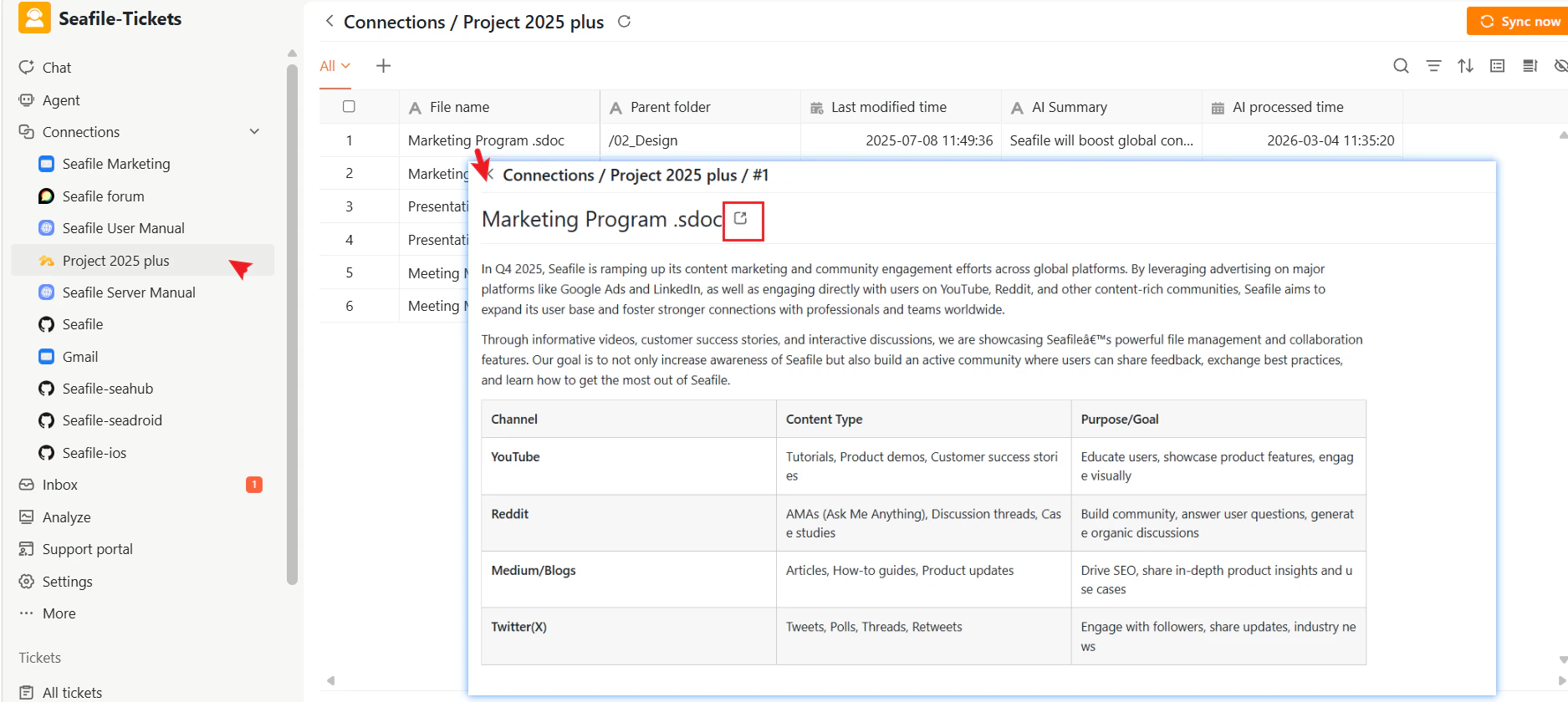
Once the connection is created:- SeaTicket automatically syncs documents from Library
- All synced documents appear in a list view.
- Updates appear in SeaTicket in real time
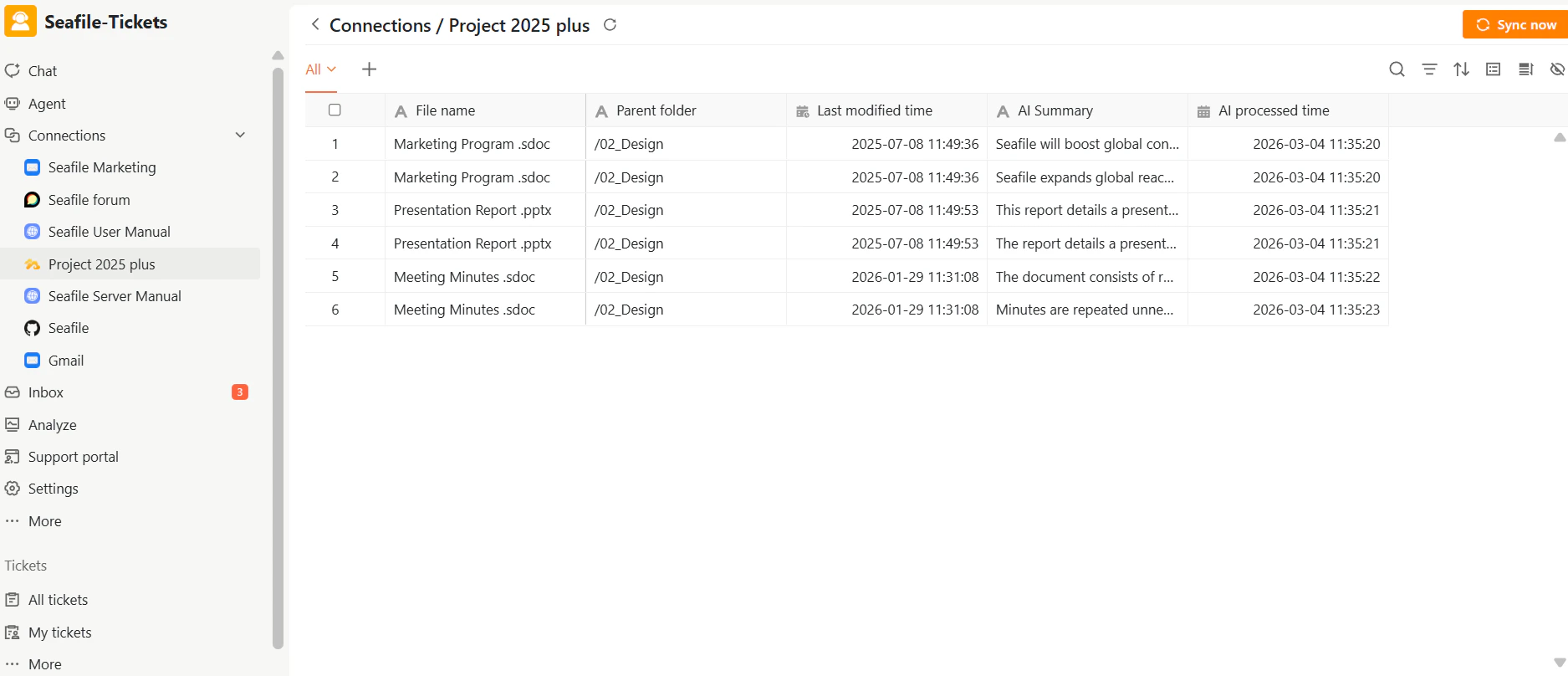
Synced Documents
For each document, SeaTicket records:- File name
- Folder location
- Last modified time
- AI summary
- AI processed time
Viewing Details
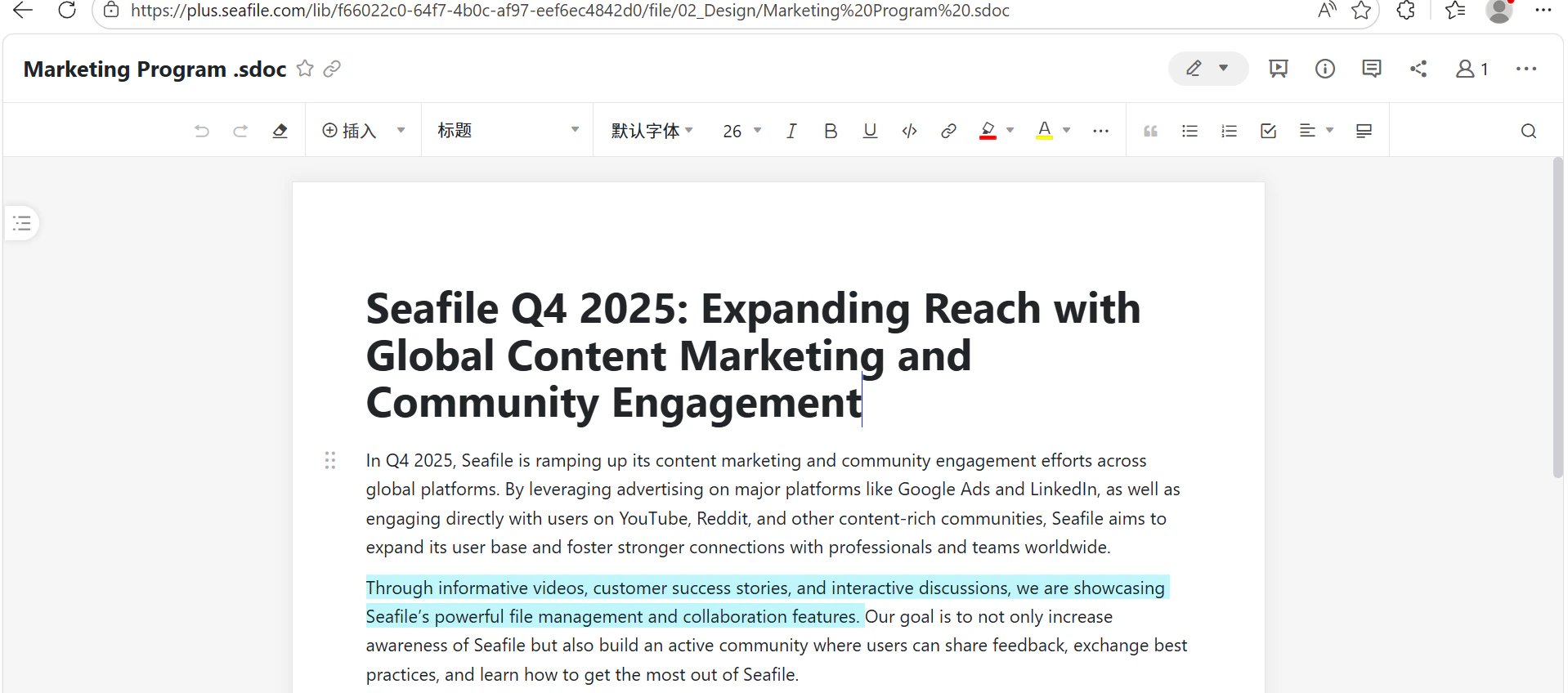
After data has been synced, click on an item’s title to view its full content. Seafile Documents: Open and browse files directly