
Before You Start
Make sure you have the following ready:- The URL of your Seafile server
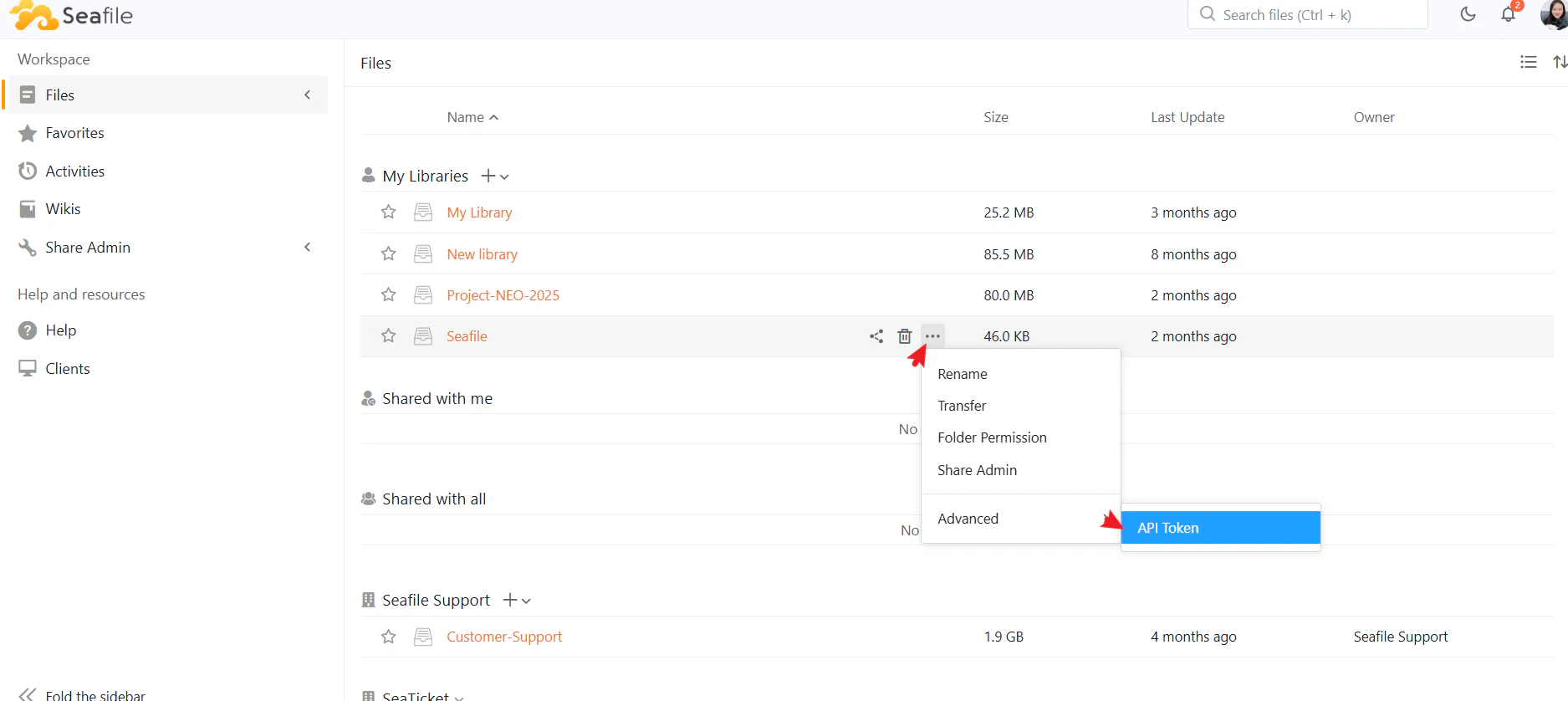
- A Library API token generated from the Seafile library you want to connect
Creating a Seafile Libraries Connection
- Open a project in SeaTicket.
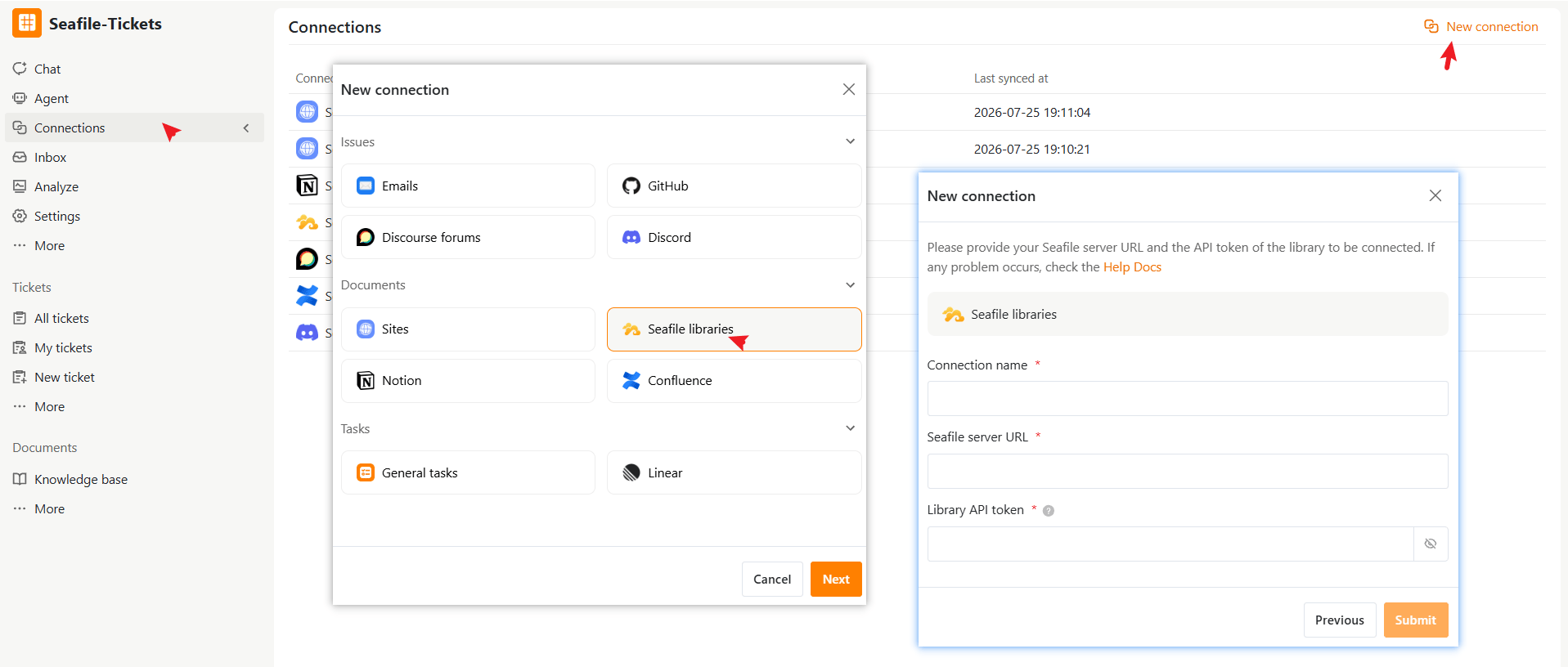
- Go to Connections from the left navigation menu.
- Click New connection in the top-right corner.
- Select Seafile Libraries under Documents, then click Next.
- Enter the required information:
- Click Submit to complete the setup
After the Connection is Created
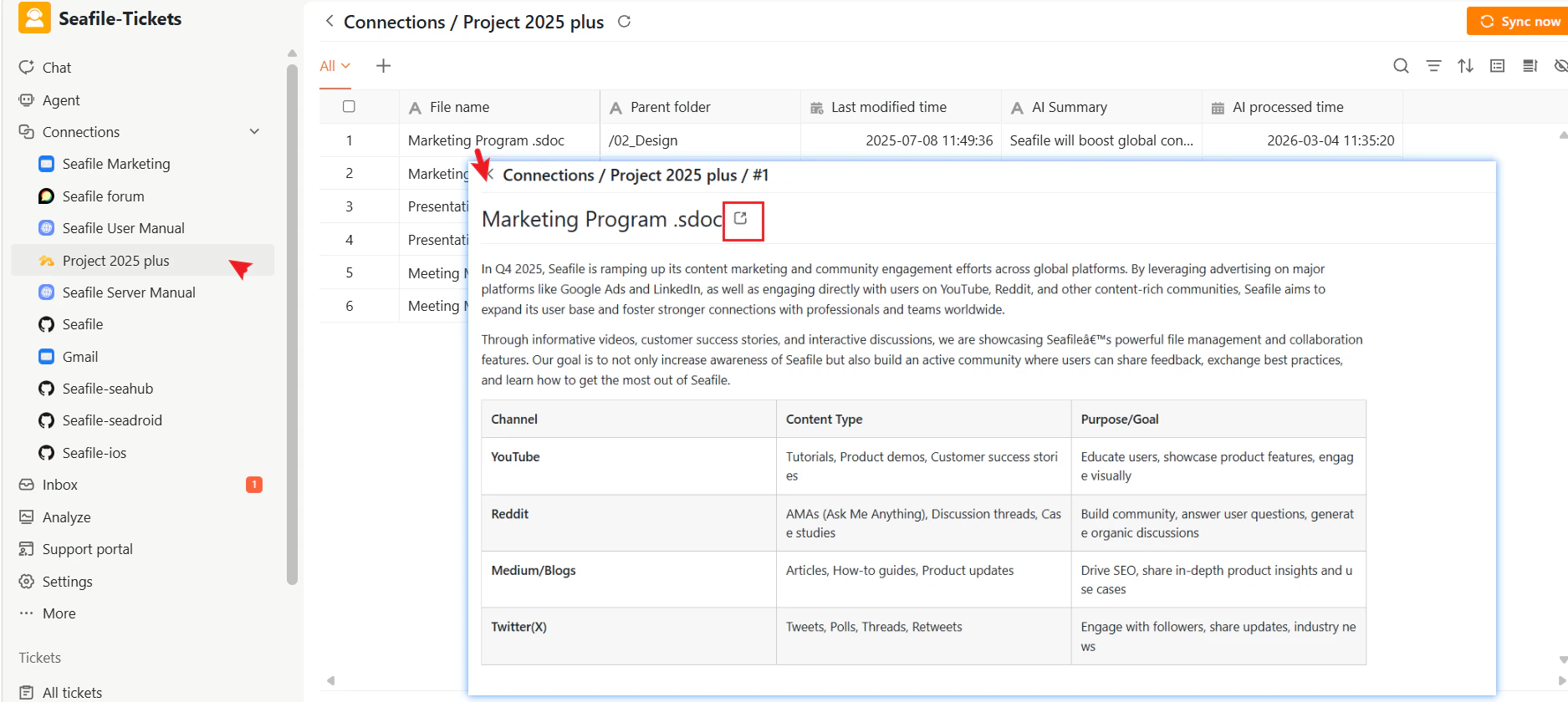
Once connected, SeaTicket automatically syncs documents from the library. All synced documents appear in a list view under the connection in the left sidebar. Updates are synced automatically every hour For each document, SeaTicket records:- File name
- Parent folder location
- Last modified time
- AI Summary and AI Processed time — automatically generated for each document
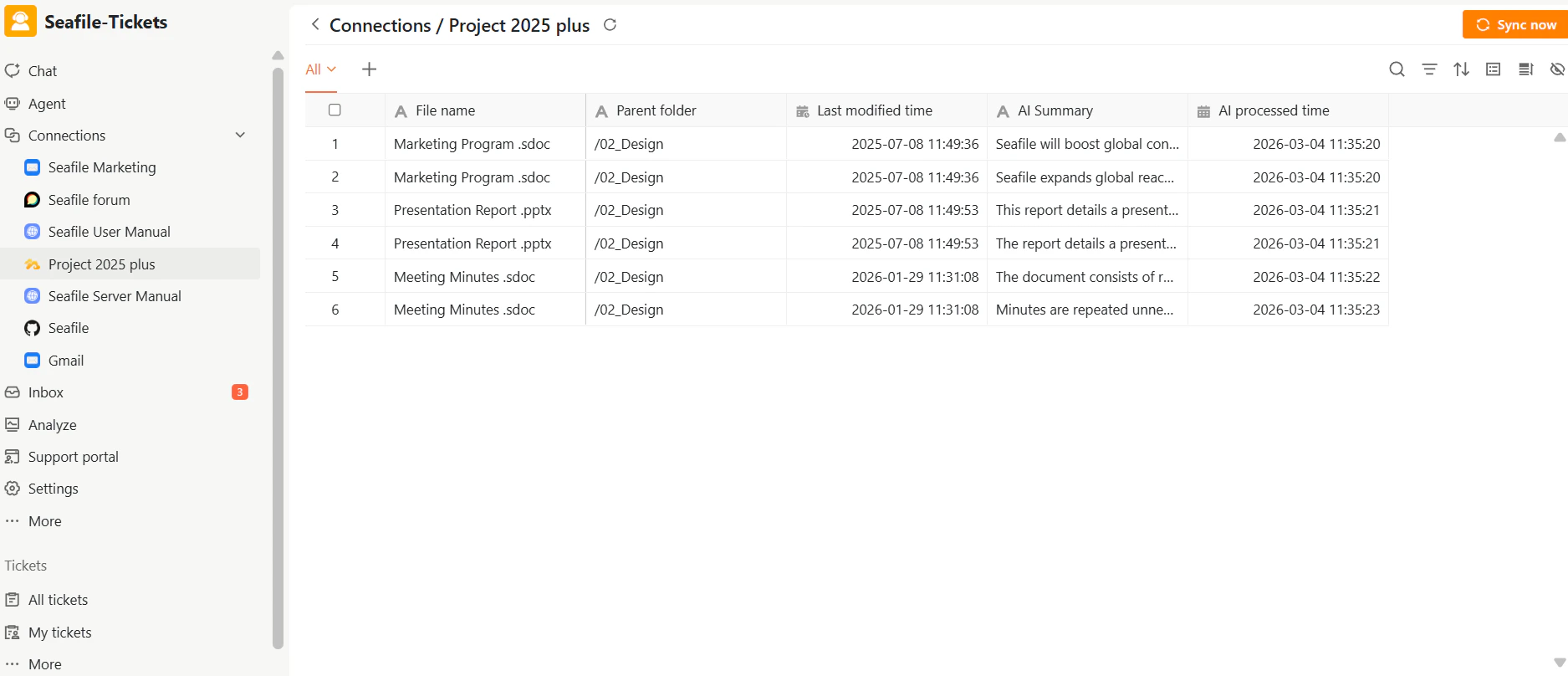
Viewing Document Details
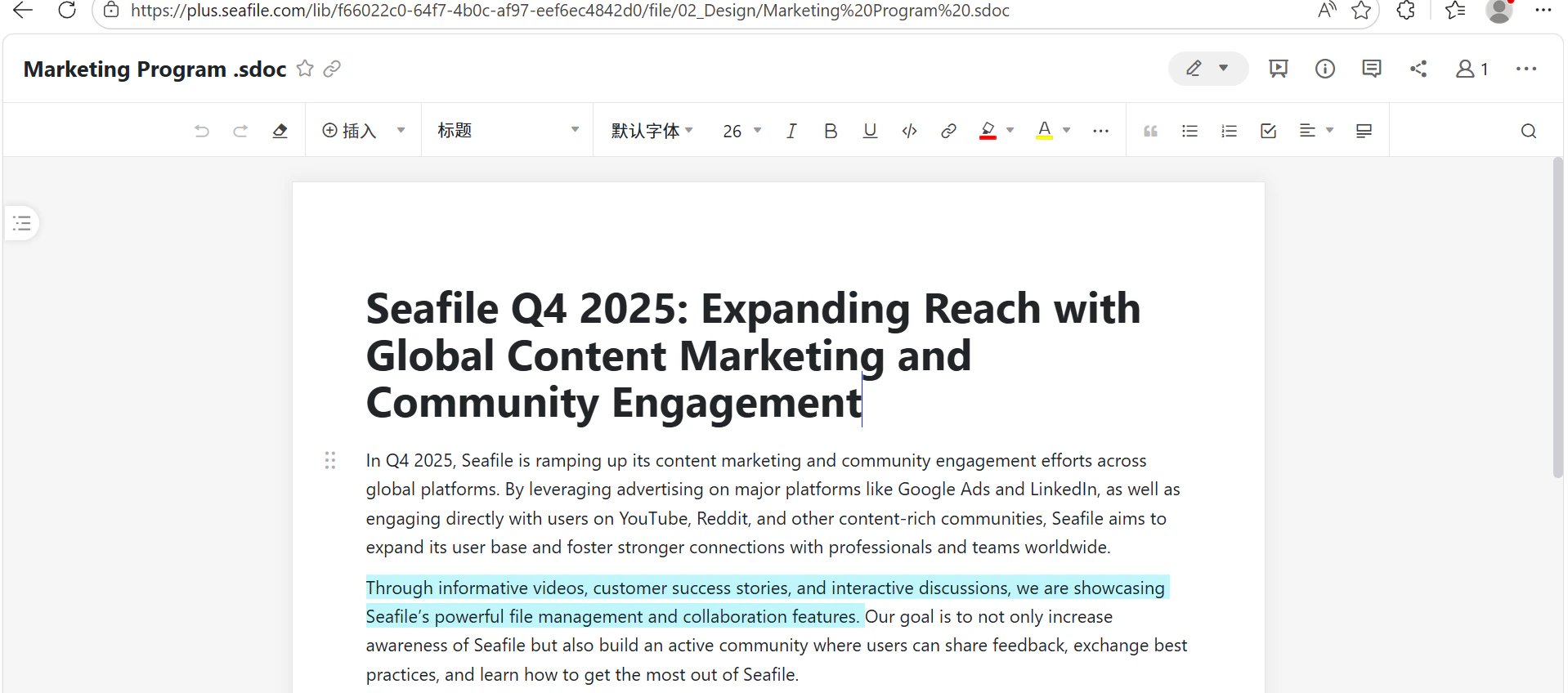
Click any file name to open the document content inside SeaTicket.