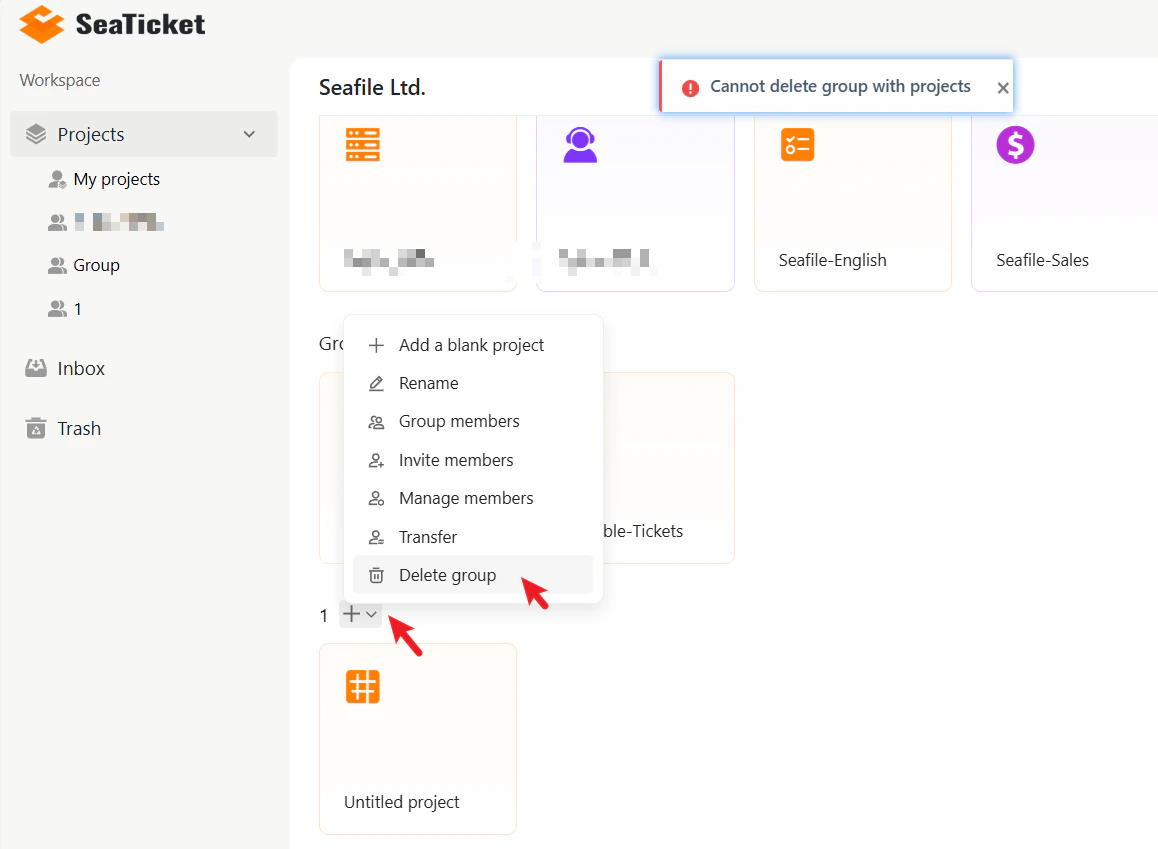

Create a Group
To create a new group:- Go to the Workspace from the main sidebar.
- Click New group in the top-right corner of the workspace.
- Enter a name for your group.
- Click Submit.
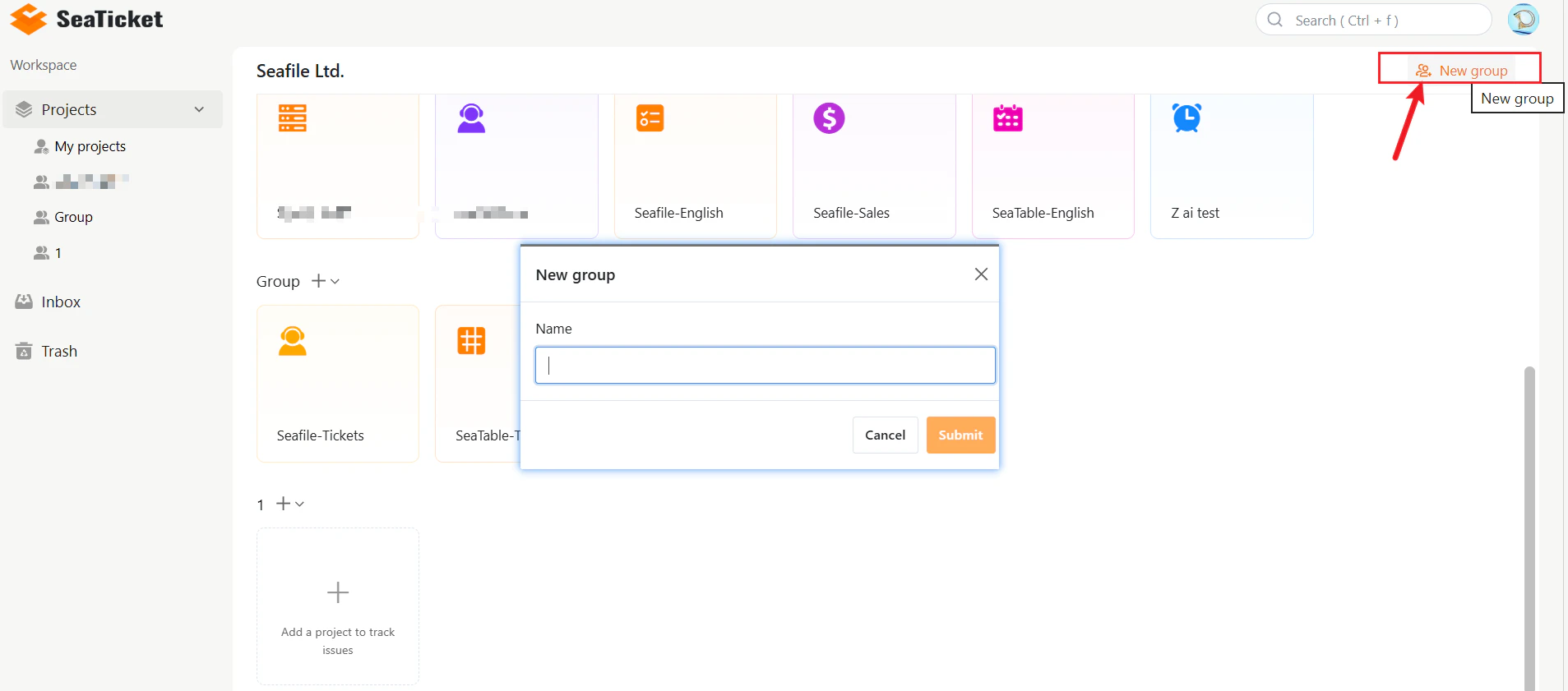
Group Menu Options
Each group has a menu that provides access to all management actions.To open it, click the + icon or the dropdown arrow next to the group name.
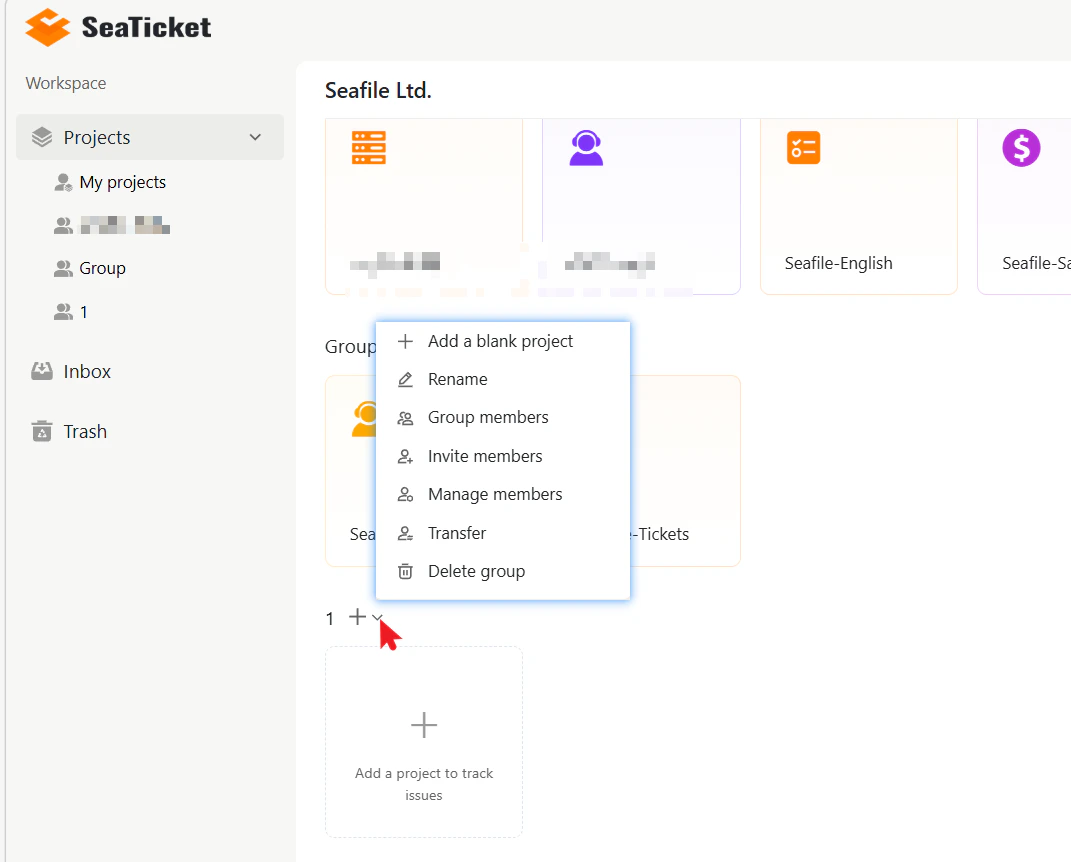
Transfer Group Ownership
You can transfer ownership of a group to any existing member. The new owner will have full control of the group. To transfer ownership:- Open the group menu.
- Click Transfer.
- Search for and select the user you want to transfer ownership to.
- Click Submit.
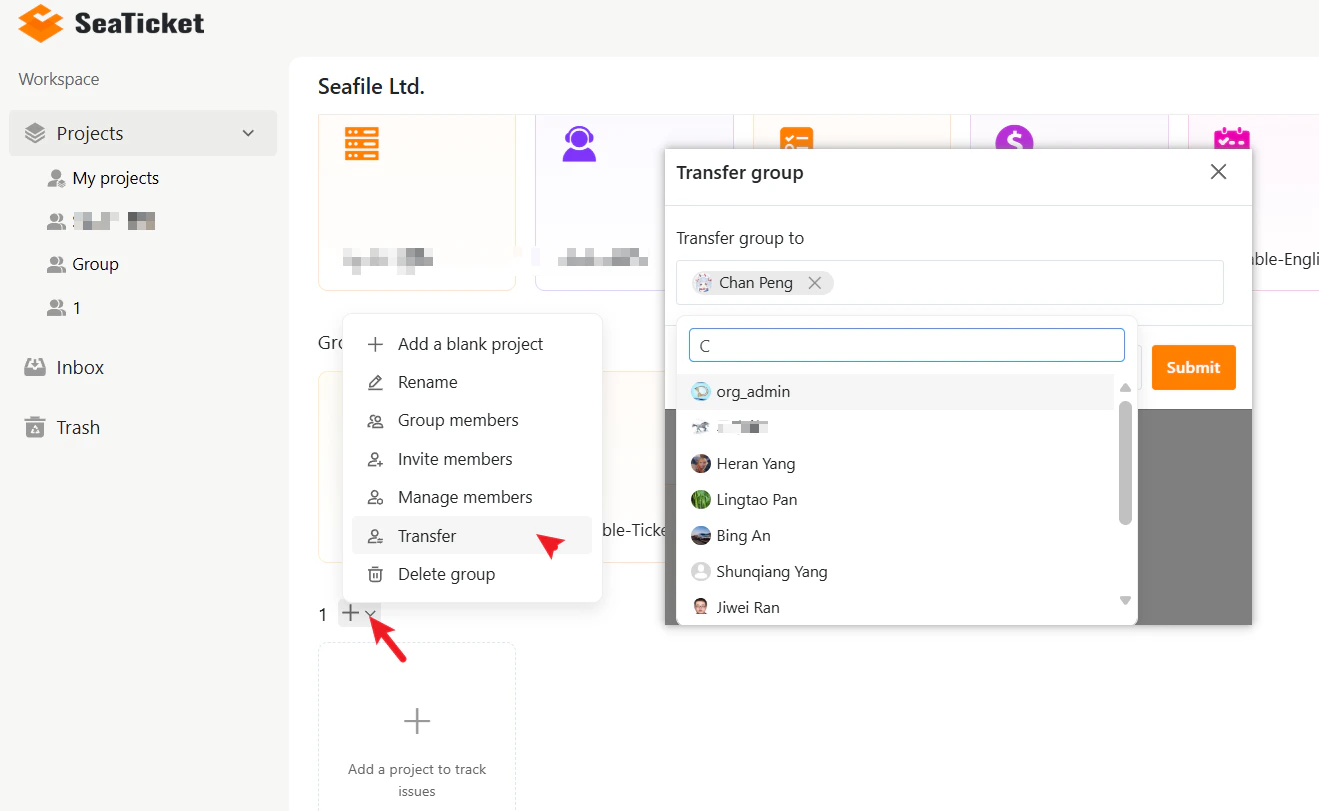
Delete a Group
To delete a group:- Open the group menu.
- Click Delete group.
- Confirm the deletion.
Note: A group cannot be deleted if it still contains projects. Remove all the projects from the group before deleting it.