
Member Roles
Every member of a group is assigned a role that defines what they can do within the group.Add a Member to a Group
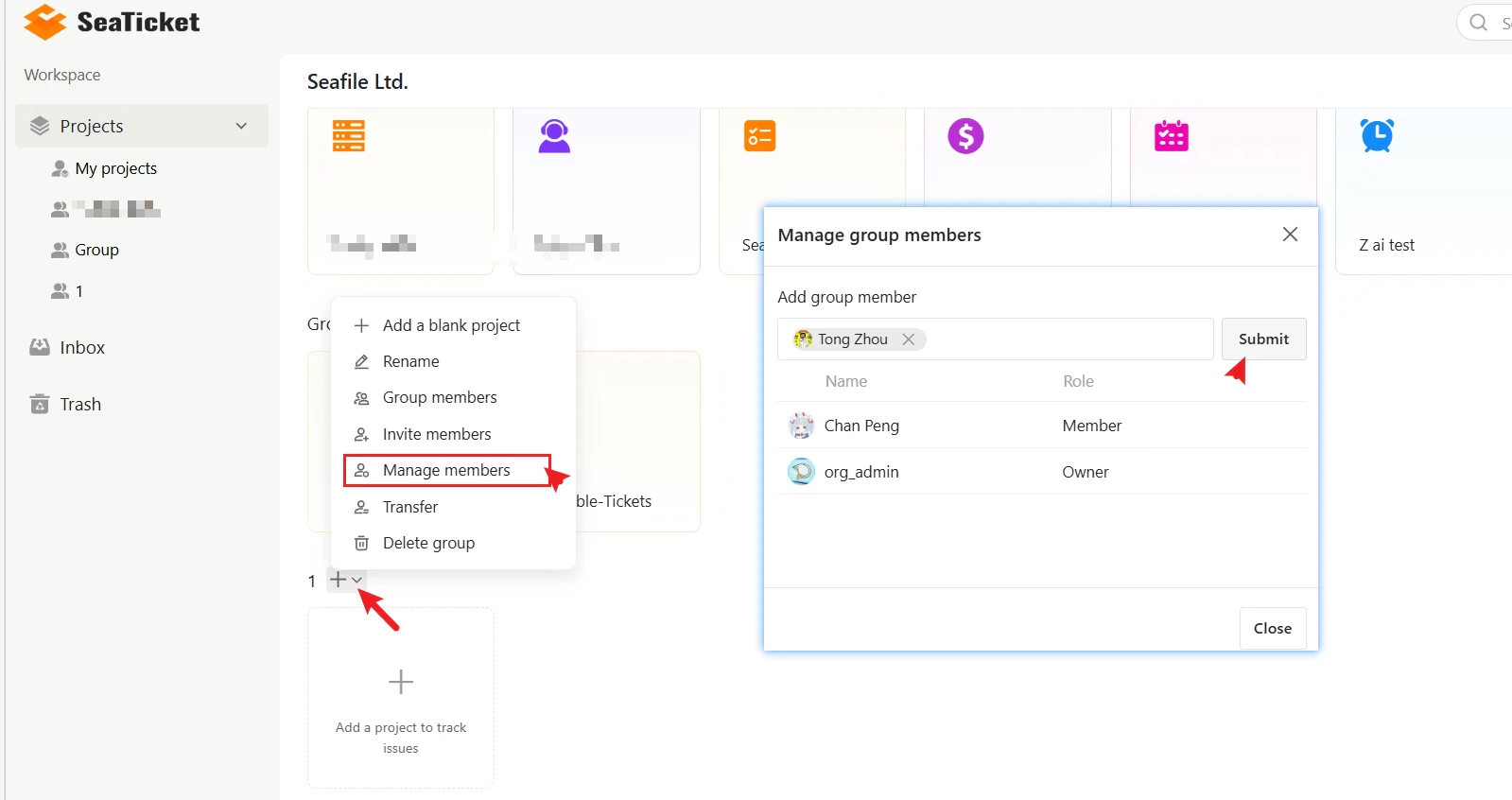
To add a new member:- Open the group menu.
- Click Manage members.
- In the Add group member field, search for the user by name.
- Select the user from the results.
- Click Submit.
Invite Members via Link
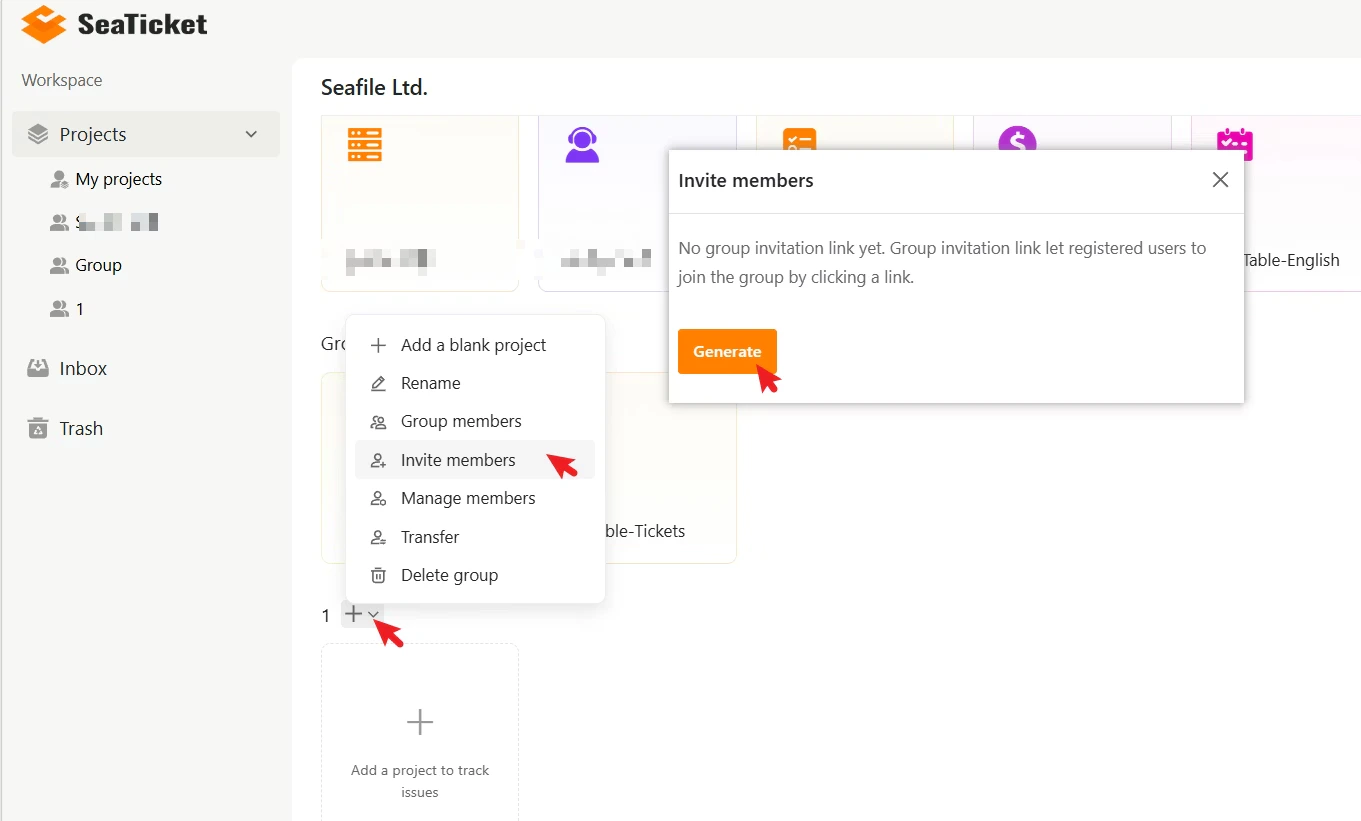
You can also invite registered users to join a group using a shareable invitation link. To generate an invitation link:- Open the group menu.
- Click Invite members.
- Click Generate.
Change a Member’s Role
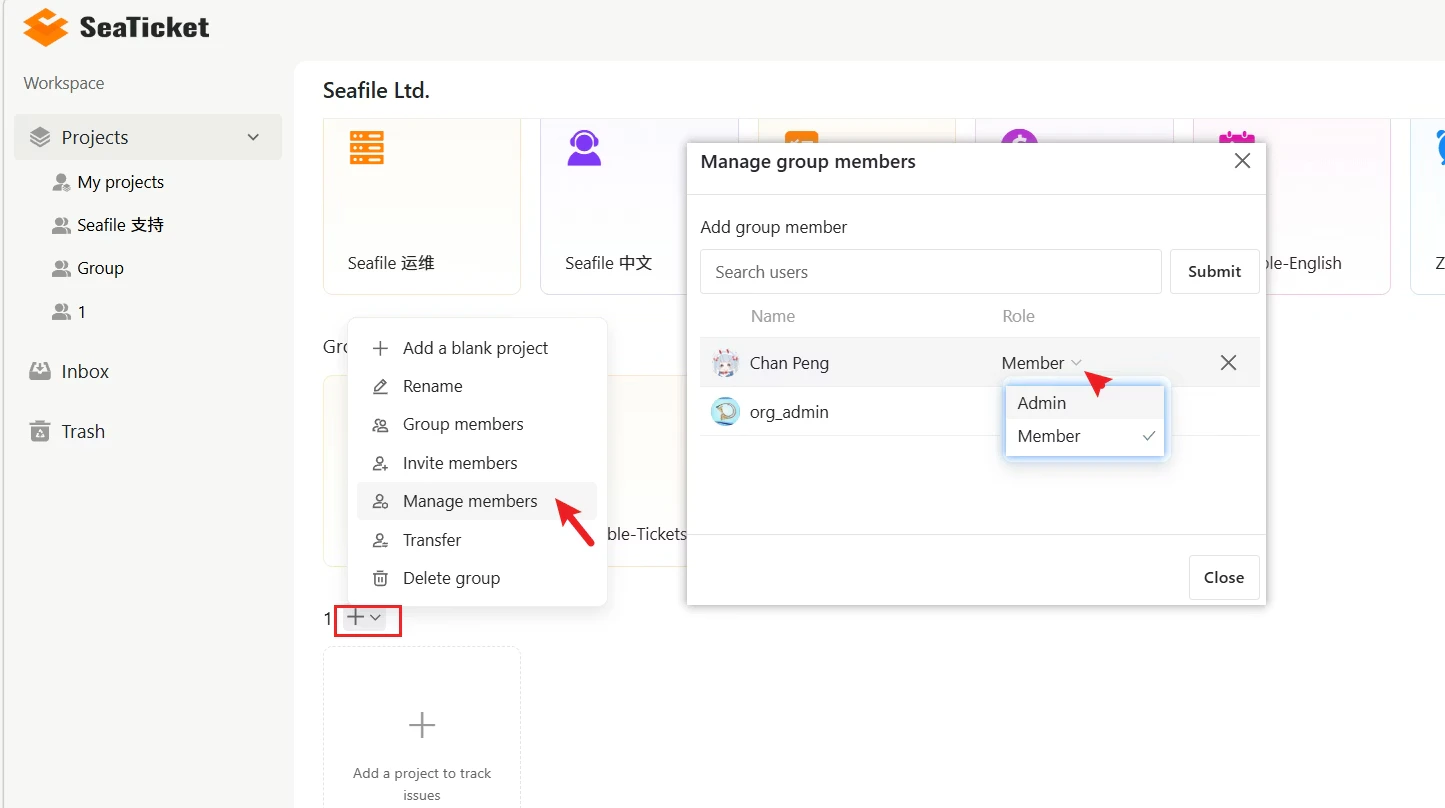
To change the role of an existing member:- Open the group menu.
- Click Manage members.
- Find the user in the member list.
- Click the Role dropdown next to their name.
- Select Admin or Member.
Remove a Member
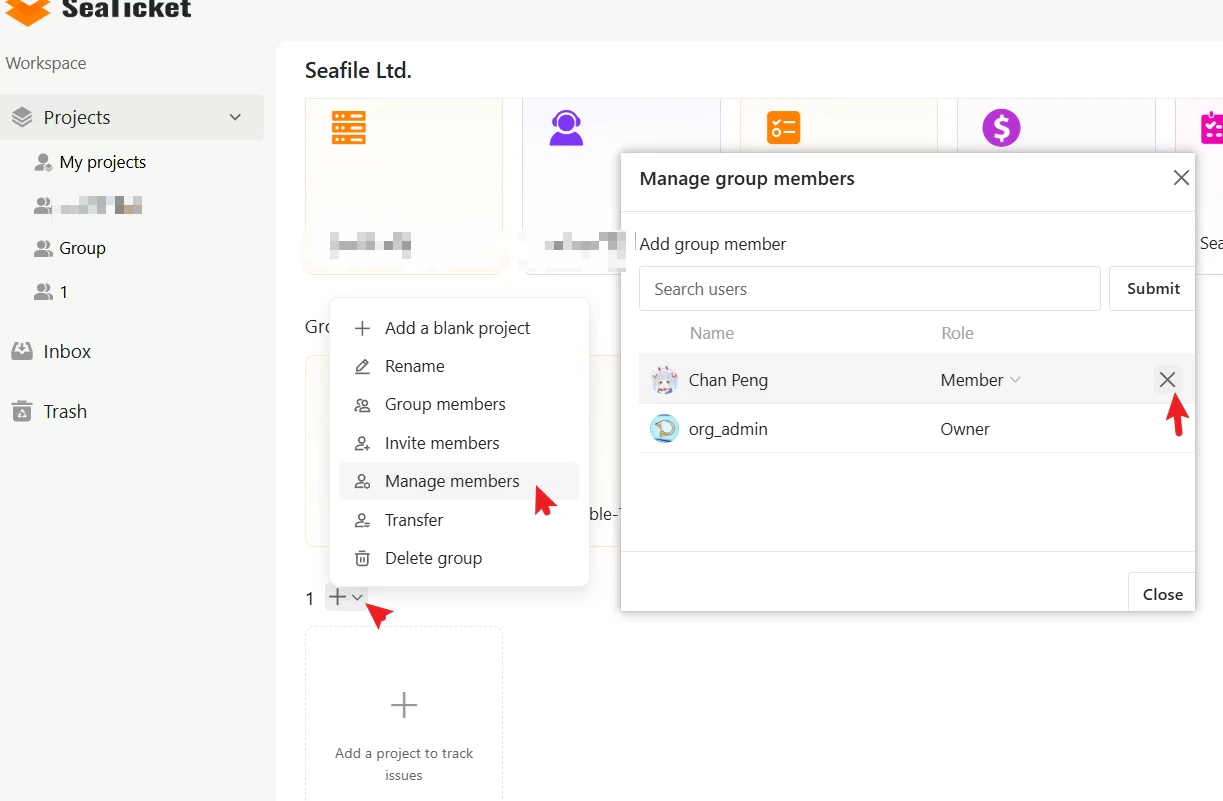
To remove a member from a group:- Open the group menu.
- Click Manage members.
- Find the user in the member list.
- Click the X icon next to their name.