
What the Agent Does
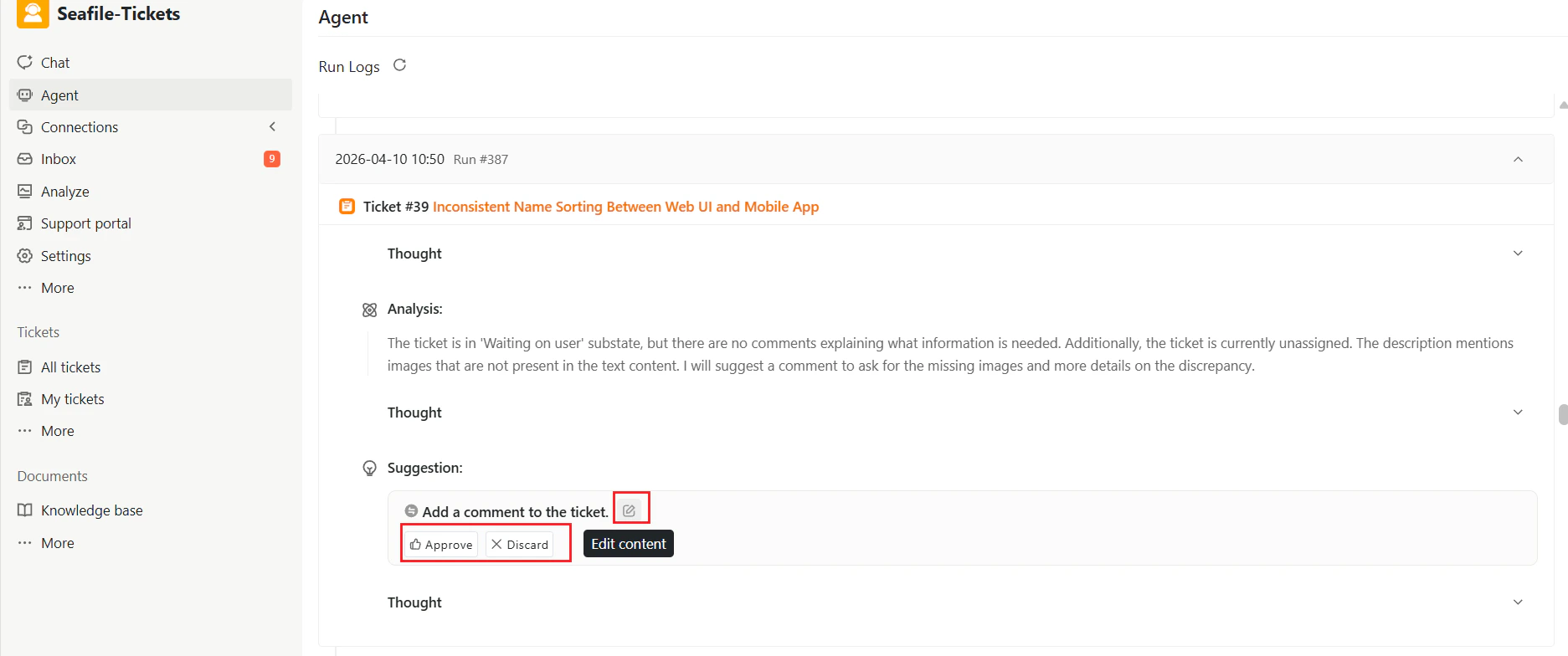
When enabled, the Agent can:- Analyze incoming issues from connected sources (e.g., GitHub, Discourse)
- Review existing tickets and their activity
- Detect tickets that need attention (e.g., unassigned, stalled, or overdue)
- Generate actionable suggestions, including:
- Adding comments
- Assigning owners
- Creating internal tickets
- Proposing next steps
Enabling the Agent
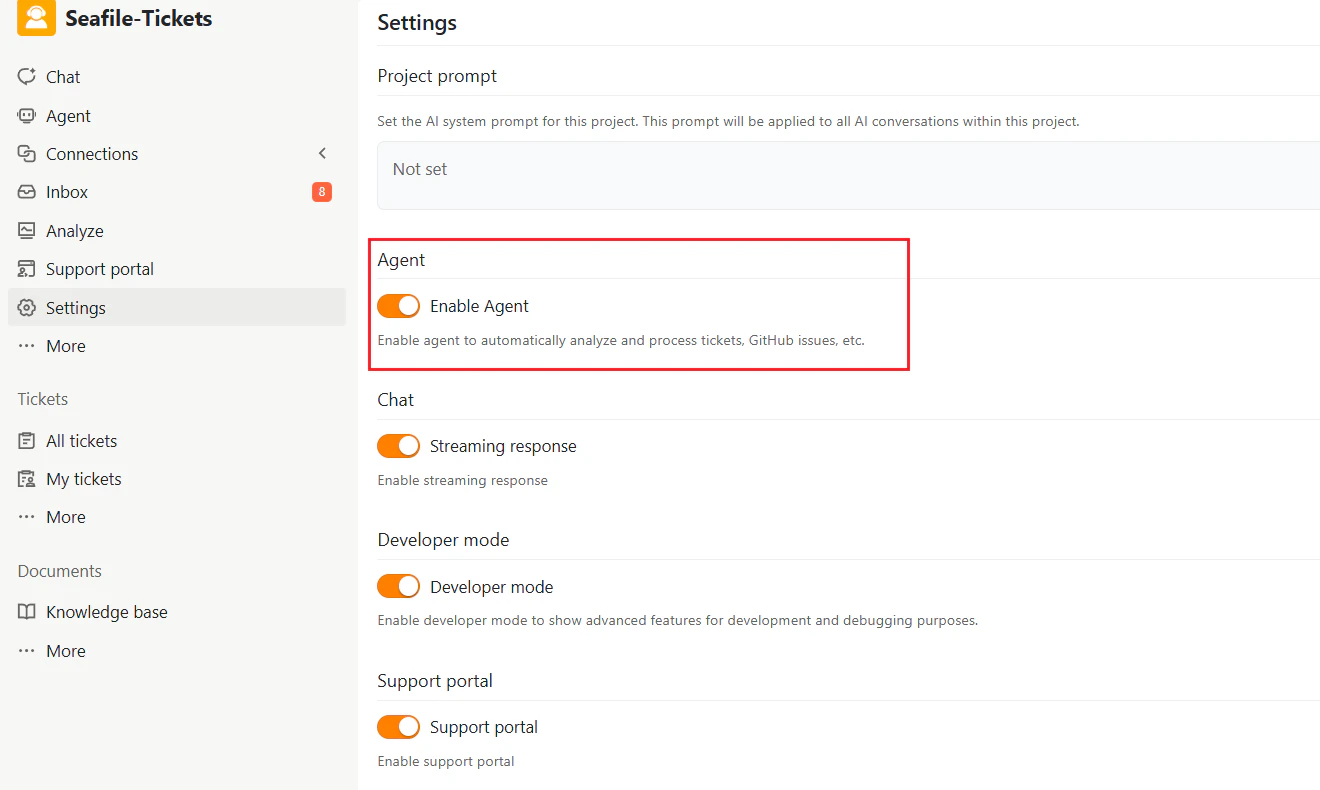
- Go to Settings in your SeaTicket project
- Locate the Agent section
- Toggle Enable Agent to ON
Using the Agent
After enabling, you can interact with the Agent through the Agent tab in the sidebar.Issue and Ticket Analysis
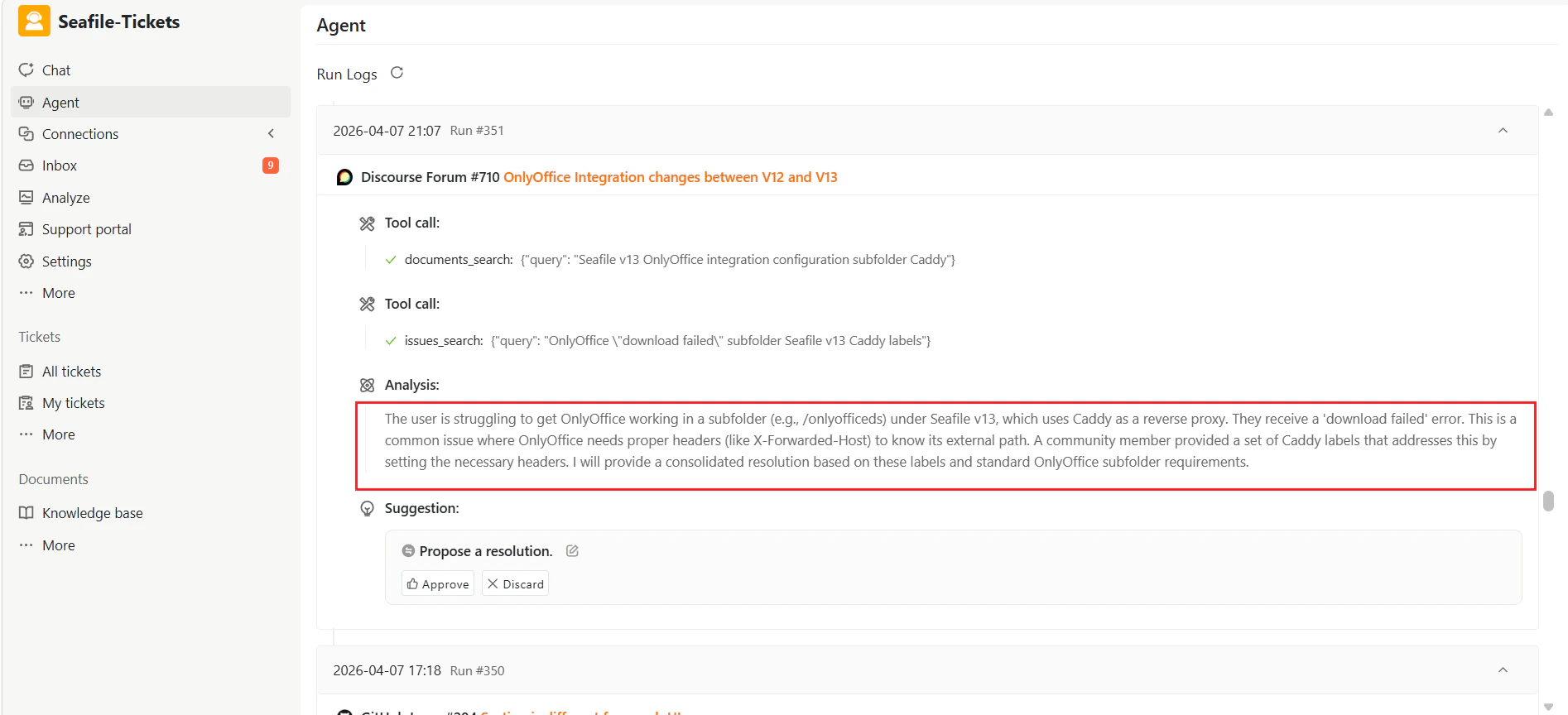
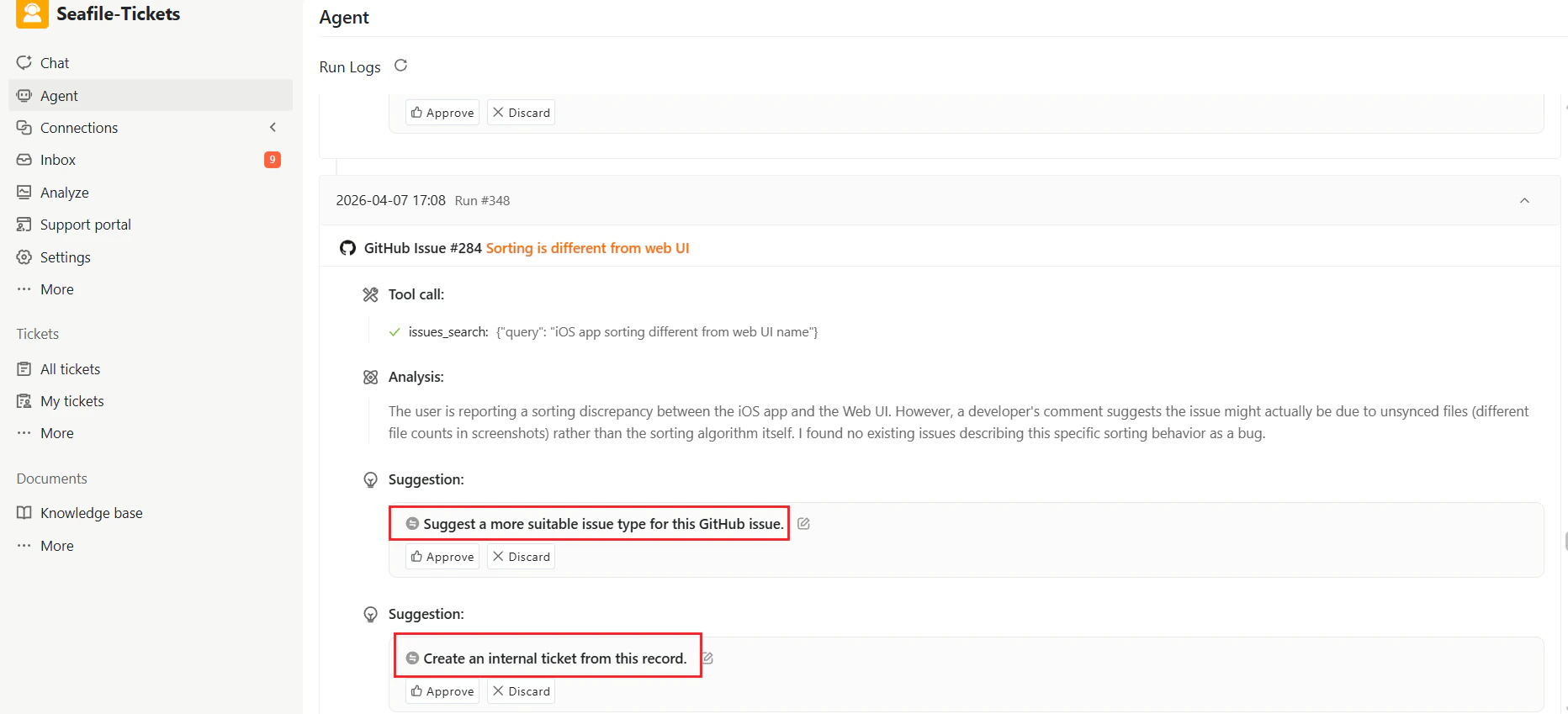
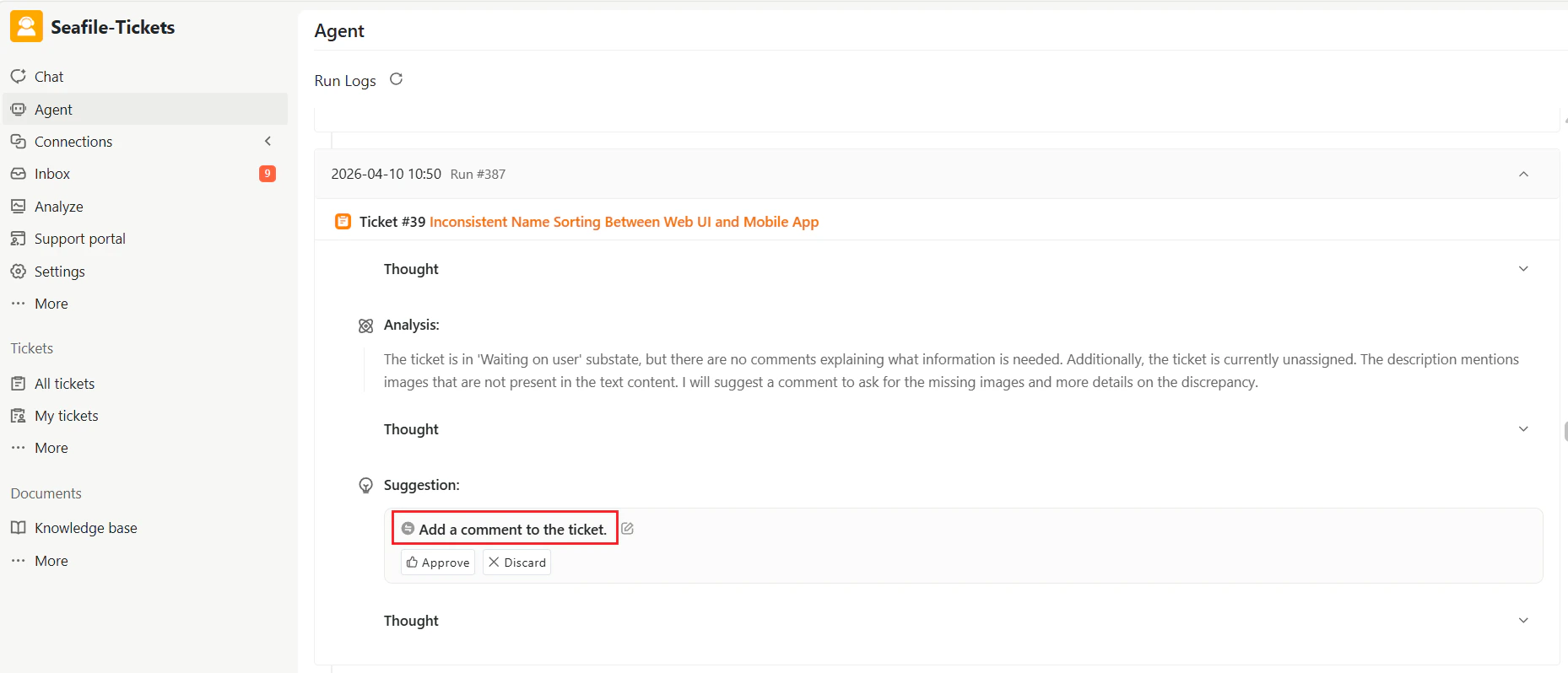
- The Agent reviews each issue or ticket and identifies key points such as errors, missing information, or overdue tasks.
- It generates a concise Analysis summarizing the issue.
Actionable Suggestions
The Agent generates structured suggestions for next steps based on the analysis, typically including:- Propose a resolution for the issue
- Create an internal ticket from this record
- Add a comment to the ticket
- Assign the ticket to a team member
- Notify assignees of the ticket
- Request more information
Review and Approval
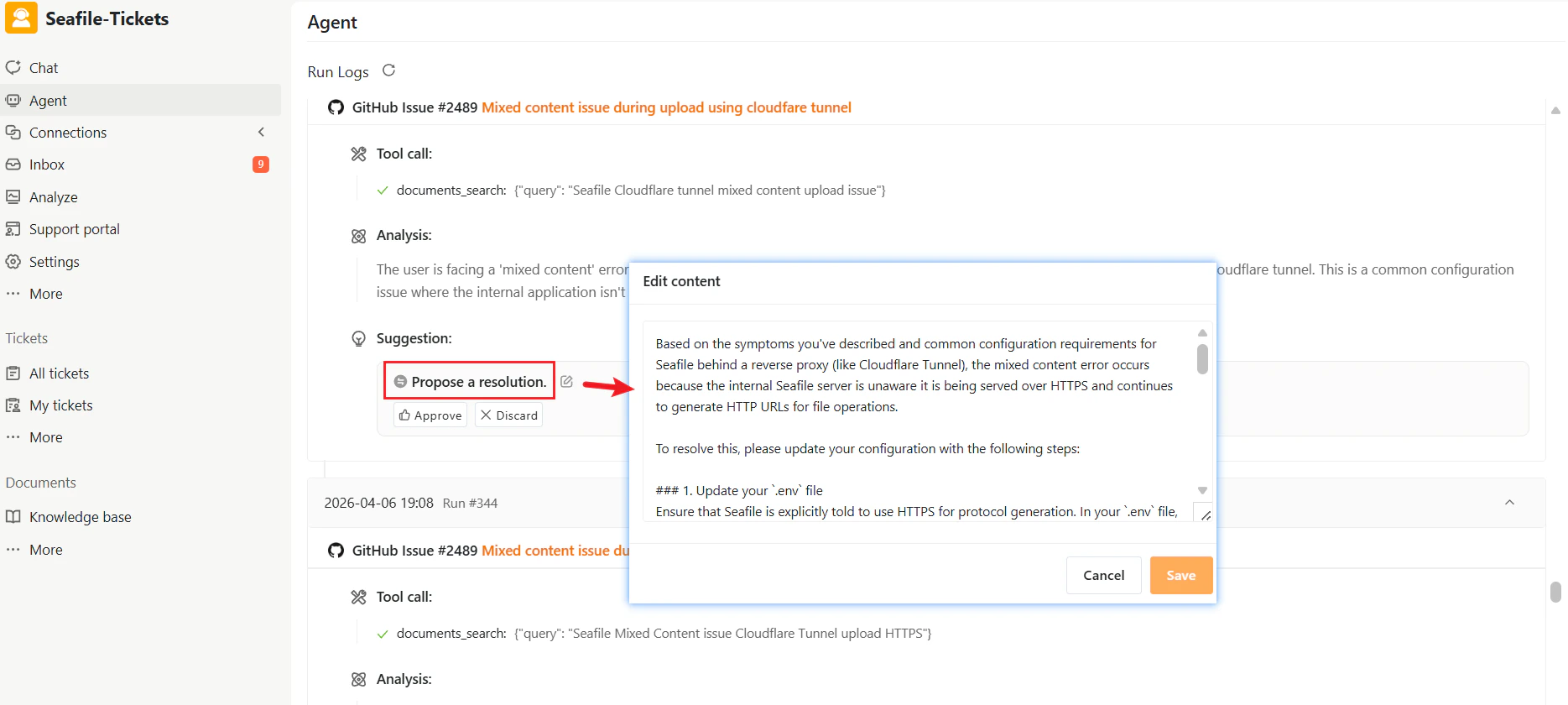
Each suggested action offers three options:- Edit content — Modify the suggestion before approval
- Approve — Execute the suggested action
- Discard — Reject the suggestion